Magento + Google Sheets: The Complete Automation Playbook (Orders, Inventory, Invoices & AI)
Magento is a powerful storefront. It is a terrible operations tool.
Anyone who has actually run a store knows the gap: the admin order grid can't be customized the way your warehouse needs, the native CSV exporter mangles line items, reporting lives behind clunky filters, and the moment you want to pull data into a spreadsheet — where your team actually works — you're stuck with manual exports or a $99/month connector.
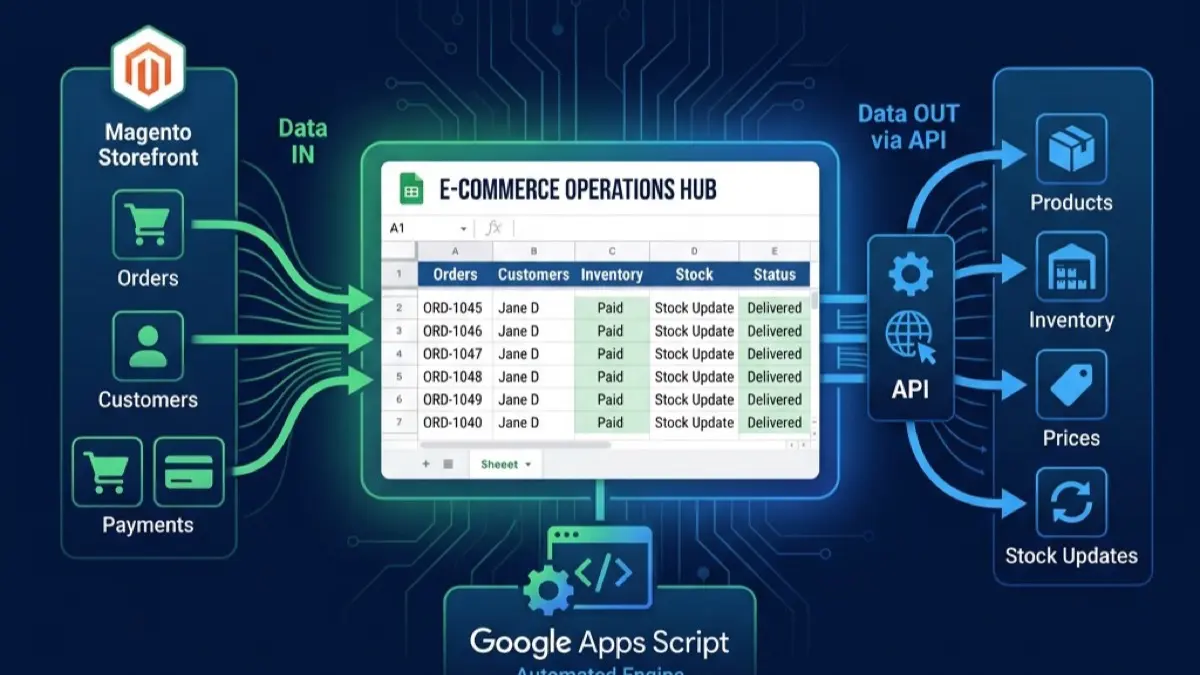
The fix is closer than most merchants realize. Magento 2 (and Adobe Commerce) ships with a complete REST API. Google Apps Script can call that API directly, for free, from a script bound to a Google Sheet. Put the two together and your spreadsheet becomes the operations hub for your store: orders flow in, bulk updates flow out, invoices and CRM records generate themselves, and AI handles the catalog grunt work.
This is the complete playbook. Below is an index of every workflow you can automate; the rest of the guide explains the foundation they all share and when you should not use this approach.
What Do You Want to Automate? (The Index)
Pick your goal — each row links to the full how-to:
| Goal | Direction | Full guide |
|---|---|---|
| Pull orders into Sheets in real time | Magento → Sheets | Magento to Google Sheets integration: real-time order sync |
| Analyze revenue, AOV, top sellers, cohorts | Magento → Sheets | Revenue & order analysis |
| Get clean, row-by-row line items for picking | Magento → Sheets | Order line-item exports |
| Push bulk product / price / stock updates | Sheets → Magento | Bulk updates via REST API |
| Two-way sync at scale | Sheets ↔ Magento | Syncing Sheets with Magento at scale |
| Auto-generate branded PDF invoices | Magento → Docs | Automated B2B invoices |
| Build a free B2B CRM from company accounts | Magento → Workspace | Magento B2B CRM |
| Centralize product information (PIM) | Workspace hub | Omnichannel PIM |
| Enrich catalog attributes with AI | AI | AI product enrichment |
| Add an AI chatbot to your storefront | AI | Add AI chat to Magento |
| Build enterprise-grade dashboards | BI | Looker Studio for Magento |
| Decide: AI chatbot vs live chat | Decision | Chatbot vs live chat |
The Foundation: Magento REST API + Apps Script
Every workflow above stands on the same three-part foundation. Get this right once and the rest is just business logic.
1. Authentication via an Integration token. In the Magento admin, go to System → Integrations, create an integration, grant it the resource access it needs (orders, catalog, customers), and activate it to get an access token. Store that token in Apps Script's PropertiesService — never hard-code it in the script body. Rotate it on a schedule.
2. Calling the API with UrlFetchApp. Apps Script reaches any external API through UrlFetchApp.fetch(). A typical authenticated call looks like:
function magentoGet(path) {
  const base = PropertiesService.getScriptProperties().getProperty('MAGENTO_BASE_URL');
  const token = PropertiesService.getScriptProperties().getProperty('MAGENTO_TOKEN');
  const res = UrlFetchApp.fetch(`${base}/rest/V1/${path}`, {
    method: 'get',
    headers: { Authorization: `Bearer ${token}` },
    muteHttpExceptions: true,
  });
  if (res.getResponseCode() >= 300) throw new Error(res.getContentText());
  return JSON.parse(res.getContentText());
}
The same pattern with method: 'post' or 'put' pushes data back into Magento. The REST API uses searchCriteria query parameters for filtering and pagination — which matters the moment you have more than a page of orders.
The single mistake that breaks most first attempts is ignoring pagination. Magento returns results in pages (default page size 20), so a naive call to orders silently gives you only the first 20 and your Sheet looks "done" while half your data is missing. The correct pattern loops over searchCriteria[currentPage], incrementing until the returned count is less than the page size, and writes each batch to the Sheet as it arrives (so a mid-run timeout doesn't lose everything). Filtering follows the same shape — searchCriteria[filter_groups][0][filters][0][field]=created_at with a gt condition lets you pull only orders since the last sync, which is what turns a slow full-export into a fast incremental delta.
3. Triggers and webhooks for the timing. Two complementary mechanisms decide when code runs:
- Webhooks (real-time): Magento POSTs to an Apps Script web app the instant an event fires. This is how you get zero-latency order capture. The webhook receiver pattern — including HMAC signature verification so only Magento can write to your Sheet — is covered in Apps Script webhooks with doGet and doPost.
- Time-based triggers (scheduled): Apps Script runs a function every N minutes to pull deltas or push batches. This is the right choice for catalog and inventory syncs, where latency is tolerable and you want to batch calls to respect rate limits.
One non-negotiable for production: handle the API's rate limits and transient failures. A sync that works against 200 orders will fall over at 5,000 if it doesn't retry on 429/5xx with exponential backoff and stay under the 6-minute execution ceiling. The reliability patterns are in The hidden cost of UrlFetchApp: quotas, retries, and rate limiting.
Pulling Data OUT of Magento
The most common starting point — get Magento's data into the spreadsheet where your team lives.
- Orders, in real time. Stop exporting CSVs by hand. A webhook + Apps Script pipeline drops every new order into a Sheet the moment it's placed, with the exact columns your operations need. See syncing Magento 2 orders to Google Sheets in real time.
- Revenue and analytics. Build a live dashboard — AOV, top sellers, custom cohorts — that updates itself instead of relying on static exports. See analyzing Magento revenue and orders in Google Sheets.
- Clean line items for fulfillment. Magento's native order export makes warehouse picking miserable. Extract clean, row-per-item data via the REST API instead — see solving Magento order line-item exports.
Pushing Data INTO Magento
The direction most connectors do badly — using your spreadsheet as the control surface for the store.
- Bulk product, price, and inventory updates. Edit in a Sheet your whole team understands, then push the changes to Adobe Commerce in bulk via the REST API. See triggering Magento REST APIs for bulk data updates.
- Two-way sync at scale. When you need Sheets and Magento to stay in lockstep — and CSV import/export has stopped scaling — see synchronizing Google Sheets with Magento at scale, including the common failure modes to design around.
Documents, CRM & Product Information
Once the data pipes exist, Workspace turns it into finished business artifacts:
- Invoices. Turn Magento orders into beautifully branded Google Doc / PDF invoices, emailed automatically. See automated B2B invoices: Magento 2 to Google Docs & PDF.
- B2B CRM. Sync Magento Company Accounts and customer profiles into a lightweight Google Workspace CRM — no per-seat Salesforce bill. See building a free B2B CRM.
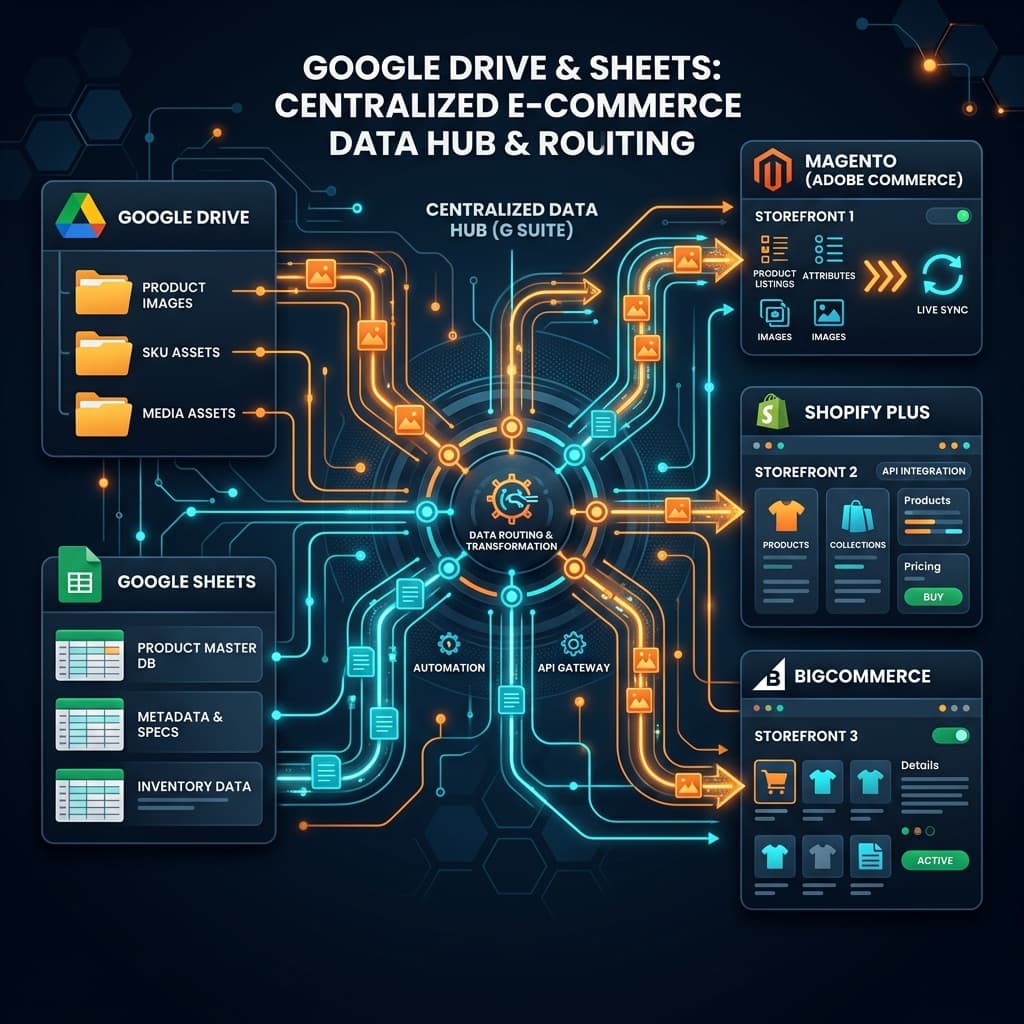
- PIM (Product Information Management). Use Google Drive and Sheets as a centralized product-information hub feeding Magento and other storefronts. See building an omnichannel PIM with Google Workspace and Magento.
Adding AI
The newest layer — and where the biggest time savings now live:
- Catalog enrichment. Managing intricate Magento attributes by hand is the single biggest bottleneck in catalog scaling. LLM-driven enrichment replaces the copy-paste workflow — see AI-driven product enrichment for Magento catalogs.
- Storefront AI chat. Add a grounded AI assistant to your store — solution selection, catalog grounding, installation, and the pitfalls that kill most rollouts are in how to add AI chat to your Magento 2 store. Deciding whether AI or humans should answer? See Magento live chat vs AI chatbot.
When to Graduate (the Honest Part)
This approach is not infinite. Know the ceilings before you hit them:
- Reporting outgrows Sheets. When your dashboards get slow or your queries time out, keep Sheets as the operations layer but move visualization to BigQuery + Looker Studio — see Looker Studio for Magento.
- Compute outgrows Apps Script. Sustained high-throughput syncs (hundreds of calls per minute, multi-hour jobs) will hit Apps Script quotas. The graduation path keeps your Sheet and UI but moves the engine to Cloud Run or Vercel Functions — same data, bigger backend.
- You need a real app UI. When a spreadsheet stops being the right interface for the people using it, the same data can power a full web app. This is the broader pattern in replacing expensive SaaS with Google Workspace.
The point isn't that Sheets + Apps Script does everything forever — it's that it does far more than merchants assume, for free, until you hit a specific, identifiable wall.
Getting Started — Get a Free Build Plan
You can build any single workflow above yourself if you're comfortable with JavaScript and the Magento API — start with order sync and expand from there.
If you'd rather have it built, this is exactly the kind of bespoke project we do. Get a free build plan: tell us your store and which workflows hurt most, and we'll map the fastest path — what to automate first, what it costs, and how it scales from a single Apps Script to a full web app if you need it. Delivered through Upwork escrow, full source code yours forever.
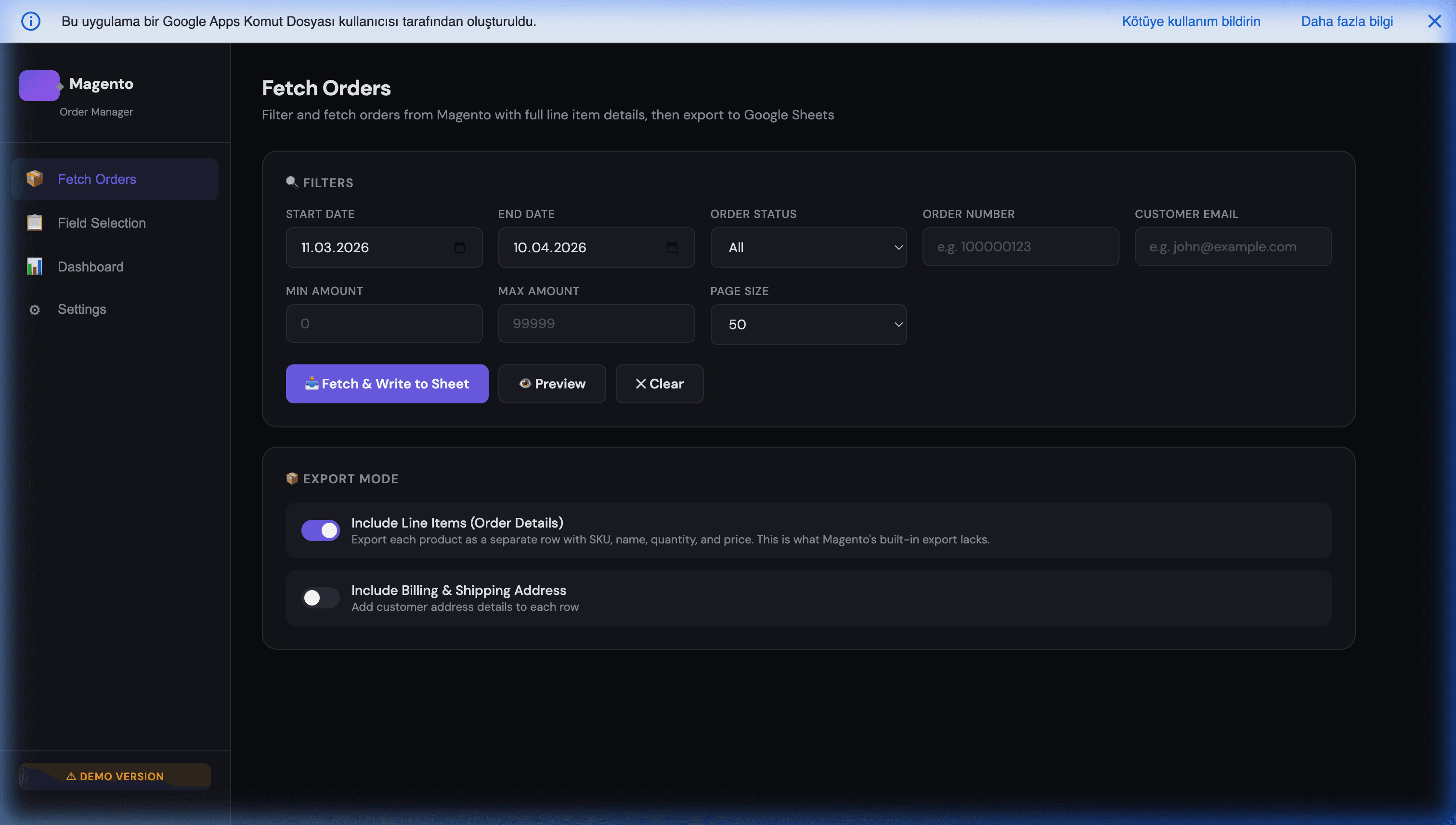
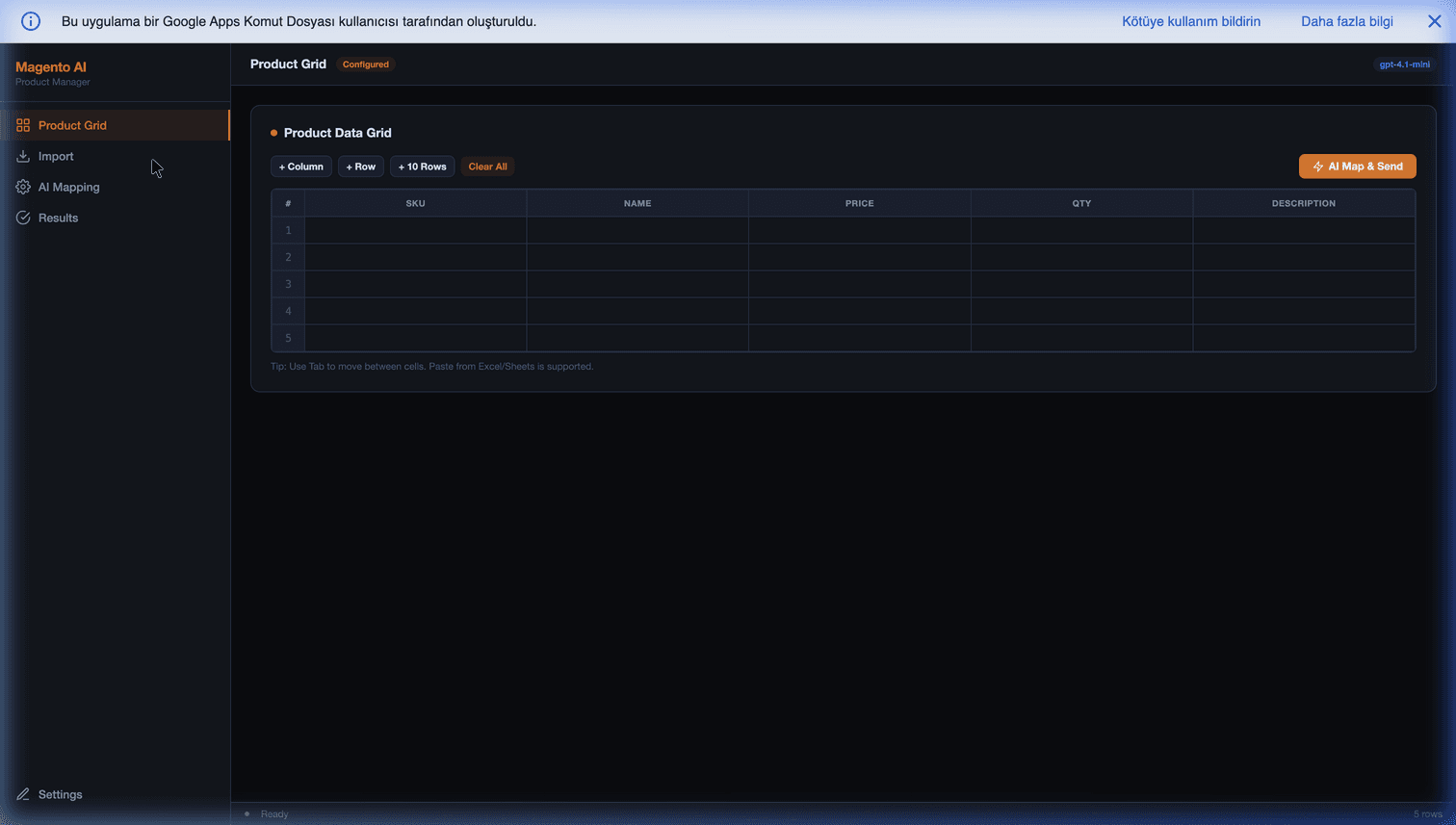
See also our Magento Order Manager and Magento AI Product Manager — production examples of these patterns you can deploy today.
Frequently Asked Questions
Do I need a paid connector to link Magento to Google Sheets?
No. Magento 2 (and Adobe Commerce) ships with a REST API, and Google Apps Script can call it directly with UrlFetchApp — no Zapier, no paid connector, no middleware subscription. You create an Integration in the Magento admin to get an access token, store it in Apps Script's PropertiesService, and call the API from a script bound to your Sheet. The only cost is the development time to build it once; after that it runs on your existing Google Workspace at zero marginal cost.
Is the sync real-time or scheduled?
Both are possible, and you usually mix them. Real-time pulls use Magento webhooks (or a custom observer) that POST to an Apps Script web app the moment an order is placed — see our order-sync guide. Scheduled jobs use Apps Script time-based triggers (e.g. every 15 minutes) to pull deltas or push bulk updates. Webhooks are best for orders you need instantly; scheduled batches are best for catalog and inventory syncs where a few minutes of latency is fine and you want to respect API rate limits.
How many orders or products can this handle before it breaks?
The practical ceilings come from two places: Google Sheets (~10 million cells, comfortable to a few hundred thousand rows) and Apps Script quotas (6-minute execution limit per run, ~20k UrlFetch calls/day on free, 100k on Business/Enterprise). In practice that covers most SMB and mid-market Magento stores — tens of thousands of orders and products. For very high volume, you keep the Sheet as the reporting/operations layer and move heavy compute to Cloud Run, or use chunked/self-rescheduling jobs to stay under the per-run limit.
Does this work with Adobe Commerce, or only open-source Magento?
Both. Adobe Commerce and Magento Open Source share the same REST API surface for the operations covered here (orders, products, customers, invoices, inventory). Adobe Commerce adds B2B features (Company Accounts, shared catalogs, requisition lists) that also expose API endpoints — which is exactly what powers the B2B-CRM pattern. The Apps Script side is identical; only the endpoints you call differ.
What happens to my automations when Magento or Google updates their APIs?
Both are unusually stable. Magento's REST API is versioned and backward-compatible across minor releases; Apps Script has maintained compatibility for over a decade with multi-year deprecation runways. The fragile part is usually your access token (rotate it on a schedule) and rate-limit assumptions (handle 429s with exponential backoff — see our UrlFetchApp reliability guide). Build those two defensively and the integration is low-maintenance.
Should I build this in-house or have it built?
If you have someone comfortable with JavaScript and the Magento API, the patterns in this playbook are buildable in-house — start with one workflow (usually order sync) and expand. If you don't, this is exactly the kind of bespoke, own-the-code project we build: we deliver it through Upwork escrow with full source code, and it scales from a single Apps Script to a full web app if your needs grow. Get a free build plan and we'll map the fastest path for your store.