How to Replace Expensive SaaS with Google Workspace (CRM, Inventory, Billing & More)
The typical tech stack for a growing business today looks something like this: a CRM that costs $150/user per month, a billing software at $99/month, an inventory app for another $200/month, and an automation tool (like Zapier) pulling it all together for $50/month.
Before you know it, you are bleeding thousands of dollars annually on software subscriptions—most of which boast "Enterprise Features" you will never actually use.
This is the complete guide to replacing that stack with Google Workspace + Apps Script: an index of exactly which tools you can replace, the highest-ROI patterns, the risks worth knowing, and an honest total-cost comparison so you know when not to do it.
What Can You Replace? (The Index)
Most teams don't need to replace everything at once. Start with the tool that costs the most and that you use the least. Here is the map — each row links to the full how-to guide:
| What you're paying for | Typical monthly cost | Google Workspace replacement | Full guide |
|---|---|---|---|
| CRM (Salesforce, HubSpot, Pipedrive) | $150–$600/user | Sheets pipeline + Apps Script automation | Lead scoring autopilot |
| Inventory (Cin7, Fishbowl) | $100–$300 | Event-sourced Sheets stock ledger | Google Sheets inventory management |
| Billing / Invoicing (FreshBooks, Bill.com) | $50–$150 | Calendar → Sheet → Google Doc PDF invoices | Automated B2B invoices |
| Scheduling (Calendly) | $8–$16/user | Apps Script + Google Calendar booking page | Free Calendly alternative |
| BI / Dashboards (Tableau, Looker) | $70–$840 | Sheets + BigQuery real-time dashboard | BI dashboard in Google Sheets |
| Client portals (SuiteDash, etc.) | $50–$200 | Secure per-client Apps Script web app | Secure client portal |
| Commission tracking (QuotaPath, Spiff) | $15–$40/user | Tier-aware Sheets commission engine | Automating sales commissions |
| Automation (Zapier, Make) | $50–$500 | Native Apps Script triggers + webhooks | Apps Script webhooks |
| Localization (Lokalise, Phrase) | $120–$500 | Sheets as a translation database | Google Sheets i18n database |
| Lead capture (paid funnels) | $50–$300 | Gumroad + webhook lead pipeline | Autonomous lead-gen machine |
The rest of this guide explains why this works, how the highest-impact replacements are built, and — just as importantly — when you should stay on SaaS instead.
The Problem with Traditional SaaS
The dirty secret of the B2B SaaS industry is that they price their tiers based on your operational dependency, not the cost of their infrastructure.
Once your data is locked into their proprietary database, exporting it or migrating away becomes a monumental headache. This phenomenon is known as "Vendor Lock-in." And SaaS vendors know this — which is why annual price hikes of 10-30% are the norm, not the exception.
Furthermore, off-the-shelf software is rigid. You must adapt your unique business processes to fit their predefined database schemas. If you require a custom field or a specific multi-step automated workflow, you are often forced to upgrade to the highest "Enterprise" tier — or pay for a consultant to build a custom workaround that sits awkwardly alongside the tool.
The combined result: you're paying increasing amounts for features you don't use, while still paying a separate consultant to build the features you do need.
The Paradigm Shift: Your Own Data Ecosystem
What if you could own your infrastructure entirely, paying literally zero dollars in marginal server and licensing costs above what you already pay for Google Workspace?
Enter Google Workspace. More specifically: Google Apps Script.
Most businesses treat Google Sheets simply as a digital canvas for budgeting. However, beneath the surface lies a complete serverless JavaScript runtime with access to every Google product's API (Gmail, Drive, Calendar, Docs, Forms, Contacts, Maps, plus anything external via UrlFetchApp). By utilizing Apps Script, a basic spreadsheet is instantly elevated into a full-fledged relational database with customized API endpoints, automated triggers, and email/messaging integration.
The leverage is enormous: a single Apps Script engineer can replace three to four separate SaaS subscriptions for an SMB in a matter of weeks.
The Highest-ROI Replacements
1. The Headless CRM
Instead of paying for Pipedrive or Salesforce, you can structure a Google Sheet with Leads, Interactions, and Deals tabs. Using Apps Script, you can engineer an automated pipeline. When a new lead fills out a form on your website:
- The data drops instantly into your Lead sheet via a Google Form or webhook (see Apps Script webhooks with doGet and doPost).
- An Apps Script trigger categorizes the deal size and scores the lead (for sophisticated scoring, see our lead scoring autopilot pattern).
- The script fires an API call to Gmail, sending a personalized, automated introductory email to the prospect.
- A follow-up task is added to the sales rep's Google Calendar automatically.
- If the lead converts, the commission attribution writes to the commission ledger (see automating sales commissions).
The whole flow runs for zero marginal cost. The data lives in your Workspace. Your team uses the same Google products they already know.
2. WhatsApp Sales & Inventory Integration
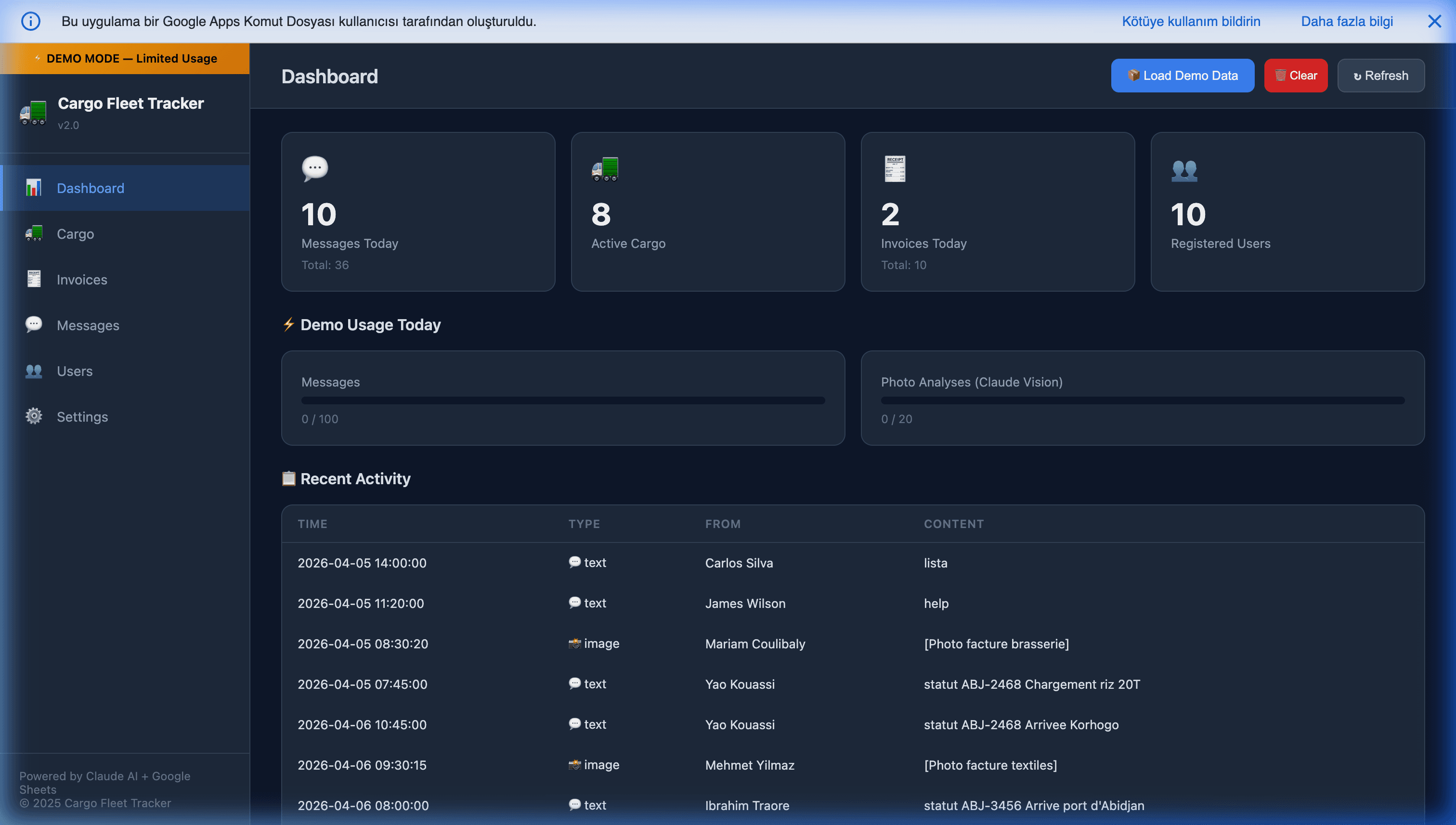
For businesses conducting sales via messaging channels, traditional CRMs fail spectacularly — most of them treat WhatsApp as an afterthought or not at all. By using a Custom WhatsApp Tracker built on Apps Script, every time a customer messages your business WhatsApp number:
- The backend logs the order into your Google Sheet in real time.
- It checks your internal stock formulas to verify availability (the same inventory ledger pattern that replaces standalone stock software).
- It sends an automated invoice natively generated as a Google Doc PDF.
- It notifies the sales team of high-priority conversations via a color-coded dashboard.
Zero monthly subscriptions required. See our WhatsApp automation pillar for the broader context.
3. Automated Billing & Consultancy Workflows
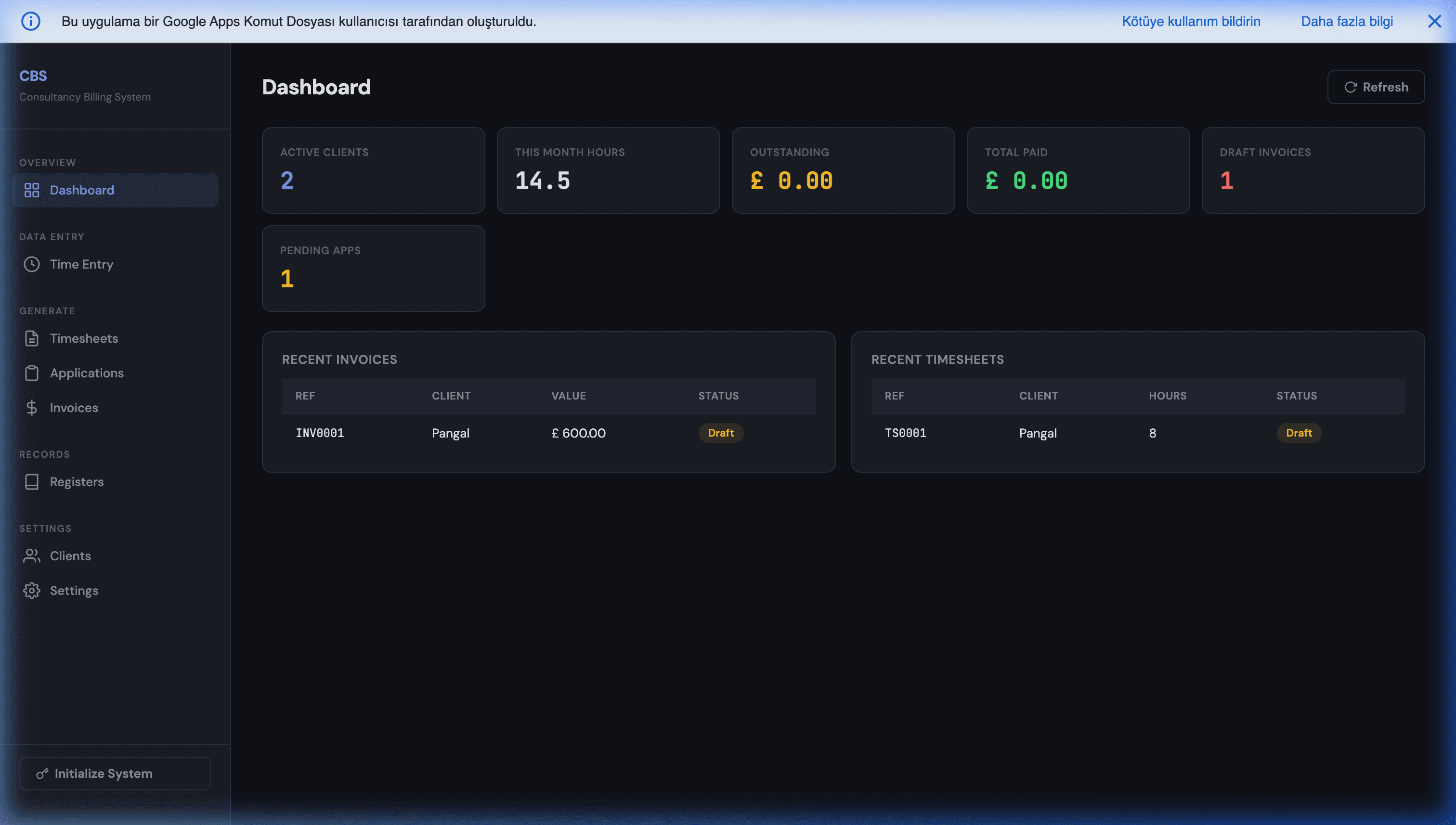
Agencies and consultants waste countless hours tracking billable time across different clients. A tailored script connecting your Google Calendar to a Master Sheet can automatically log meeting durations, tag them to the right client, and compute billable hours. At the end of the month, the script can generate and parse invoices directly from your Billing System, firing them off via email with a single click.
The same pattern extends to:
- Project management (tasks, assignees, deadlines, progress) — replacing Asana or Monday.
- Client portals (secure per-client dashboards) — see secure client portal via Apps Script.
- Document generation (contracts, proposals, reports) via Google Docs templates and Apps Script mail-merge.
Beyond the Big Three
The same engine replaces several more line items on your invoice:
- Scheduling tools (Calendly). A public booking page with calendar-conflict checking, email confirmations, and timezone handling fits entirely in Apps Script — see the free Calendly alternative.
- BI dashboards (Tableau, Looker). Before you commit to enterprise BI pricing, a real-time dashboard in Google Sheets (optionally backed by BigQuery) covers most SMB reporting needs.
- Localization platforms (Lokalise, Phrase). Developers want strings in code, translators want a grid — Google Sheets as a translation database gives both sides what they want for free.
- Sales commissions (QuotaPath, Spiff). A tier-aware, audit-ready commission engine in Sheets removes a per-rep monthly fee entirely.
When This Approach Doesn't Work
Honesty matters: Google Workspace + Apps Script is not universally superior to SaaS. It fails in specific cases:
- Teams over 100 people. Collaborative editing in Sheets gets laggy; Apps Script quotas start to constrain high-throughput workflows. Consider it a mid-market (up to ~50 people) solution.
- Regulated industries. Healthcare needing HIPAA BAAs, finance needing SOX compliance beyond what Workspace covers. Specialized SaaS with the right certifications wins here.
- Deep existing SaaS integrations. If you're using Salesforce's marketing automation, enterprise workflows, and dozens of third-party integrations genuinely daily, replacing that is a massive project with ambiguous ROI.
- No JavaScript capacity. If nobody on your team can maintain Apps Script, you'll be dependent on a consultant. Factor that cost into the comparison.
- Real-time collaborative workflows. WebSocket-driven live editing, real-time multi-user dashboards. Apps Script's trigger-based model adds latency.
If any of these apply, stay with the specialized SaaS. If none of them apply, the replacement math is usually dramatic.
Why Ownership Matters
By migrating your operations to custom-built Apps Script automations, you reclaim ownership:
- You own the code. Unlike a SaaS company that can double its pricing next year, your script runs inside your own Google account forever.
- Infinite Customization. If you need a new feature, you write the JavaScript for it. You don't have to wait for a product roadmap.
- Data Sovereignty. Your customer data never leaves your company's Google Drive, under your existing Workspace security controls.
- No per-seat pricing trap. Growing to 20 users costs the same as 5 (just more Workspace seats, which you'd pay anyway).
- Clean export. Everything is in Sheets and Drive — the most portable format in B2B software.
Mitigating the "Bus Factor" Risk
The single legitimate concern about custom Apps Script is: what happens if the person who built it leaves? Three mitigations make this manageable:
- Documentation in-line. Clear comments explain what each function does and why.
- Shared Workspace ownership. Scripts owned by a company account, not a personal one, so access persists through employee changes.
- Version control via clasp. Scripts exported to GitHub so a new engineer can onboard by reading the code history.
Done well, the maintenance burden is hours per month for a typical stack. Many SaaS tools have worse bus-factor risk because the custom configurations inside them (custom fields, workflows, integrations) are equally fragile and much harder to document.
Is This Right for You? A 30-Second Check
Replacing SaaS with Workspace is usually a win if you can tick most of these:
- Your team is under ~50 people.
- You're using less than ~30% of the SaaS tool's feature set.
- The tool costs more than $200/month.
- Your data isn't bound by regulated-compliance requirements (HIPAA BAA, SOX) the tool specifically provides.
- You have access to someone who can build and maintain Apps Script — in-house, or a partner.
Tick three or more, and the replacement math almost always works in your favor. Tick fewer, and you should probably keep the SaaS (and we'll tell you so honestly).
Getting Started — Get a Free Build Plan
At MageSheet, we specialize in building these zero-infrastructure, bespoke automations. We transition businesses away from costly, fragmented software and synthesize their operations into an intelligent, unified Google ecosystem.
Not sure which of your tools is actually worth replacing? Get a free build plan — tell us your current stack and we'll map exactly what can move to Google Workspace, what it would cost to build, and what you should keep. No obligation, and we'll be honest if a tool isn't worth touching.
The WhatsApp Mini CRM and Consultancy Billing System are two production examples of this pattern — deployable today, customizable to your specific workflows.
Further Reading
- Apps Script webhooks with doGet and doPost — the foundational webhook pattern that connects any app to your Sheets.
- Custom Apps Script frontends — building real web app UIs on top of Sheets.
- Automating sales commissions within Google Workspace — the commission-tracking replacement.
- Google Sheets inventory management — the standalone-inventory-software replacement.
- Business intelligence dashboard in Google Sheets — the BI-tool replacement.
- Free Calendly alternative with Apps Script — the scheduling-tool replacement.
- Secure client portal via Apps Script — the client-portal replacement.
- AppSheet vs Apps Script — choosing your build approach.
Frequently Asked Questions
When does it actually make sense to replace SaaS with Google Workspace, and when doesn't it?
It makes sense when: (1) your team is under ~50 people, (2) the SaaS tool you're replacing is being used at under 30% of its feature set, (3) you have at least one person comfortable with JavaScript/Apps Script, and (4) the SaaS monthly cost is over $200. It doesn't make sense when: (1) the SaaS has deep integrations you actually use daily (Hubspot's marketing automation, Salesforce's enterprise workflows), (2) your team is over 100 people where collaborative editing in Sheets gets laggy, or (3) you're in a regulated industry requiring features like HIPAA-compliant BAAs that Workspace doesn't cover at your current tier.
Can a Google Sheets CRM really replace HubSpot or Pipedrive?
For core CRM — contacts, deals, pipeline stages, automated follow-ups, and reporting — yes, a Sheets + Apps Script CRM covers it at zero marginal cost. Where HubSpot and Pipedrive pull ahead is bundled marketing automation, email sequencing at scale, and a polished mobile app. The practical rule: if you mainly use your CRM as a structured database with some automation, Sheets wins on cost and flexibility. If you live inside the CRM's marketing or sequencing suite every day, keep it. Many teams land on a hybrid — Sheets for the pipeline, a cheap dedicated tool for email sequences.
Isn't Apps Script too limited for serious business logic?
It's limited in specific ways that matter for specific use cases: 6-minute execution limit per run, daily URL-fetch quota of ~20k (100k on Business/Enterprise), and no real-time websockets. For most SMB CRM, billing, and inventory workflows, these limits are invisible — the actual workloads fit comfortably within them. For high-throughput or real-time workflows (hundreds of API calls per minute, WebSocket-driven dashboards), you'll outgrow Apps Script. The typical graduation path keeps Sheets as the data layer and migrates the compute to Cloud Run or Vercel Functions — same UI, different backend.
What happens to my custom Apps Script automations if Google changes the API?
Apps Script APIs are extremely stable — Google has maintained backward compatibility for well over a decade. Deprecations happen on a multi-year runway with clear migration guides. Contrast this with SaaS vendors that change pricing annually, acquire you into a different product, or sunset features with 90 days' notice. The stability argument actually favors Apps Script over most B2B SaaS.
How do I handle the risk of 'the person who built this leaves the company'?
Three mitigations: (1) document the scripts in-line with clear comments explaining what each function does and why, (2) use a shared Google Workspace account (not a personal one) as the script owner so access persists beyond any one employee, (3) version control — export scripts to GitHub via clasp so you have an external record. With these in place, the maintenance burden on a new engineer picking up the scripts is hours, not weeks. Many SaaS tools have worse 'bus factor' because the custom configurations inside them are equally fragile.
What's the realistic monthly savings from replacing SaaS with Workspace?
Depends on your starting stack. Typical SMB replacement scenarios we've seen: (a) CRM ($150-$600/user/month × 5 users → $750-$3,000/month replaced with ~$0 marginal cost on existing Workspace), (b) inventory tool ($100-$300/month replaced with $0), (c) billing/invoicing ($50-$150/month replaced with $0), (d) automation connectors like Zapier ($50-$500/month replaced with native Apps Script). For a typical 10-person SMB, total replacement savings commonly land at $1,000-$5,000/month, with the build-out cost of Apps Script custom development amortized over 12-18 months.