AppSheet vs Apps Script vs PowerApps (2026): Cost & When to Use
Quick answer: AppSheet is a no-code app builder for UIs; Apps Script is a code runtime for logic. Pick AppSheet when you need a polished mobile app fast — offline field work, forms, role-based access — with no code. Pick Apps Script when you need custom logic, non-Google API integrations, a customer-facing app, or zero per-user cost at scale. Most production systems use both: AppSheet for the UI, Apps Script for the logic, on the same Google Sheet. PowerApps is the Microsoft-stack mirror of AppSheet — choose it only if you already run on Microsoft 365.
| AppSheet | Apps Script | Power Apps | |
|---|---|---|---|
| What it is | No-code app builder | Code runtime (JavaScript) | Microsoft no-code builder |
| Best for | Mobile UIs, offline field apps | Custom logic, APIs, automation | Microsoft 365 shops |
| Cost | $5–20/user/mo (free ≤10 test users) | Free under Workspace quotas | $20/user/mo (annual) |
| Data lives in | Your Google Sheet | Your Google Sheet | Dataverse / SharePoint |
| Code escape hatch | Apps Script (same Sheet) | It is the code | Power Fx + Azure |
In 2026 you have two clear no-code paths inside Google Workspace, and most teams pick the wrong one for the wrong reason.
AppSheet says: point me at your Sheet, I will give you a polished mobile and web app in minutes. Apps Script says: stay close to the metal, you write the code, you control everything. Both run on top of the same Google Sheets, both deploy in minutes, both bill you nothing for small projects.
The rest is genuinely different. Different audiences, different ceilings, different ways of breaking. This guide is the comparison we wish someone had handed us before we picked.
What Each One Actually Is
AppSheet is a no-code app builder that Google acquired in 2020 and integrated into Workspace. You point it at a Google Sheet (or Excel file, or Smartsheet, or several other backends), and AppSheet generates a working mobile and web app: list view, detail view, edit forms, search, filters, role-based permissions. You customize through a visual configuration UI, never code. Workflows ("bots") are configured by clicking through dropdowns. The end result is an app that can be installed on iOS and Android, embedded in Sites, or accessed via a public link.
Apps Script is Google's serverless JavaScript runtime, integrated into every Google Workspace app. You write actual code (JavaScript-like, V8 runtime), deploy it as a web app, a trigger, a custom Sheet function, an add-on, or a webhook receiver. There is no UI layer unless you build one — typically with HtmlService and a small SPA frontend. There is no permission system unless you implement one — see our auth and state guide. There is also no upper bound on what you can build, short of the platform's quotas.
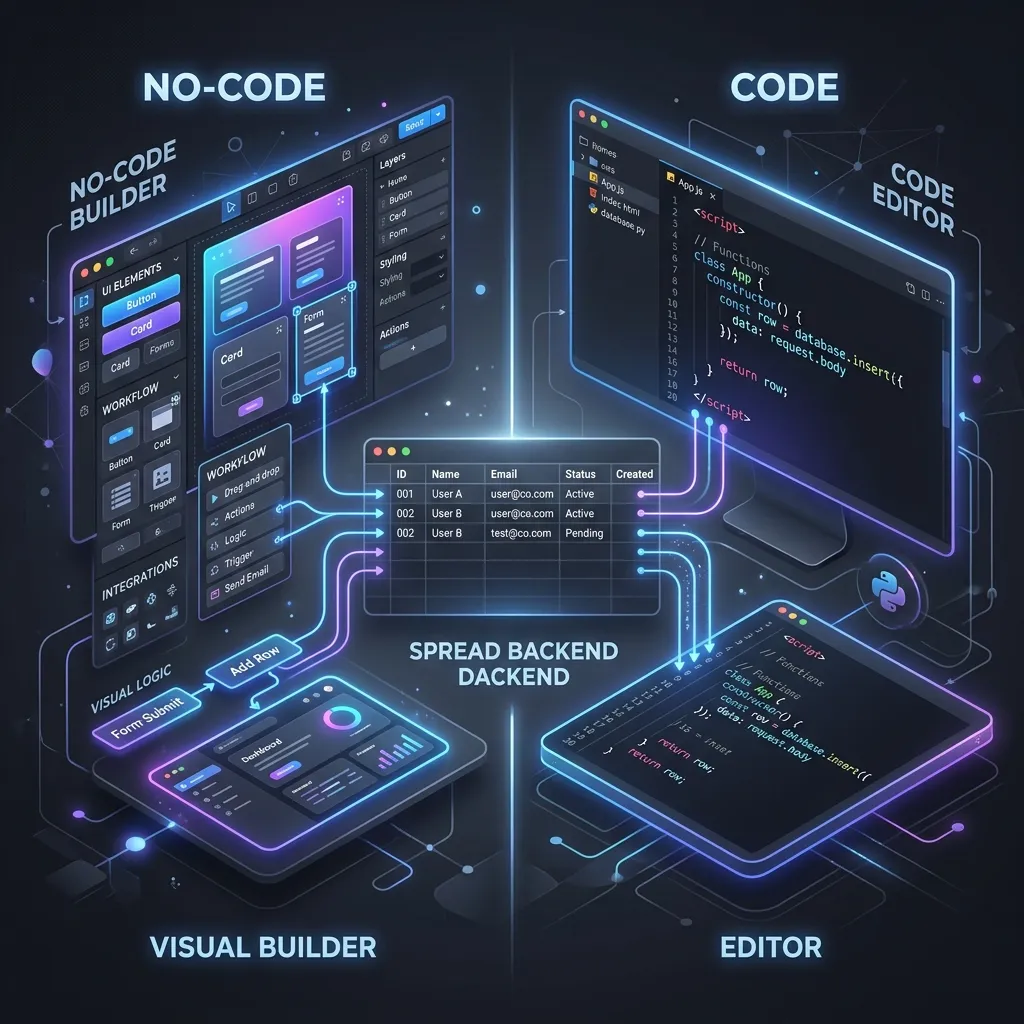
The cleanest mental model: AppSheet is for delivering UIs, Apps Script is for running logic. They are not competitors; they solve different problems and frequently coexist.
AppSheet: Strengths and Limits
Where AppSheet shines:
- Native mobile apps with offline mode. Field workers, warehouse pickers, delivery drivers, and inspectors can use the app without connectivity, and it syncs when they reconnect. This single feature justifies AppSheet for entire categories of business.
- UI quality out of the box. The auto-generated views are professional. Lists, cards, kanban boards, calendar views, maps — all configured visually in minutes.
- Role-based access without code. Define a role column in your Users sheet, AppSheet handles per-row visibility through "security filter" expressions. No
requireRole()helpers to write. - Workspace-native integrations. AppSheet Bots can read Calendar, send Gmail, generate Docs, all without any code.
- Form-driven data entry. Validation, dependent dropdowns, computed fields, references between tables — all visual.
Where AppSheet hits a ceiling:
- Custom logic past medium complexity. A FIFO inventory cost calculation, a fuzzy customer-matching engine, or an AI prompt assembly cannot be expressed in AppSheet's expression language without contorting it.
- Long-running jobs. AppSheet bots time out fast. Anything that needs to process thousands of rows or call slow external APIs is wrong here.
- Non-Google API integrations. AppSheet's webhook bots can call external APIs but the surface is limited — no retry logic, no rate limiting, no idempotency keys, none of the production patterns we documented in our UrlFetchApp guide.
- Per-user billing past the free tier. Once you go to production, AppSheet charges $5–$20 per user per month depending on tier. For internal tools with 50 users, this becomes meaningful overhead — money that does not buy any feature you could not build in Apps Script for free. (Full breakdown in the pricing section below.)
- Customization ceiling. When the visual UI cannot do what you need, you cannot drop into code. You either accept the constraint or migrate.
Apps Script: Strengths and Limits
Where Apps Script shines:
- Full programming control. Anything JavaScript can do, Apps Script can do. Custom algorithms, AI integrations, complex API orchestration, long-running jobs, robust webhook handlers.
- No per-user fee, ever. A web app you build serves 10 or 10,000 users on the same free quota.
- Triggers and automation. Time-driven, on-edit, on-form-submit, installable triggers — the full event surface of Workspace.
- Library system. Reuse code across projects. Version your scripts. Build internal SDKs for your team.
- Integration depth. Direct access to Drive, Calendar, Gmail, Docs, Slides, Forms, plus any external API through
UrlFetchApp.
Where Apps Script hits a ceiling:
- No native mobile. Apps Script web apps run in a browser; there is no offline mode, no native iOS/Android distribution. If your users are out in the field on weak connections, this is a deal-breaker.
- You are now a developer. Someone has to write, debug, and maintain code. AppSheet's "non-technical staff can edit" advantage evaporates the moment Apps Script enters the picture.
- UI work is real work. A polished UI in Apps Script is an HtmlService templating exercise plus a small SPA frontend. Doable, documented in our custom frontends guide, but it is not 5 minutes.
- Auth and permissions are your problem. No built-in role system. You build it — see our auth and state guide.
- Quotas you must respect. 6-minute execution limit, 30-second web-app HTTP ceiling, daily UrlFetch caps. AppSheet abstracts these; Apps Script makes them your responsibility.
The Decision Matrix
| If your project needs… | Pick |
|---|---|
| Mobile app for field workers (offline, GPS, camera) | AppSheet |
| Internal CRUD tool for under 10 users | AppSheet |
| Customer-facing portal with custom branding and complex flows | Apps Script |
| Heavy data processing (>1,000 rows of computation) | Apps Script |
| AI integration with OpenAI / Anthropic / Gemini | Apps Script |
| Webhook receiver for Stripe, Twilio, Magento | Apps Script |
| Form with dependent dropdowns and per-role permissions | AppSheet |
| Tool that 50+ employees use daily | Apps Script (cost) |
| Quick prototype to validate an internal idea | AppSheet |
| Production system that will run for 5+ years | Apps Script (control) |
AppSheet vs the Other No-Code Tools (Smartsheet, Airtable, Glide, Power Apps)
"AppSheet vs Apps Script" is the inside-Google question. The other one we hear constantly is how AppSheet compares to the popular no-code tools outside the Google ecosystem. The short version: AppSheet's defining advantage is that your data stays in Google Sheets — not locked inside a vendor's proprietary database.
| Tool | Where your data lives | Code escape hatch | Offline mobile | Cost model |
|---|---|---|---|---|
| AppSheet (+ Apps Script) | Your Google Sheet | Yes — Apps Script on the same Sheet | Yes | Free to build/test (10 users), then $5–20/user |
| Smartsheet | Smartsheet's platform | Limited (API only) | Partial | Per-user, climbs fast |
| Airtable | Airtable's database | Scripting block + API | App only | Free tier, then per-user |
| Glide | Glide tables or your Sheet | Limited | Yes (PWA) | Per-app + per-user |
| Power Apps | Dataverse / SharePoint | Power Fx + connectors | Yes | Microsoft 365 stack |
- vs Smartsheet: Smartsheet is a project-management grid with app features bolted on; AppSheet is an app builder on a spreadsheet you already own. If you live in Workspace, AppSheet keeps your data in Drive instead of migrating it into Smartsheet's silo.
- vs Airtable: Airtable has a nicer database UX and a strong free tier, but the data lives in Airtable. The AppSheet + Sheets stack keeps the system of record in a format you can always read, query, and script — and it is offline-first for field work.
- vs Glide: Glide builds beautiful PWAs fast and can sit on your Sheet too — a genuine alternative for customer-facing mini-apps. AppSheet wins on offline-first field use and Workspace-native bots.
- vs Microsoft Power Apps: The mirror image of AppSheet for the Microsoft 365 world (Dataverse/SharePoint + Power Fx). Run on Microsoft → Power Apps; run on Google Workspace → AppSheet. Full breakdown: AppSheet vs Power Apps.
The throughline: tools that store your data in their own database trade convenience now for lock-in later. The Google Sheets stack — AppSheet for the UI, Apps Script for the logic — keeps the system of record yours.
AppSheet vs Power Apps: The Google-vs-Microsoft Decision
Summary below — for the full breakdown, including the cost curve at 10/30/100 users, Power Fx vs Apps Script, and what migrating each way actually takes, see AppSheet vs Power Apps (2026).
If you're choosing between AppSheet and Microsoft Power Apps, the deciding factor is rarely the apps themselves — it's which cloud you already pay for. AppSheet keeps your data in Google Sheets and starts at $5/user/month; Power Apps keeps it in Microsoft Dataverse and starts at $20/user/month (billed annually). They are functional mirror images: both auto-generate mobile and web UIs over a data backend, both do offline mobile, both have a no-code expression layer (AppSheet expressions vs Power Fx). The differences that actually decide it:
- Where your data lives. AppSheet's system of record is a Google Sheet you already own and can read, export, or script with Apps Script forever. Power Apps' premium path pushes you onto Dataverse — a more capable relational store, but a proprietary one you don't own outright and can't open in a spreadsheet.
- The pricing gap. As of mid-2026, AppSheet Starter is $5/user/month and Core is $10/user/month — and Core ships inside most paid Google Workspace editions, so many teams effectively already have it. Power Apps Premium is $20/user/month annually, dropping to roughly $12 only at 2,000+ seats. That's a 2–4x per-seat gap before you count the Microsoft 365 licensing underneath.
- Power Apps' confusing licensing. Microsoft retired the cheaper Per-App plan from its standard licensing guide in early 2026, so the budget on-ramp many small teams relied on is gone for most new customers. What's left is per-user Premium (unlimited apps) or a pay-as-you-go model billed per active user per app — flexible, but hard to forecast.
- Offline mobile — a tie. Both cache data on-device and sync when connectivity returns, so for field teams this isn't a differentiator. Pick on ecosystem and cost, not offline capability.
- Code escape hatch. AppSheet's is Apps Script on the same Sheet — free, JavaScript, no extra license. Power Apps' is Power Fx plus Azure Functions / connectors, which can pull you into more paid Microsoft services.
| AppSheet | Power Apps | |
|---|---|---|
| Data home | Google Sheets (yours) | Dataverse / SharePoint |
| Starting price | $5/user/mo (Starter) | $20/user/mo (Premium, annual) |
| Free tier | Build/test, 10 users | Developer plan (non-production only) |
| Offline mobile | Yes | Yes |
| Code escape hatch | Apps Script (free) | Power Fx + Azure (often paid) |
| Best for | Google Workspace shops | Microsoft 365 shops |
The honest tie-breaker: run on Google Workspace → AppSheet; run on Microsoft 365 → Power Apps. Fighting your existing stack to save on app-builder fees rarely pays off. But if you're cloud-agnostic and cost-sensitive, AppSheet plus Apps Script is the cheaper, less locked-in option — and for high-seat-count internal tools, the cheapest of all is to replace per-seat SaaS with a Workspace stack you own outright. (Vendor pricing shifts often — confirm both on AppSheet's and Microsoft's official pricing pages before you budget.)
AppSheet Pricing in 2026 (and Why Apps Script Costs Nothing)
AppSheet is free to build and test with up to 10 users; production use starts at $5/user/month (Starter), rises to $10/user/month (Core, the most popular tier and bundled into most paid Google Workspace plans), and tops out at $20/user/month (Enterprise Plus). Apps Script, by contrast, costs nothing under standard Google Workspace quotas — no per-user fee, no per-row fee, at any user count.
| Plan | Price (per user/mo) | User cap | Key limits |
|---|---|---|---|
| Free (build/test) | $0 | 10 test users | Prototyping only — no production use |
| Starter | $5 | Per licensed user | 5 databases, 2,500 rows each; basic automation |
| Core | $10 | Per licensed user | 10 databases, 2,500 rows each; included in most paid Workspace editions |
| Enterprise Plus | $20 | Per licensed user | 200 databases, 200,000 rows each; ML modeling, governance |
| Publisher Pro | $50/app (flat) | Unlimited (public apps) | No user sign-in; for public-facing apps |
| Apps Script | $0 | Unlimited | Free under standard Workspace quotas (6-min execution, daily UrlFetch caps) |
These numbers are accurate as of mid-2026 but AppSheet adjusts its tiers periodically — always confirm the current figures on AppSheet's official pricing page before committing budget, so you're not pricing off a stale blog post.
Here's where the math turns. Per-user pricing is cheap at 3 users and brutal at 30. A 30-person warehouse team on AppSheet Core is $3,600/year, every year — for a tool whose logic you could run for free in Apps Script. At 100 users it's $12,000/year in perpetuity. The break-even thinking: below ~10–15 users, AppSheet's UI quality and zero-maintenance often justify the subscription. Above ~20 users, the per-seat fee becomes pure overhead, and a one-time, owned Apps Script build (or AppSheet only where offline mobile genuinely matters, Apps Script for everything else) is dramatically cheaper over any multi-year horizon. When the build is non-trivial, it's usually worth paying a specialist to hire a developer to build it once rather than renting seats forever.
Not sure where your user count tips the math? Get a free feasibility review — we'll tell you honestly whether AppSheet, an owned Apps Script build, or a hybrid of both is cheaper for your team over an 18-month horizon. No obligation, no sales pressure.
The Hybrid Pattern (What Most Teams Land On)
The honest answer for most non-trivial projects is that you use both. The shape:
- AppSheet for the UI layer — the form-driven CRUD surface that warehouse staff or field reps actually touch on their phones.
- Apps Script for the heavy logic — running on the same Sheet, triggered by edits or schedules, doing the work AppSheet's bots cannot reach.
Concrete example: a sales team uses an AppSheet mobile app to log orders during customer visits. AppSheet writes to an Orders tab. An Apps Script onEdit trigger picks up new rows, runs the commission calculation, updates the rep's ledger, sends a Slack notification, and writes a row to a hidden audit log. The user sees a snappy mobile UI; the business gets production-grade logic. Neither tool alone could deliver this combination at zero infrastructure cost.
The data sits in one place — the Sheet — which means swapping out either layer in the future is straightforward. You are never locked in.
Migration Paths
Real projects evolve. Two common transitions:
AppSheet → Apps Script. A team starts with an AppSheet prototype, validates the idea, then hits a customization ceiling or per-user pricing wall. Migration: keep the Sheet schema, build an Apps Script web app on top with HtmlService, port AppSheet's bots into Apps Script triggers. Time: 2–6 weeks for a non-trivial app. The data does not move; only the UI layer changes.
Apps Script → AppSheet (rare but real). A team has an internal Apps Script tool that warehouse staff use awkwardly through a web browser on a phone. Adding offline mode and native iOS/Android distribution would mean rewriting the front-end as a real mobile app. AppSheet on the same Sheet often delivers this in days instead of months.
Both directions exist. Neither is one-way.
When Neither Is Right
Honest moments:
- Public consumer-facing product with millions of users — neither AppSheet nor Apps Script is engineered for this. Use a real stack (Next.js, Postgres, Cloud Run).
- Real-time collaboration features (Google Docs–style live editing) — neither can reproduce this.
- Complex multi-tenant SaaS with tenant isolation, billing, OAuth provider integrations — outside the comfort zone of both.
For everything between "internal tool" and "small business product," the AppSheet + Apps Script stack on Google Sheets is one of the most underrated paths in software, and you can ship more in two weekends than most teams ship in two quarters with a traditional stack.
Try Both Before You Commit
The honest path for any team that is not certain: prototype the same use case in both, side by side, on a throwaway Sheet. Most of what divides AppSheet from Apps Script is felt, not read. You will know within an afternoon whether AppSheet's expression language is liberating or claustrophobic for your problem, and whether writing your own UI in HtmlService is a 2-hour exercise or a 2-week project.
Both tools are free at the prototype scale. AppSheet's Starter tier covers up to 10 users with no time limit; Apps Script is free under standard quotas. The cost of a parallel prototype is one weekend of your time, and the decision quality it produces is dramatically better than any blog post comparison can deliver. We recommend this exact exercise to every team that asks us which path to pick — and they always thank us for it.
If your team is sitting at the AppSheet vs Apps Script decision point — or already living with the limitations of one — get a free build plan: tell us your use case and we'll map your requirements onto the right mix (AppSheet, Apps Script, or both) and what it takes to ship it. We have built secure client portals, commission systems, and multi-warehouse inventory dashboards on this exact stack — and when a project outgrows it, we take it all the way to a full web app.
Frequently Asked Questions
Can I use both AppSheet and Apps Script in the same project?
Yes — and this is the most common production pattern. AppSheet handles the polished mobile and web UI on top of your Google Sheet; Apps Script runs the heavy logic that AppSheet cannot express (multi-step API integrations, complex calculations, scheduled jobs). They share the same Sheet as a backend. Most enterprise rollouts of AppSheet end up with at least one Apps Script trigger sitting alongside, doing the work AppSheet's no-code surface does not reach.
Is AppSheet free? What does it cost at scale?
AppSheet lets you build and test for free with up to 10 test users before you buy a plan. Beyond that, paid tiers (as of mid-2026) are Starter at $5/user/month, Core at $10/user/month (the most popular plan, and included in most paid Google Workspace editions), and Enterprise Plus at $20/user/month. Apps Script itself is completely free under the standard Google Workspace quotas — no per-user fee, no per-row fee. For teams of 20+ users running internal tools, Apps Script is the dramatically cheaper path; for small teams building a customer-facing app, AppSheet's UI quality often justifies the cost. Always confirm current numbers on AppSheet's official pricing page, since these tiers change.
AppSheet vs Power Apps — which is cheaper?
AppSheet is usually cheaper to start. As of mid-2026, AppSheet Starter runs $5/user/month and Core $10/user/month (and Core is bundled into most paid Google Workspace editions, so many teams already have it). Microsoft Power Apps Premium is $20/user/month billed annually — dropping to about $12/user/month only at 2,000+ seats. Microsoft also retired its cheaper Per-App plan from the standard licensing guide in early 2026, removing the budget on-ramp. The honest tie-breaker isn't the sticker price, though — it's which ecosystem you already pay for. If you live in Google Workspace, AppSheet keeps your data in Sheets and avoids a parallel Microsoft 365 bill; if you're a Microsoft 365 shop, Power Apps avoids one in the other direction. Confirm both vendors' current pricing on their official pages before budgeting.
What does AppSheet cost in 2026?
As of mid-2026, AppSheet has three standard paid tiers, all billed per user per month: Starter at $5 (5 databases, 2,500 rows each), Core at $10 (10 databases, 2,500 rows each, and included in most paid Google Workspace plans), and Enterprise Plus at $20 (200 databases, 200,000 rows each, plus ML modeling and governance controls). There's also a Publisher Pro option at $50/month per app for public, no-sign-in apps with unlimited users. Building and testing is free for up to 10 test users. Pricing changes periodically — verify on AppSheet's official pricing page before you commit.
What are AppSheet's free plan limits?
AppSheet's free usage is a prototyping tier, not a free production plan: you can build and test an app with up to 10 test users at no cost, with no time limit. Once you go to production with real users, you need a paid plan ($5/user/month and up). The paid entry tiers also carry lower data ceilings — Starter caps the AppSheet database at 5 databases of 2,500 rows each. For genuinely free, unlimited-user internal tools, Apps Script (free under standard Workspace quotas) is the path AppSheet's free tier can't match. Double-check the current free-tier rules on AppSheet's official pricing page.
Can AppSheet apps run offline?
Yes — this is one of AppSheet's core strengths and a place where Apps Script cannot compete. AppSheet caches the Sheet data on the device, lets users create and edit records offline, and syncs back to the Sheet when connectivity returns. For warehouse pickers, field service technicians, delivery drivers, or anyone with patchy mobile connectivity, AppSheet is usually the right choice. Apps Script web apps require an active connection to Google's servers for every interaction.
What happens to my data if Google deprecates AppSheet?
Your data lives in Google Sheets, not inside AppSheet's proprietary database. AppSheet is the UI layer; the Sheet is the system of record. If Google deprecated AppSheet tomorrow, your data would still be in Drive untouched and you would need to rebuild only the UI — typically as an Apps Script web app or a custom front-end. This data sovereignty is a deliberate design choice and the strongest argument for choosing AppSheet over closed alternatives like Glide, Bubble, or Retool that store data in their own proprietary systems.
Can AppSheet handle complex business logic, or do I need Apps Script for that?
AppSheet handles surprisingly complex logic through its Bot system — workflows triggered on row changes, scheduled bots, multi-step automations, conditional branching, and Google Workspace integrations (send Gmail, create Calendar event, generate Doc from template). For 70% of internal-tool logic this is enough. Where AppSheet hits a wall: multi-step API integrations to non-Google services, custom algorithms that need real programming (FIFO inventory costing, fuzzy matching, AI prompt assembly), and any logic that needs to run for more than a minute. That is where you drop in an Apps Script trigger sitting on the same Sheet.
AppSheet vs Smartsheet — which is better?
They solve different problems. Smartsheet is a project-management grid with app-like features bolted on, and your data lives inside Smartsheet's platform. AppSheet is an app builder that sits on top of a Google Sheet you already own — the data stays in your Drive. If your organization already runs on Google Workspace, AppSheet keeps everything in one place and costs nothing until you exceed 10 users; Smartsheet's per-user pricing climbs faster and migrates your system of record into its silo. Choose Smartsheet if you specifically want its built-in project/portfolio management; choose AppSheet if you want a custom app on data you control.
AppSheet vs Airtable — which should I choose?
Airtable has a more polished database UX and a generous free tier, but your data lives in Airtable's database, and exporting later is real work. AppSheet keeps the system of record in Google Sheets — a format you can always read, query, and script with Apps Script — and is offline-first for mobile field use, where Airtable is weaker. If you want the nicest relational-database authoring experience and you're not in the Google ecosystem, Airtable is great. If you live in Google Workspace and want to avoid vendor lock-in, AppSheet plus Apps Script is the more durable choice.