B2B Lead Scoring Autopilot: Enhancing Your Sheets CRM with AI
Hey everyone! Welcome back to MageSheet's guide on enterprise B2B workflows.
Previously, we built a Free B2B CRM using Google Sheets and Contacts. It's great to capture every Magento registration instantly, but if your site generates 50 B2B leads a day, how does your sales team know who to call first?
Is a registration from j.doe@gmail.com worth the same as procurement@ibm.com? Should a company that listed their fleet size as "2 trucks" take priority over a company with "500 trucks"?
Traditionally, setting up Lead Scoring requires expensive tools like Salesforce Pardot or Marketo, configured with dozens of rigid true/false rules.
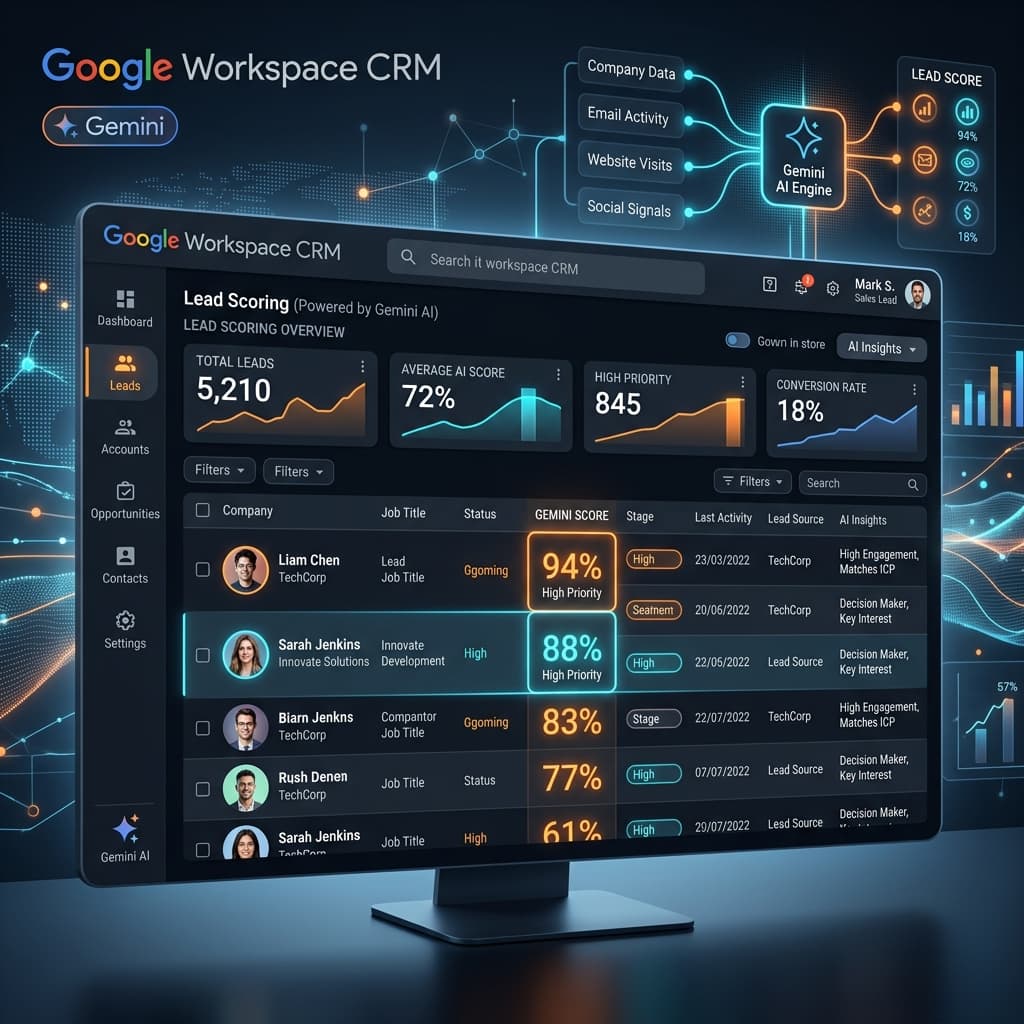
Today we are going to use Gemini AI to read our Google Sheets CRM, intelligently analyze the incoming lead's profile, assign a "Lead Score" from 1 to 100, and leave a human-readable explanation for the sales rep.
The Problem with Rule-Based Lead Scoring
Rule-based scoring is dumb. If your rule says "Add 10 points if Job Title includes 'Manager'", it will score "Office Manager" highly, but completely miss "Head of Operations" or "VP of Procurement".
Gemini AI, on the other hand, understands semantic intent. It inherently knows that a VP of Procurement holds massive purchasing power in a B2B context.
Step 1: Upgrading the CRM Sheet
Let's look at our Google Sheets "Lead Pipeline" tab. When a customer registers on our Magento B2B portal, our Webhook saves the following columns:
| A (Date) | B (Company) | C (Name) | D (Email) | E (Job Title) | F (Notes) | G (AI Score) | H (AI Reasoning) |
|---|---|---|---|---|---|---|---|
| Oct 10 | Acme Corp | Jane Smith | jane@acme.com | Chief Buyer | Expressed interest in bulk hardware. | (Empty) | (Empty) |
| Oct 11 | Local LLC | Bob Jones | bob@gmail.com | Owner | Looking for 1 or 2 items. | (Empty) | (Empty) |
Notice Columns G and H are empty. That's where Gemini steps in.
Step 2: The AI Auto-Pilot Script
We will write a Google Apps Script that triggers every hour. It scans the sheet for any row missing an AI Score, packages the lead's data, and asks Gemini to evaluate it based on our ideal customer profile (ICP).
(Note: Ensure you have your Gemini API key from Google AI Studio as discussed in our previous post).
// Code.gs

const GEMINI_API_KEY = "YOUR_AI_STUDIO_KEY";

function scoreNewLeads() {
  const sheet = SpreadsheetApp.getActiveSpreadsheet().getSheetByName("Lead Pipeline");
  const data = sheet.getDataRange().getValues();

  // Starting from Row 2 to skip headers
  for (let i = 1; i < data.length; i++) {
    const row = data[i];

    // If we already have a score in Column G (index 6), skip it.
    if (row[6] !== "") continue;

    // We found a new lead!
    const company = row[1];
    const name = row[2];
    const email = row[3];
    const jobTitle = row[4];
    const notes = row[5];

    const prompt = `
      You are an expert B2B Sales Executive evaluating inbound leads.
      Our Ideal Customer Profile is medium-to-large enterprise hardware buyers.

      Evaluate this new lead:
      Company: ${company}
      Name: ${name}
      Email: ${email}
      Job Title: ${jobTitle}
      Notes: ${notes}

      Score the lead from 0 to 100 based on their likelihood to be a high-value B2B client.
      Consider professional vs free email domains, job title authority, and company size hints.

      Respond STRICTLY in valid JSON format with two keys:
      {
        "score": 85,
        "reasoning": "Brief 1-sentence explanation of why."
      }
    `;

    const analysisJson = callGeminiJSON(prompt);

    if (analysisJson && analysisJson.score) {
      // Save the Score to Column G
      sheet.getRange(i + 1, 7).setValue(analysisJson.score);
      // Save the Reasoning to Column H
      sheet.getRange(i + 1, 8).setValue(analysisJson.reasoning);

      // Optional: Color code the row based on score!
      if (analysisJson.score > 80) {
         sheet.getRange(i + 1, 1, 1, 8).setBackground("#e6f4ea"); // Green for VIP
      }
    }
  }
}

// Helper to force Gemini to return JSON
function callGeminiJSON(promptText) {
  const url = `https://generativelanguage.googleapis.com/v1beta/models/gemini-pro:generateContent?key=${GEMINI_API_KEY}`;

  const payload = {
    "contents": [{"parts": [{"text": promptText}]}],
    // Force the model to output JSON!
    "generationConfig": {
      "responseMimeType": "application/json"
    }
  };

  const options = {
    "method": "POST",
    "headers": { "Content-Type": "application/json" },
    "payload": JSON.stringify(payload)
  };

  try {
    const response = UrlFetchApp.fetch(url, options);
    const json = JSON.parse(response.getContentText());
    if (json.candidates && json.candidates.length > 0) {
      return JSON.parse(json.candidates[0].content.parts[0].text);
    }
  } catch(e) {
    Logger.log("API Error: " + e.message);
    return null;
  }
}
The Results
When this script runs, the empty columns in your spreadsheet will automatically populate:
| Company | Job Title | AI Score | AI Reasoning | |
|---|---|---|---|---|
| Acme Corp | jane@acme.com | Chief Buyer | 92 | "High purchasing authority title combined with a corporate domain indicates an ideal enterprise client." |
| Local LLC | bob@gmail.com | Owner | 35 | "Use of a free gmail account and interest in 1 or 2 items suggests low wholesale volume." |
Your sales reps can now sort the Google Sheet by Column G (AI Score) Z-A. When they arrive at the office at 9:00 AM, the most lucrative, VIP leads are sitting right at the top, completely parsed, ready to be called. No manual triage required.
The Edge of AI
By utilizing the responseMimeType: "application/json" feature in the Gemini API, we ensure that the AI's output is perfectly structured to fit back into our database, rather than vomiting conversational dialogue into our pristine spreadsheet.
This is the frontier of B2B e-commerce operations. If you are running Adobe Commerce and want to seamlessly integrate Google AI throughout your operational pipeline—without paying for bloatware CRM subscriptions—MageSheet is the premier integration agency to make it happen. Reach out to us today.