WhatsApp Automation for Small Businesses: AI Replies, Lead Capture & Commission Tracking (2026 Guide)
If you are running a modern small-to-medium business, chances are your customers prefer talking to you on WhatsApp over filling out a contact form or waiting for an email reply. It's direct, personal, and boasts a near 98% open rate.
However, as your business scales, this advantage quickly turns into an operational nightmare. Your phone buzzes at 11 PM. You find yourself copy-pasting the same answers about pricing, store hours, and delivery statuses. You inevitably miss messages, and in the e-commerce world, a missed message is a lost sale.
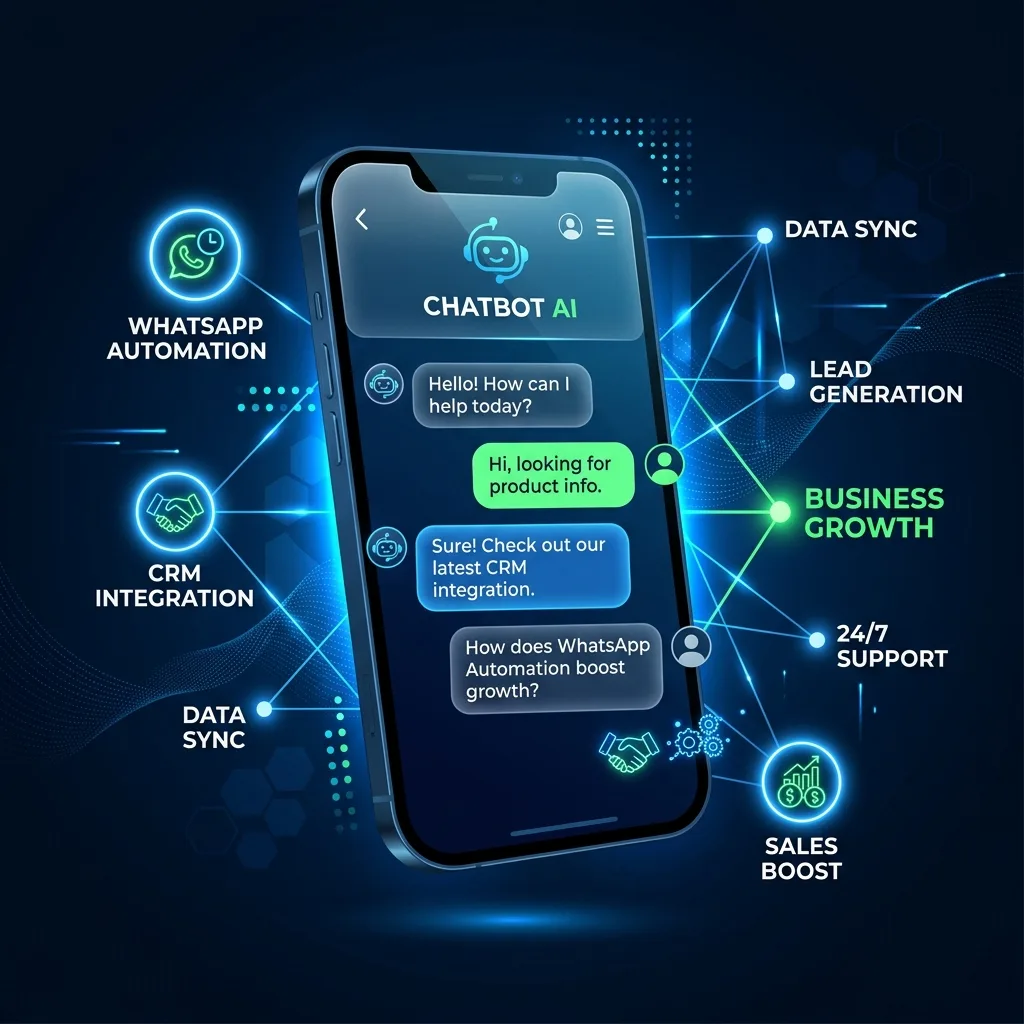
This is where WhatsApp Automation steps in. In 2026, automating your WhatsApp isn't just about setting a simple "away message." It's about turning your chat interface into a fully autonomous, intelligent CRM.
Why Small Businesses Fail with WhatsApp
Most businesses try to manage WhatsApp using the standard "WhatsApp Business" app on a single phone. Here is why that breaks down:
- Single Point of Failure: If the employee holding the phone is busy, the customer waits.
- Data Lock-in: The conversations, leads, and customer details exist only on that device. If you want to analyze your leads or run a retargeting campaign, you're out of luck.
- No CRM Integration: You can't automatically link a chat to a customer's order history or support ticket.
The Expensive SaaS Trap
To solve this, many businesses turn to expensive SaaS platforms (like HubSpot, Wati, or Zoko). These tools are powerful, but they come with two massive drawbacks:
- Cost: You will pay anywhere from $49 to $499 per month, plus per-seat licensing fees for your agents.
- Data Ownership: Your customer list and chat history are now locked inside their proprietary systems.
The 2026 Approach: AI + Google Sheets
What if you could build a WhatsApp CRM that is intelligent, scalable, and entirely yours?
By leveraging the official WhatsApp Business API (via providers like Twilio) and connecting it to a Google Apps Script backend, you can create a customized CRM directly inside Google Sheets.
Here is how a modern, automated flow looks:
1. Instant Lead Capture
When a customer sends their first message ("Hi, do you have this in stock?"), a webhook is triggered. In real-time, their phone number, profile name, and message are logged into a clean, organized Google Sheet — the same pattern you use to receive webhooks in Google Sheets without Zapier.
2. The AI Assistant Takes Over
Instead of a human scrambling to reply, an AI assistant (powered by OpenAI's advanced language models) analyzes the message. Because the AI has been instructed with your specific business rules, pricing, and FAQ, it crafts a personalized, human-like response and sends it back instantly.
3. Seamless Human Handoff
AI is incredible, but some conversations require a human touch. When a customer asks a highly specific question or is ready to finalize a high-ticket purchase, the system flags the chat. With one click in your Google Sheet dashboard, you pause the AI and take over the conversation seamlessly.
Tracking Sales and Commissions Through WhatsApp Conversations
For businesses where sales agents close deals over WhatsApp — distributors, real estate brokers, B2B account managers, freelance reps — the messaging layer is also where commission attribution happens. Without automation, this becomes a monthly spreadsheet panic: who closed which deal, when, and how much do they earn?
The Sheet-backed WhatsApp pattern naturally extends to sales and commission tracking because every confirmed sale already lands in an Orders tab. You add three columns and one formula:
Order ID | Agent  | Sale Amount | Commission Rate | Commission Owed
ORD-001  | Aylin  | $1,200      | 8%              | =C2*D2
ORD-002  | Mehmet | $850        | 10%             | =C3*D3
The agent column is auto-filled from the WhatsApp number that closed the conversation (a lookup against a separate agents tab). The rate can be flat per agent, tiered by monthly volume, or product-specific. A monthly Apps Script trigger sums per-agent commission and emails statements — same engine that powers the rest of the CRM.
Two extensions worth knowing if you go this route:
- Tier-based commissions (5% under $10K monthly volume, 8% above) — handled with a single
VLOOKUPagainst a tier table. The full pattern is in our B2B sales commission tracking guide. - Multi-agent dashboards with claw-back rules — when refunds happen, the corresponding commission rolls back automatically. The complete Apps Script implementation is in our deep dive on automating sales commissions across Google Workspace.
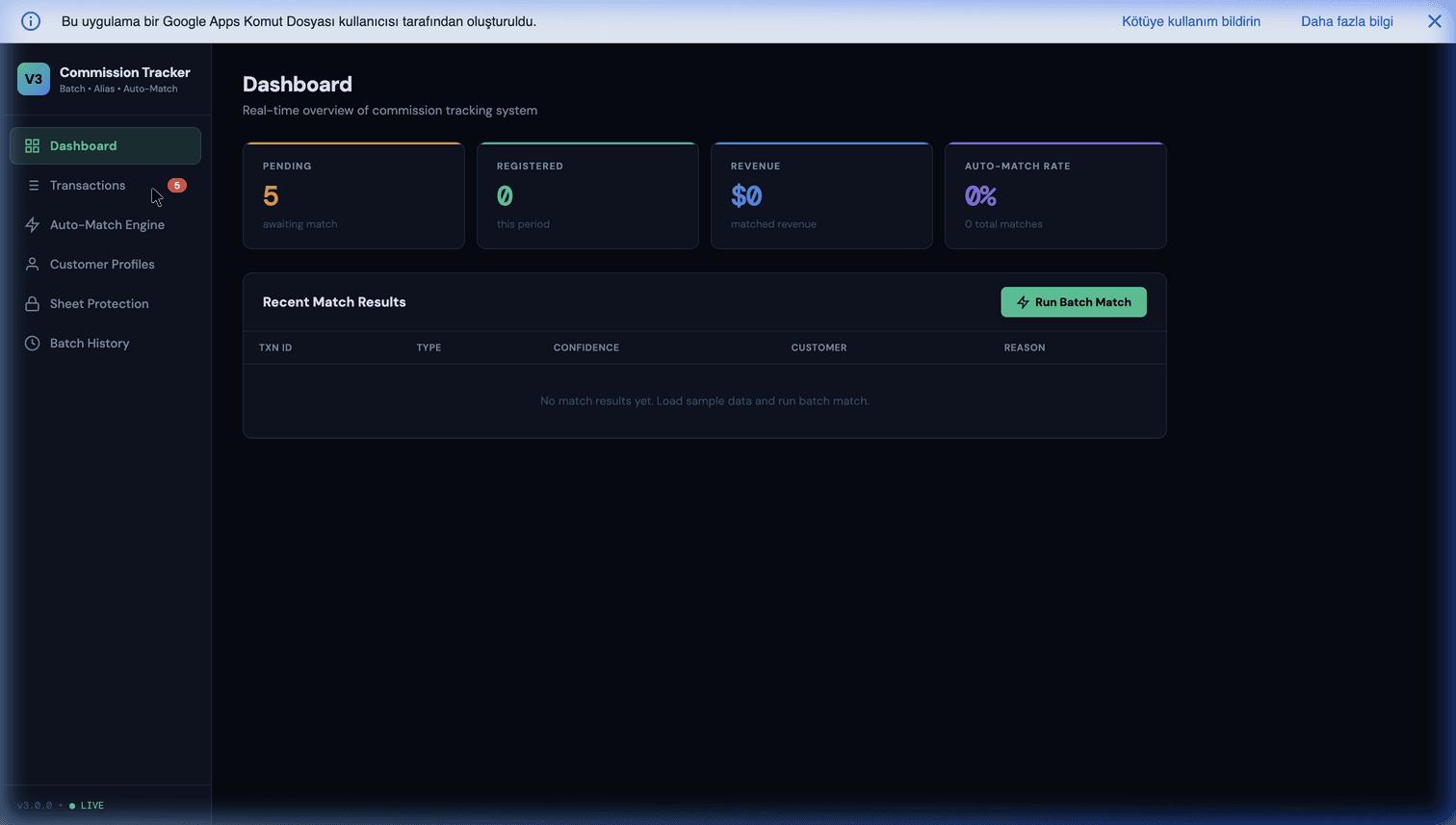
If you want a ready-made Sheet that handles tiered commissions, statement generation, and refund claw-back without writing Apps Script yourself, take a look at our Commission Tracker product — it pairs naturally with Leadflow AI for businesses that want both lead capture and commission accounting in a single Google Workspace stack.
Introducing Leadflow AI
If building an integration from scratch sounds daunting, we've already done the heavy lifting.
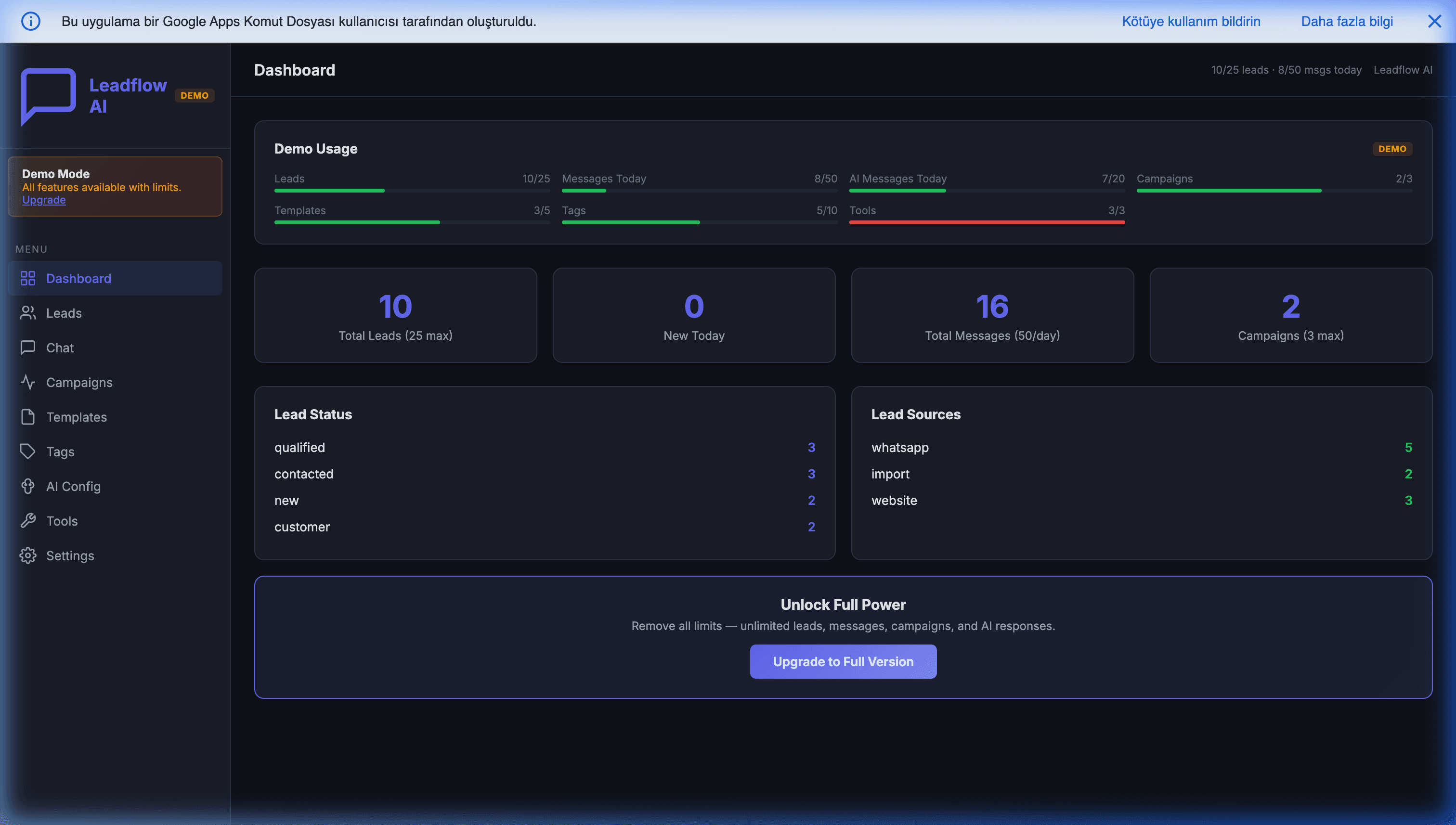
Leadflow AI — WhatsApp CRM for Google Sheets is our complete, "done-for-you" system. It connects your WhatsApp number directly to a customized Google Sheet. It captures leads, uses OpenAI to reply 24/7 in any language, and gives you total control over the data—without monthly SaaS subscription fees.
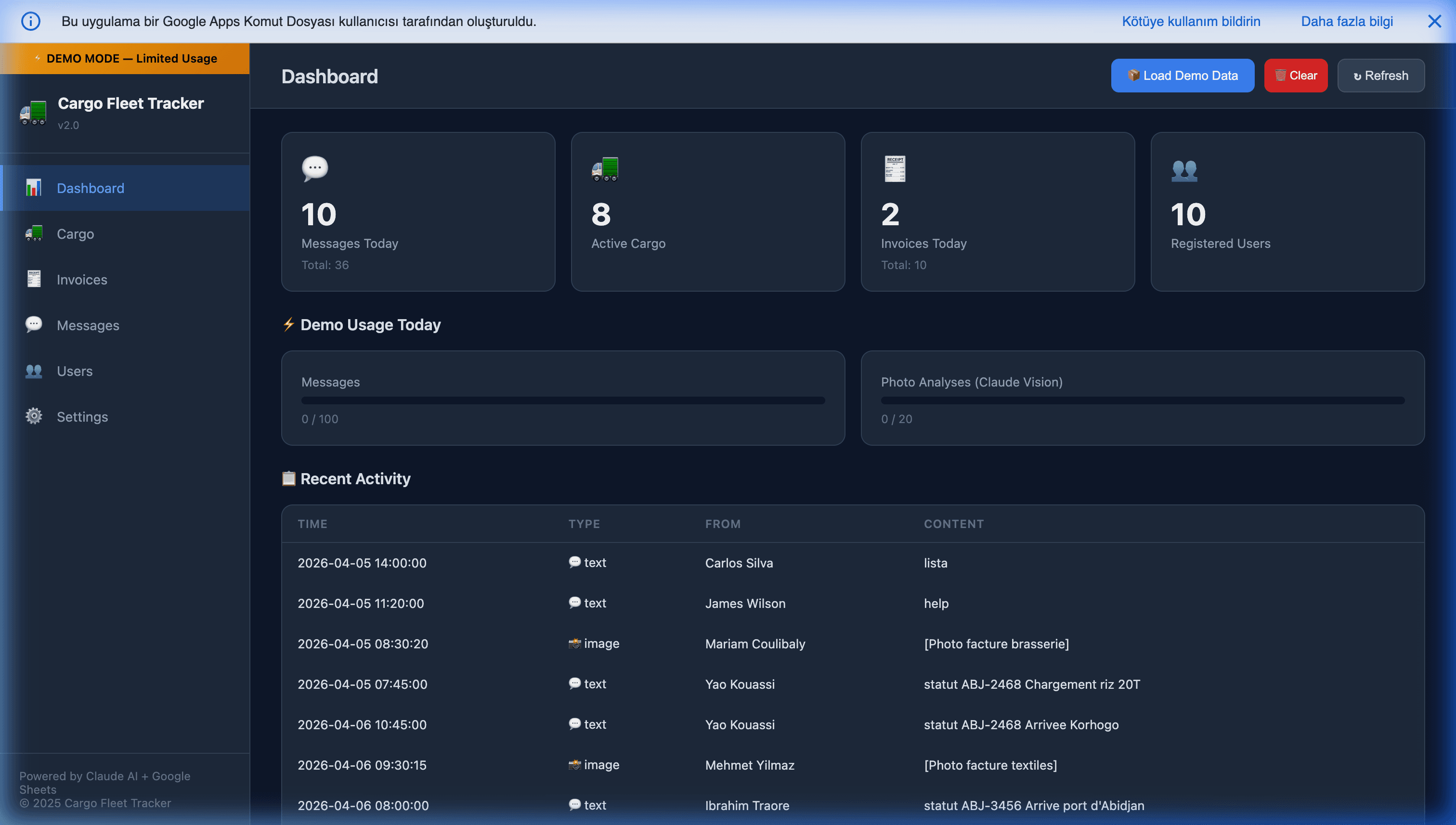
For businesses with field operations, our Cargo Fleet & WhatsApp Tracker v2.0 takes this a step further, allowing your team to use WhatsApp as a mobile ERP to track shipments and extract data from invoices using AI vision.
Stop Typing, Start Selling
Your customers want instant answers, and you want to reclaim your time. By automating your WhatsApp workflows, you don't just improve your customer service—you build a machine that generates and nurtures leads while you sleep.
It is time to treat WhatsApp as the powerful business engine it was always meant to be.
Further reading: For a technical deep-dive into building a WhatsApp AI CRM with Twilio and GPT-4 function calling, see How to Build an Autonomous WhatsApp AI CRM in Google Sheets.
Frequently Asked Questions
Do I need the official WhatsApp Business API, or is the WhatsApp Business app enough?
The free WhatsApp Business app is fine for one-person operations handling tens of conversations a day. Once you have multiple agents, need to integrate with a CRM, or want to send templated notifications, you need the official WhatsApp Business API — usually accessed through a Business Solution Provider like Twilio, 360dialog, or Meta Cloud API directly. The API is what unlocks automation, AI replies, webhook integrations, and multi-agent inboxes.
How much does WhatsApp automation actually cost per month?
Costs break down into three layers. First, Meta's conversation fees — typically $0.005 to $0.08 per conversation depending on category and country. Second, the BSP fee (Twilio, 360dialog, etc.) — often a flat monthly platform fee plus a small per-message markup. Third, your automation layer. If you use a closed SaaS (Wati, Zoko), add $49 to $499 per month. If you build on Google Sheets + Apps Script + an LLM, your marginal cost is just the LLM tokens and Meta's conversation fees — often under $50 per month at small-business volume.
Is using AI to reply on WhatsApp compliant with GDPR and WhatsApp's own policies?
Yes, with two conditions. First, you must disclose to the customer that they are interacting with an automated assistant and offer a path to a human — this is both a GDPR fairness requirement and a WhatsApp policy expectation. Second, any personal data the AI processes must be stored on infrastructure you control (your Google Sheet, your database) under your privacy policy, not silently shipped to a third-party SaaS. Building on your own stack makes both much easier to prove in an audit.
Can I take over a conversation from the AI when things get complex?
Yes — this 'human handoff' is the single most important feature of a usable WhatsApp CRM. The standard pattern is a per-conversation 'AI paused' toggle in the dashboard: one click stops the bot, the human takes over, and when the conversation is wrapped up, a second click re-enables the bot for future messages. You can also automate the handoff on triggers like sentiment detection, specific keywords ('refund', 'cancel'), or the conversation exceeding a complexity threshold.
What is the realistic response time improvement after automating WhatsApp?
Small businesses typically see average first-response time drop from 2 to 6 hours (human, business hours only) to under 10 seconds (AI, 24/7). More importantly, response time variance collapses — every customer gets the same quality of instant acknowledgement, even at 2am. Studies consistently show first-response time is the single biggest driver of lead conversion, so this is usually where automation pays back fastest.
Can WhatsApp automation also track sales commissions for my agents?
Yes. The same Google Sheet that captures inbound leads and AI conversations can hold an Orders tab with agent attribution and a commission column. Each confirmed sale carries the agent identifier (resolved automatically from the WhatsApp number that closed the conversation), and a monthly Apps Script trigger computes per-agent payouts. The pattern handles flat rates, tiered structures, and refund claw-back without any extra SaaS — we cover the full implementation in our B2B sales commission tracking guide. For a ready-made Sheet, see our Commission Tracker product, which pairs naturally with Leadflow AI in the same Google Workspace stack.