WhatsApp Automation Tool: The 3 Ways to Automate WhatsApp (and What Each Really Costs)
A WhatsApp automation tool is any system that sends, answers, and routes WhatsApp messages without a person typing each one — auto-replies to inbound questions, lead capture into a database, order-status notifications, and templated broadcasts. Underneath, every legitimate one works the same way: it connects to WhatsApp's official Business Platform (Cloud API) and layers decision logic on top. What differs — and what actually matters for your bill and your data — is who owns that logic.
There are exactly three ways to get WhatsApp automation, and choosing between them is a build-versus-buy decision, not a features checklist:
- A SaaS platform (WATI, Zoko, Twilio-based tools) — fastest to launch, monthly fee, you rent it.
- The official WhatsApp Cloud API, direct — cheapest per message, needs a developer, no polished inbox.
- Your own automation on Google Sheets + Apps Script — no monthly SaaS fee, you own the logic and the leads inside your own Google account.
This page is the map. It won't re-teach every build step by step — we have dedicated guides for those and link down to them. What it does is define the category cleanly, lay the three options side by side with honest costs, and cover the one thing most "top 10 WhatsApp tools" articles skip: the Terms of Service line that decides whether an automation tool is safe or gets your number banned.
First, the ToS rule that rules out half the "tools"
Before comparing options, one hard boundary, because getting this wrong is expensive.
WhatsApp automation is explicitly allowed — but only through the official WhatsApp Business Platform. That means the Meta Cloud API directly, or an approved Business Solution Provider (BSP) that resells it. Meta built the API precisely so businesses can automate. Auto-replies, AI agents, broadcasts, CRM integrations — all sanctioned when they run on the official API.
What is not allowed, and what a surprising number of cheap "WhatsApp sender" and "WhatsApp bot" tools actually do, is drive the consumer WhatsApp or WhatsApp Business app through the back door — browser automation, emulators, or unofficial libraries (the notorious whatsapp-web.js-style puppeteering of the web client). These don't use the API at all; they impersonate a human tapping the app. Meta detects the pattern and bans the number, often permanently, with no appeal. In the deployments we've seen, a banned business number is not a minor setback — it's the loss of the exact asset the whole system was built around.
So the honest filter is simple: if a tool can't tell you it runs on the official Cloud API or an approved BSP, treat it as a liability, however cheap it looks. Everything in the comparison below is on the official rails.
The three ways to automate WhatsApp
Here they are side by side. Costs are the shape of the market in 2026 — Meta's own per-message fee applies to all three on top of whatever's listed, because that fee is charged at the API layer regardless of what sits above it. (Since July 2025, Meta bills each delivered template message individually — by category and country — rather than a flat per-conversation charge, so message volume, not conversation count, is what moves your Meta bill.)
| 1. SaaS platform (WATI, Zoko, etc.) | 2. Cloud API direct | 3. Google Sheets + Apps Script | |
|---|---|---|---|
| Cost model | Monthly subscription (~$40–500+) + per-seat + often a per-message markup on top of Meta's fee | Just Meta's per-message fee — no markup | No monthly SaaS fee; Apps Script runs free under your Google quotas. Only Meta's fee (+ a few $ of AI tokens if used) |
| Ownership | Rented. Logic and chat history live on the vendor's servers | You own the integration, but you build & host it | You own everything — code and leads sit in your own Google account |
| Effort to launch | Lowest — sign up, connect number, use their inbox | High — raw API, webhooks, and hosting are yours to wire | Medium — a one-time build (or buy the pattern), then it's yours |
| Data location | Vendor's database | Wherever you host it | Your Google Sheet |
| Best for | Non-technical teams that need it live this week and don't mind renting | Dev teams wanting zero markup and full control of hosting | Businesses that want to own the automation and keep leads in Sheets, no monthly SaaS |
Option 1 — SaaS platforms (WATI, Zoko, Twilio-based tools)
These are genuinely good products. You sign up, connect your number, and get a shared team inbox, a chatbot builder, broadcast campaigns, and analytics — often live the same day with no engineering. If speed and zero-code matter more than ownership, this is the fastest path.
The trade-offs are the ones that recur with all rented automation. You pay a monthly subscription (roughly $40 to $500+ depending on tier and seats — WATI's entry plan, for example, runs about $59/month), frequently a per-message markup stacked on top of Meta's own fee, and your customer list, chat history, and automation logic live inside the vendor's system. Cancel the subscription and the automation — and often easy access to that data — stops. It's the same structural cost we walk through in our guide to replacing expensive SaaS with Google Workspace: you rent the capability forever instead of owning it once.
Option 2 — The official WhatsApp Cloud API, direct
Skip the SaaS middleman and talk to Meta's Cloud API yourself. You pay only Meta's per-message fee — no platform subscription, no markup — which makes it the cheapest per message at volume. In return you get raw endpoints: you build the inbox, wire the webhooks, host the receiver, and handle template approval and retries yourself. It's the right call for a team with a developer who wants full control and no markup. For a business owner without one, it's a lot of undifferentiated plumbing to build and maintain.
Option 3 — Your own automation on Google Sheets + Apps Script
This is the option most "best WhatsApp automation tool" lists never mention, because there's no vendor paying to be listed. You connect the official Cloud API to Google Apps Script, and use Google Sheets as the database. Inbound messages hit an Apps Script doPost webhook; the script logs the lead, decides on a reply (a canned answer, a template, or an AI-generated response), and sends it back through the same API.
The economics are the whole point. Apps Script runs free inside the Google account you already pay for — there's no platform subscription and no per-task fee, because there's no platform in the middle. Your only recurring costs are Meta's per-message fee (unavoidable on every option) and, if you add AI replies, a few dollars of model tokens. Your leads, chat history, and the automation logic itself live in your own Google Sheet and your own Apps Script project — readable JavaScript you own outright, that keeps running even if we disappear tomorrow. This is one spoke of a broader pattern we map in the Google Workspace AI automation hub: the same Sheets-plus-Apps-Script backend that runs your WhatsApp bot can also score leads, analyze sales, and read invoices from photos.
The honest caveat: this is a build, not a signup. Someone writes it once. For a workflow you'll run for years, owning the code usually wins on total cost; for a throwaway experiment or a same-day launch, a SaaS tool is faster to stand up. We say that plainly because it's true — and because credibility is the entire point of a comparison like this.
Not sure which of the three fits you? That's exactly what a free feasibility review is for. We build the Google-owned version as fixed-scope projects — but on a 30-minute call we'll tell you honestly whether your case is better served by a SaaS tool, the API direct, or a build you own. You'll get a straight answer and a per-month cost, not a sales funnel. Message us on WhatsApp with what you're trying to automate and we'll scope it.
What you can actually automate on WhatsApp
Whichever of the three options you pick, the same four workflows are what "automation" concretely means. Here's what each one is — with links down to the full builds, since the step-by-step lives in dedicated guides.
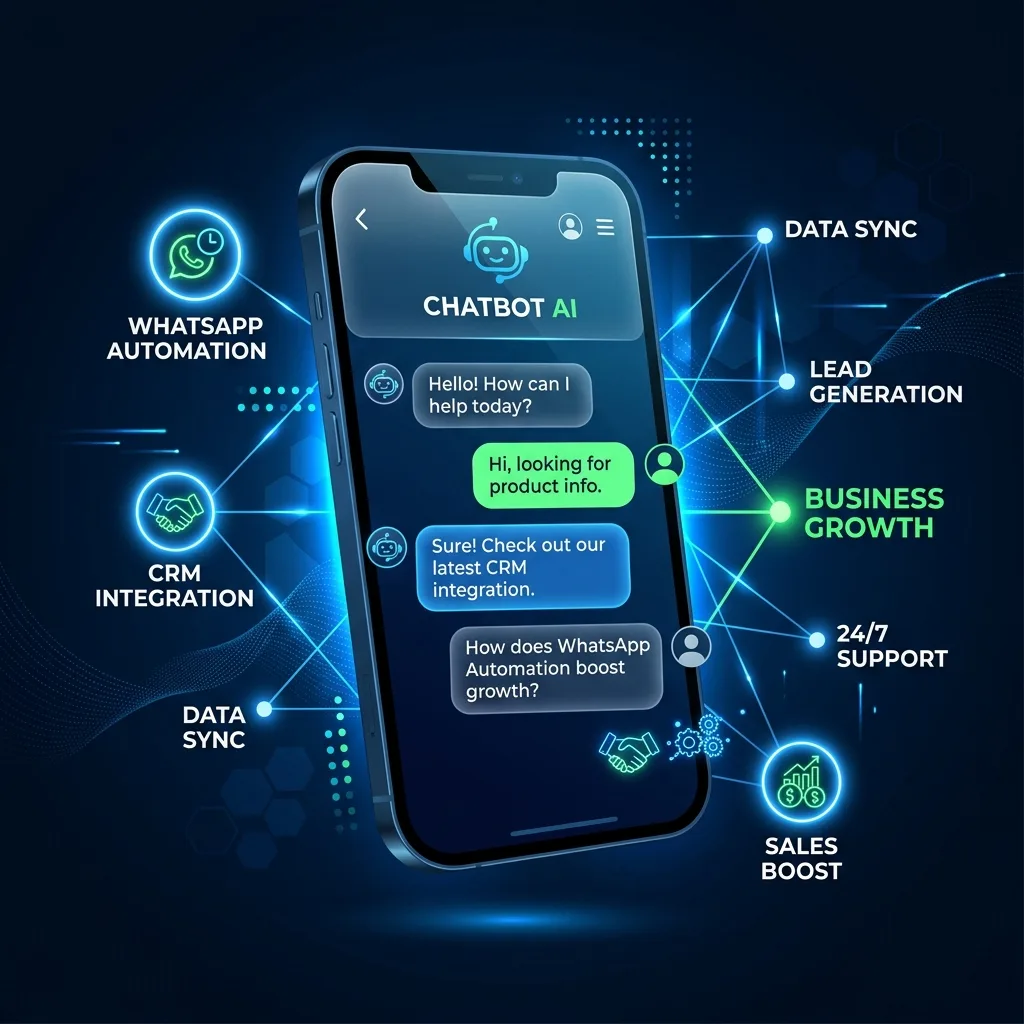
- Auto-replies, 24/7. Instant answers to the questions you type all day — pricing, hours, stock, delivery status. On the official API this can be a simple keyword responder or a full AI assistant that reasons over your product data. See a step-by-step small-business setup for the end-to-end version.
- Lead capture into a Sheet. Every inbound contact logged automatically — name, number, first message, timestamp — into a structured Google Sheet the moment it arrives, so no enquiry is ever lost on someone's phone. Our guide on how to capture and close leads in Google Sheets covers turning those rows into a real pipeline.
- Broadcasts and template notifications. Order confirmations, shipping updates, appointment reminders, and re-engagement campaigns — sent through Meta's approved message templates (the compliant way to message customers outside the 24-hour service window). This is API-only; the free Business app can't do it at scale.
- AI conversations that close. The advanced tier: an AI agent that answers, quotes, and books orders inside the thread, with a clean human handoff when a conversation gets complex. The full architecture — conversation memory, tool design, handoff toggle — is in our deep dive on how to build a full WhatsApp AI CRM.
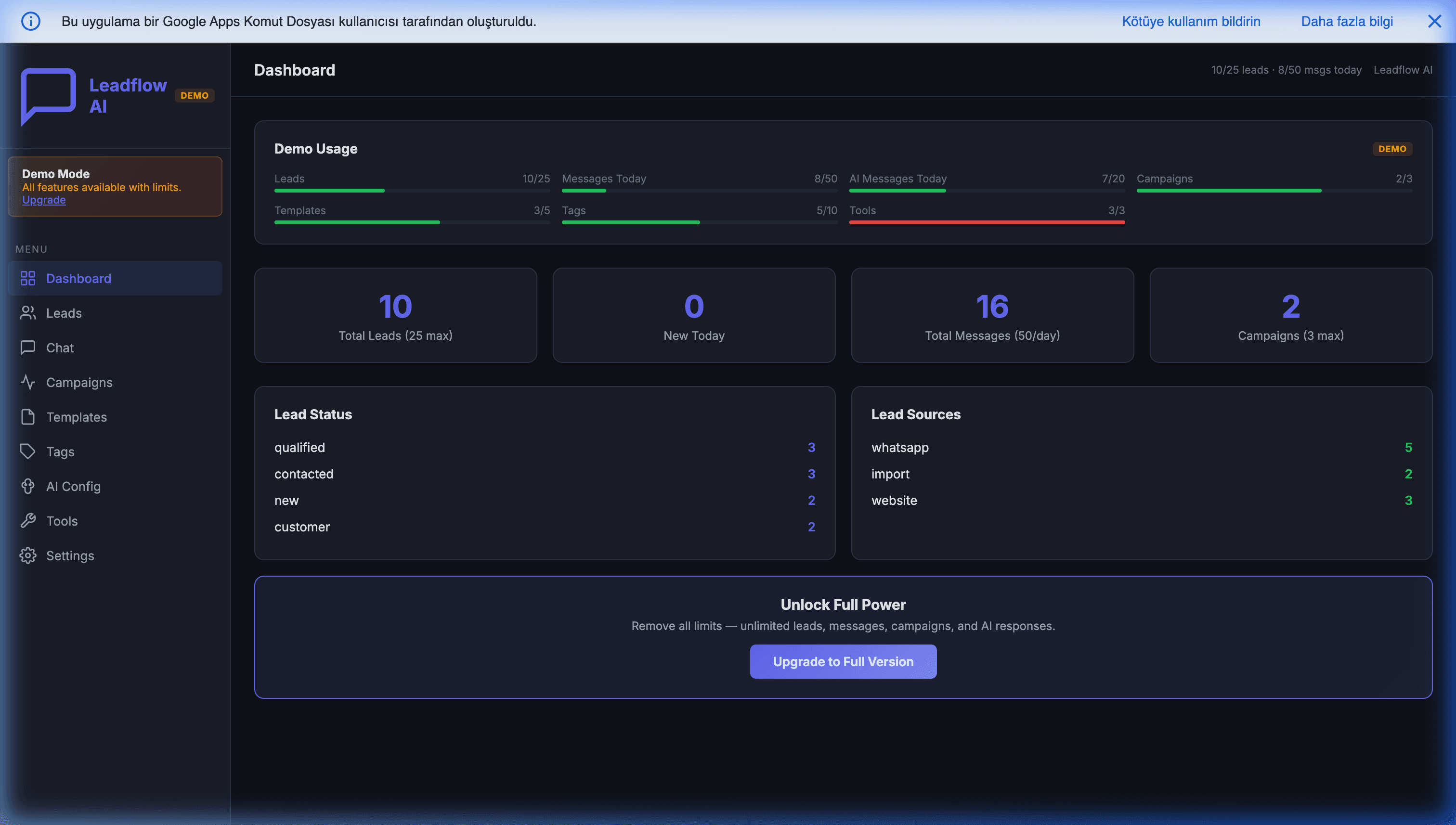
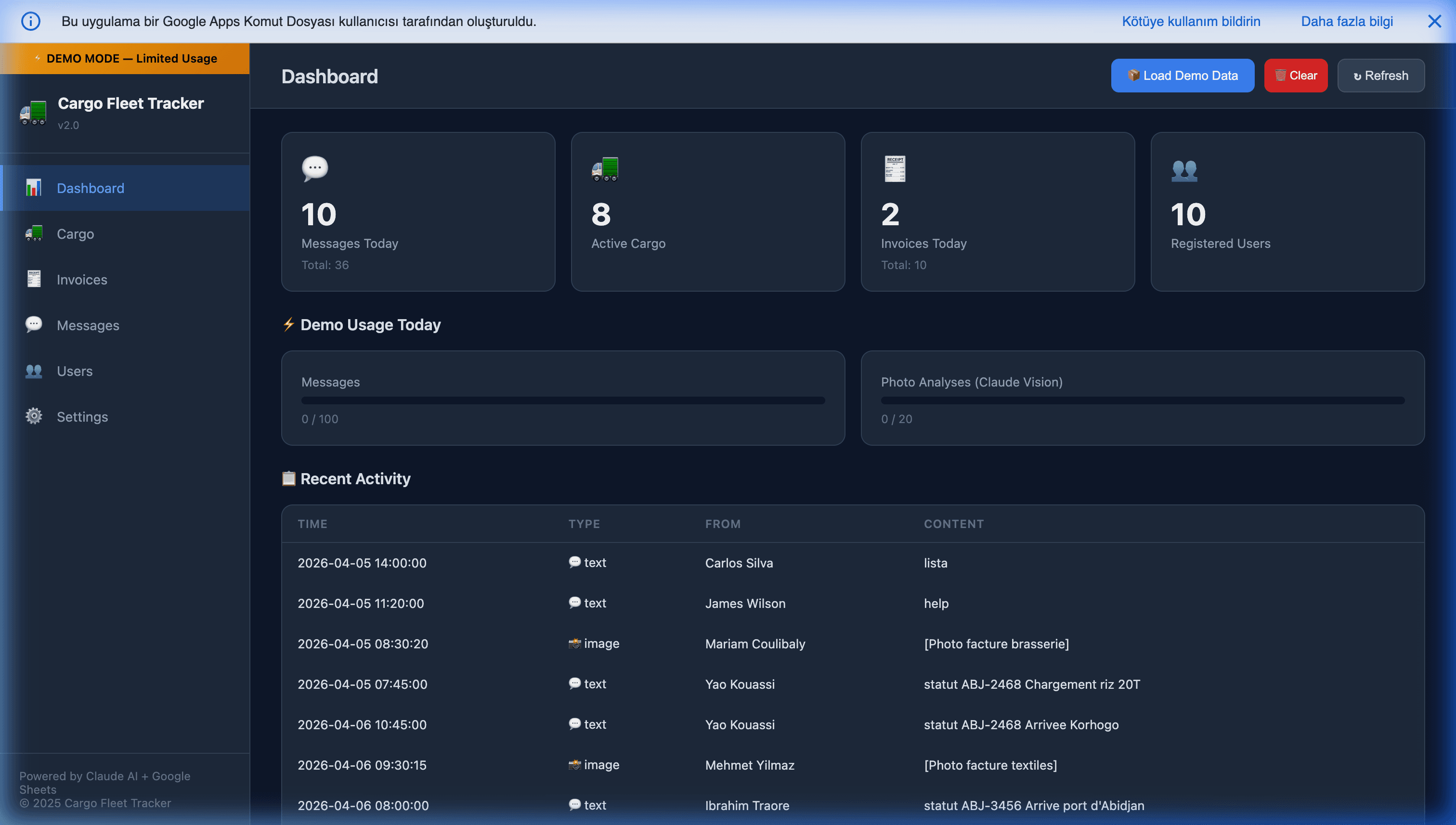
If you'd rather buy the owned-in-Google pattern than build it from scratch, Leadflow AI — our WhatsApp AI Mini CRM for Google Sheets is exactly this: official Cloud API connected to a Google Sheet, AI replies 24/7 in any language, leads captured automatically, and no monthly SaaS subscription. For field teams that also need to track shipments and pull data from invoice photos over WhatsApp, the Cargo Fleet & WhatsApp Tracker extends the same idea into a mobile ERP.
So which WhatsApp automation tool should you use?
Reduced to one line each:
- Rent speed → a SaaS platform, if you need a polished inbox live this week and don't mind a monthly bill and your data on someone else's servers.
- Buy raw control → the Cloud API direct, if you have a developer and want zero markup on Meta's fee.
- Own the whole thing → Google Sheets + Apps Script, if you want the automation, the logic, and the leads inside your own Google account with no monthly SaaS fee — built once, owned forever.
All three sit on the same official API, so all three are equally safe from a ToS standpoint — the unsafe options are the unofficial "senders" that puppeteer the consumer app, and those aren't tools so much as bans waiting to happen.
The reason we build the third option is that for most small and mid-size businesses running WhatsApp for years, the math and the ownership both point there. But the reason we'll still tell you to pick option one when it fits is that a comparison you can't trust isn't worth reading.
If you want to know which one your specific case lands on, tell us on WhatsApp what you're trying to automate and we'll tell you — SaaS, API direct, or a Google-owned build — with a straight answer and a per-month number. The feasibility review is free; there's no funnel behind it.
Frequently Asked Questions
What is WhatsApp automation?
WhatsApp automation is any system that sends, replies to, or routes WhatsApp messages without a person typing each one — auto-replies to inbound questions, lead capture into a database, order-status notifications, and templated broadcasts. Technically it works by connecting WhatsApp's official Business Platform (Cloud API) to software that decides what to send: a SaaS platform, a workflow tool, or your own code. The messaging itself flows through Meta's API; the 'automation tool' is whatever logic sits on top of it and reacts to each message.
Is WhatsApp automation allowed, or against WhatsApp's Terms of Service?
Automation is explicitly allowed — but only through the official WhatsApp Business Platform (the Cloud API or an approved Business Solution Provider). Meta built the API specifically so businesses can automate messaging. What violates the Terms of Service is unofficial automation: bots and 'WhatsApp senders' that drive the personal or WhatsApp Business app through browser hacks, emulators, or unofficial libraries. Those risk your number being banned without warning. The rule of thumb: automate on the official API, never scrape or puppeteer the consumer app.
How can I automate WhatsApp for free?
There is no fully free path, because Meta charges its own per-message fee on the official API regardless of what tool you use (as of July 2025 Meta bills each delivered template message individually, by category and country, rather than per 24-hour conversation). But you can eliminate the SaaS subscription layer, which is usually the biggest line item. Connecting the WhatsApp Cloud API to Google Sheets and Apps Script gives you auto-replies, lead capture, and notifications with no monthly platform fee — Apps Script runs free inside the Google account you already have, so your only costs are Meta's per-message fee and (if you add AI) a few dollars of model tokens. That's the closest thing to 'free' that stays within the Terms of Service.
What is the best WhatsApp automation tool?
There's no single best tool — it depends on what you're optimizing for. If you need to launch this week and want a polished inbox with no engineering, a SaaS platform (WATI, Zoko, Twilio-based tools) is the fastest, at roughly $40–500+/month. If you have a developer and want zero markup on Meta's fees, the Cloud API direct is cheapest per message. If you want to own the whole thing — logic, data, and leads — inside your own Google account with no monthly SaaS bill, a Google Sheets + Apps Script build is the option that removes the vendor entirely. Match the tool to whether you're renting speed or buying ownership.
Do I need the WhatsApp Business API to automate messages?
For real automation, yes. The free WhatsApp Business app supports basic canned quick-replies and a greeting/away message, but it can't connect to a CRM, trigger on incoming messages, send templated broadcasts at scale, or run AI replies. Anything beyond simple canned text requires the official WhatsApp Business Platform (Cloud API), which is what every legitimate automation tool — SaaS or custom — is built on top of.
What can you actually automate on WhatsApp?
The four highest-value workflows are: (1) instant auto-replies to common questions, 24/7; (2) lead capture — every inbound contact logged automatically into a Sheet or CRM with name, number, and message; (3) broadcasts and notifications using approved message templates (order confirmations, shipping updates, appointment reminders); and (4) AI-driven conversations that answer, quote, and even book orders inside the chat thread. All four run on the same official API — the difference between tools is only who owns the logic and how you're billed.