Stop Losing Money on Stockouts: How to Build a Real-Time Inventory Dashboard
Imagine this: You have just launched an aggressive marketing campaign. Your ads are converting brilliantly, traffic is spiking, and the orders are pouring in. You are celebrating—until you check your warehouse on Monday morning.
You sold 150 units of your flagship product, but you only had 40 in physical stock.
Now, you have to email 110 angry customers, process 110 refunds, lose thousands of dollars in ad spend, and watch your brand reputation plummet. This nightmare scenario is called a stockout crisis, and according to retail studies, inventory distortion costs the global economy over $1 trillion annually.
In the fast-paced world of e-commerce, tracking your inventory in your head or on sticky notes is a recipe for disaster. But how do you solve it without paying $200/month for clunky, overcomplicated SaaS software?
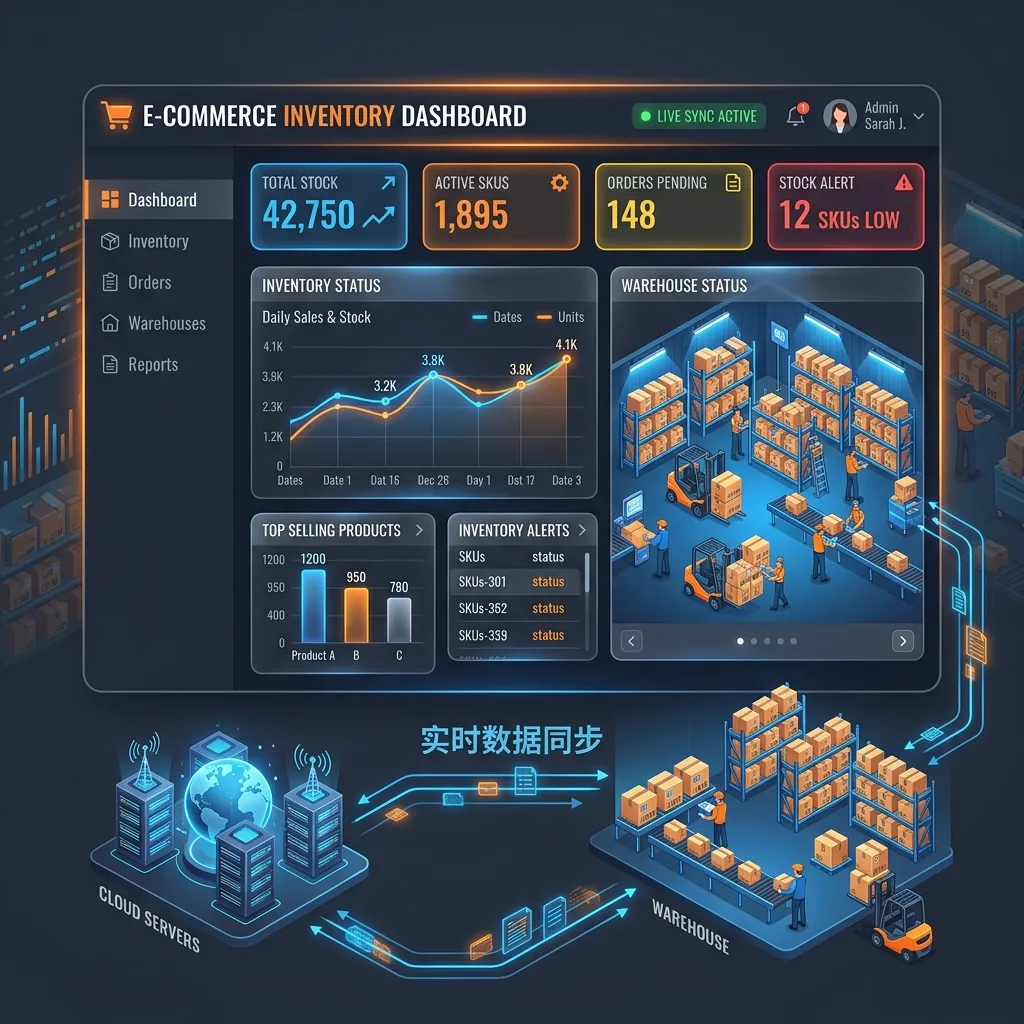
The answer lies in building a real-time, automated dashboard right where you already work—an extension of the foundational setup covered in our Google Sheets inventory management guide.
The True Cost of Inventory Mismanagement
When you fail to synchronize your sales channels (like your Magento store) with your actual warehouse stock, the damage goes far beyond a single refunded order:
- Wasted Customer Acquisition Cost (CAC): You paid Google or Meta to acquire a customer, only to turn them away.
- The "Oversell" Penalty: Marketplaces like Amazon or eBay will penalize or suspend your seller account if your order defect rate rises due to canceled stockout orders.
- Dead Stock Accumulation: On the flip side, without visibility, you might over-order products that aren't selling, tying up crucial cash flow in dead inventory sitting on dusty shelves.
The Math Behind Perfect Inventory: The Reorder Point (ROP)
Before you touch any software, you need to understand the fundamental formula of inventory management: The Reorder Point (ROP).
Your ROP tells you exactly when you need to order more stock before you run out.
ROP = (Average Daily Sales × Lead Time in Days) + Safety Stock
- Average Daily Sales: How many units you sell per day on average.
- Lead Time: How many days it takes your supplier to deliver the goods after you place an order.
- Safety Stock: The extra buffer you keep for sudden demand spikes or supplier delays.
If you sell 10 units a day, your supplier takes 14 days to deliver, and you keep a safety stock of 20 units: (10 × 14) + 20 = 160.
The moment your stock hits 160 units, you must place a new order. Tracking this manually across hundreds of SKUs is mathematically impossible for a small team. You need an automated system.
Building Your Real-Time Dashboard
Most businesses think they need enterprise-level ERPs (Enterprise Resource Planning systems) to handle this. They don't. You can achieve 95% of an ERP's functionality using the world's most flexible database: Google Sheets, powered by automation.
Here is the blueprint for a modern, lightweight inventory stack:
1. The Central Source of Truth
Instead of relying on Magento's built-in grid (which is slow and hard to share with warehouse staff), use a cloud spreadsheet. Every SKU has its own row, displaying current stock, allocated stock (orders placed but not yet shipped), and available stock.
2. The Real-Time Order Sync
When a customer buys on your Magento store, the inventory must deduct instantly. By using REST API webhooks, every Magento order can automatically ping your Google Sheet, find the exact SKU, and subtract the quantity sold from the "Available" column.
3. Automated Alerts
Your dashboard shouldn't wait for you to check it. When a product's available stock dips below the mathematical Reorder Point (ROP), the system should automatically trigger an email or a Slack message to your purchasing manager: "Warning: SKU-1024 is at 155 units. Place a reorder now."
The "Done-For-You" Solution
Building this complex logic, writing the API connections, and setting up the webhooks can take weeks of developer time. At MageSheet, we have already built the perfect bridge.
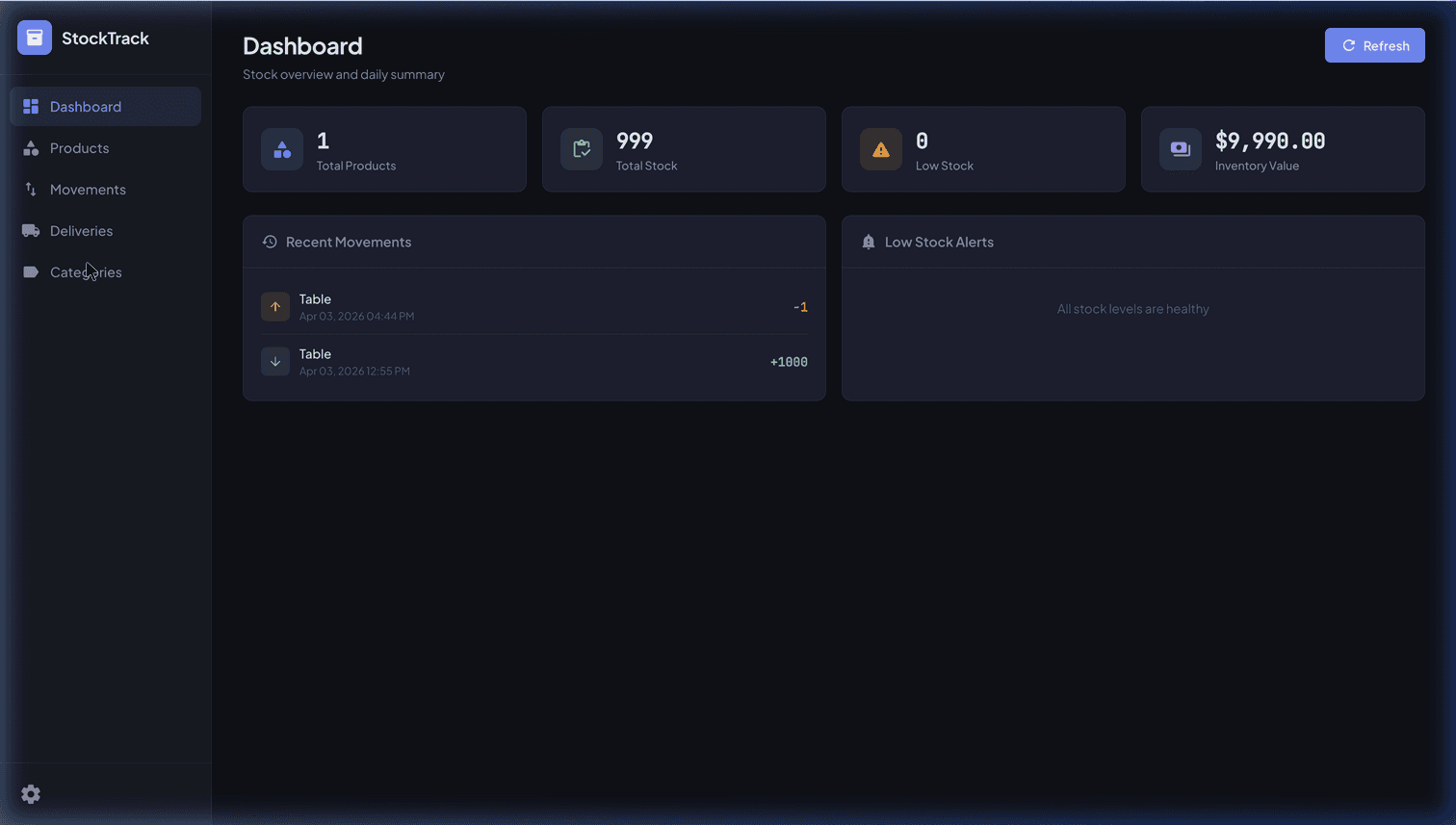
If you want a highly polished, ready-to-use warehouse system, our StockTrack: Inventory Tracking System turns your Google Sheet into a full web app. It handles multi-currency pricing, stock movement ledgers, and automated low-stock emails out of the box—with zero monthly SaaS fees.
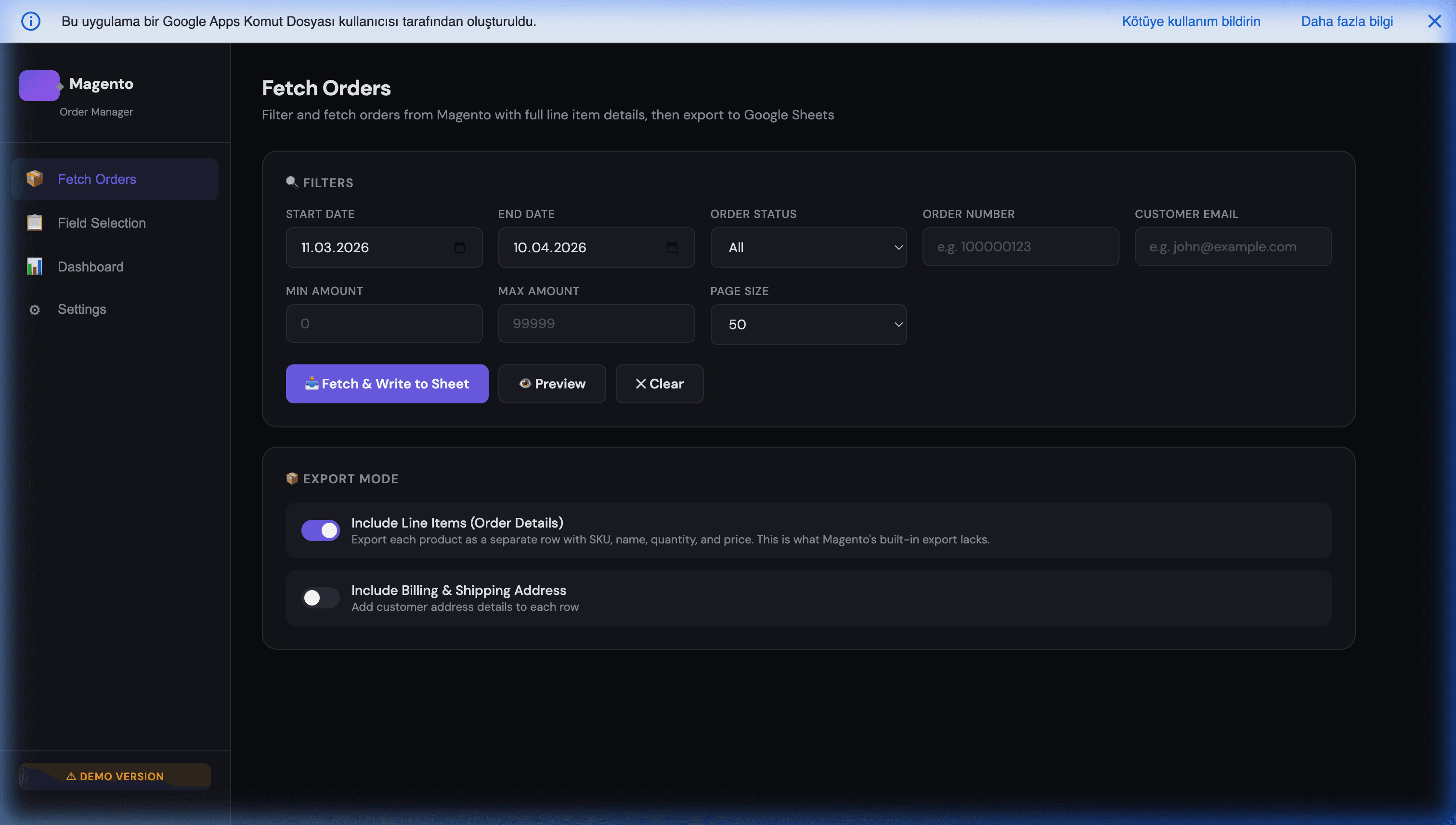
If your primary pain point is pulling real-time data out of Magento, our Magento Order Manager automatically syncs every new order, line item, and custom attribute straight into your tracking sheets.
Final Thoughts
Your inventory is your cash. When you don't know exactly what you have, you are flying blind. By moving away from manual data entry and embracing automated, real-time dashboards, you protect your cash flow, keep your customers happy, and give yourself the peace of mind to focus on scaling your business.
Further reading: For a step-by-step guide to building a professional inventory system entirely in Google Sheets, see How to Build a Professional Inventory System with Google Sheets. To learn specifically about configuring automated low-stock alerts, see Preventing Stockout Crises with Automated Alerts.
Frequently Asked Questions
What is a safe Reorder Point (ROP) formula for a small e-commerce store?
Use ROP = (Average Daily Sales × Lead Time in Days) + Safety Stock. For safety stock, a simple heuristic is one to two times your average daily sales during your longest supplier delay on record. Example: if you sell 10 units per day, your supplier takes 14 days, and your worst delay was 5 extra days, your safety stock is roughly 50, giving an ROP of (10 × 14) + 50 = 190. The moment available stock hits 190, trigger the reorder.
Can I really run inventory for a serious store on Google Sheets, or do I need an ERP?
Google Sheets comfortably handles inventory for stores up to thousands of SKUs and low-to-mid six figures of monthly orders, as long as writes are batched and the sheet is backed by Apps Script or a webhook layer — not manual data entry. You outgrow Sheets when you need multi-warehouse allocation with complex routing rules, serial or lot tracking for regulated goods, or real-time integration with dozens of marketplaces at once. For most Magento and Shopify stores, a well-built Sheet is more than enough.
How do I keep my Magento stock level and my Google Sheet in sync in real time?
Use Magento's REST API with webhooks or order-save observers: every time an order is placed or status changes, the event pushes to an Apps Script endpoint which updates the relevant SKU row. The same integration listens for stock adjustments from the other direction (purchase orders, manual corrections in the Sheet) and writes back to Magento. The trick is making the Sheet the single source of truth for available stock and treating the Magento grid as a downstream display.
What is the difference between allocated stock and available stock, and why does it matter?
Allocated stock is inventory reserved against orders that have been placed but not yet shipped. Available stock is what is left for new orders (physical stock minus allocated). Confusing these two is the root cause of most overselling incidents: the system shows 50 units physically on the shelf, a marketing burst sells 60, but 25 were already allocated to yesterday's orders. A real-time dashboard must show both columns side by side and base reorder triggers on available, not physical, stock.
How much safety stock should I really hold to prevent stockouts?
There is no universal number, but a practical rule is: safety stock should cover the gap between your average lead time and your worst-case lead time, plus one standard deviation of daily demand. In plain terms: enough to absorb a typical supplier delay and a normal spike at the same time. Holding more than that ties up cash and creates dead stock; holding less means stockouts during any unlucky week.