Preventing Stockout Crises with Automated Alerts
The "Out of Stock" badge is arguably the most damaging message you can display to a high-intent shopper. In the fast-paced world of digital commerce, when a customer can't purchase what they want instantly, they will pivot to a competitor in seconds. The impact goes beyond a single lost sale; the Customer Acquisition Cost (CAC) spent to get them there is wasted, and repairing that broken trust is incredibly expensive.
While retail giants like Amazon mitigate this using multi-million dollar predictive algorithms, how can independent brands and scaling e-commerce stores combat the stockout plague? The secret weapon is combining Safety Stock (Minimum Stock Levels) with intelligent Automation—the same foundations we cover in our complete Google Sheets inventory management guide.
This post breaks down the math, the detection system, the escalation flow, and the common implementation pitfalls — plus what to do when a spike happens you couldn't predict.
The Mechanics of the Minimum Stock Level
A minimum stock level is your inventory's tripwire—the exact threshold at which your system must aggressively signal: "Reorder right now!"
Calculating this threshold isn't guesswork; it requires balancing your supplier's lead time against your average daily sales velocity. For instance, if you consistently sell 5 units of a specific t-shirt a day, and your manufacturer requires 10 days to deliver new inventory, your absolute minimum threshold should be 50 units. The moment your stock hits 50, an alert must be fired to ensure the new batch arrives on the exact day you sell your final unit.
The formal formula is:
ROP (Reorder Point) = (Average Daily Sales × Lead Time in Days) + Safety Stock
Safety stock is where most stores get it wrong — they either skip it entirely (and stockout during any unlucky week) or set it arbitrarily high (tying up cash in dead inventory). The right safety stock formula:
Safety Stock = (Worst-case Lead Time - Average Lead Time) × Average Daily Sales
             + (1 × Standard Deviation of Daily Demand)
The first term absorbs typical supplier delays; the second absorbs normal demand variability. Combined, they keep you covered during the overlap of a slightly-late shipment and a slightly-spikey week — which is where the vast majority of real-world stockouts happen.
Escaping the Trap of Manual Tracking
The most fatal operational error small businesses make is attempting to manually track these moving thresholds. Physically counting inventory in the warehouse once a week, or visually scanning thousands of spreadsheet rows, is a recipe for inevitable stockouts. Humans miss things, especially when fatigued, and the one SKU you miss is always the one that generates 30% of your revenue that month.
For these thresholds to mean anything, stock levels have to update the instant a sale happens — which is why production alert systems receive order webhooks straight into Google Sheets without Zapier rather than relying on a nightly export.
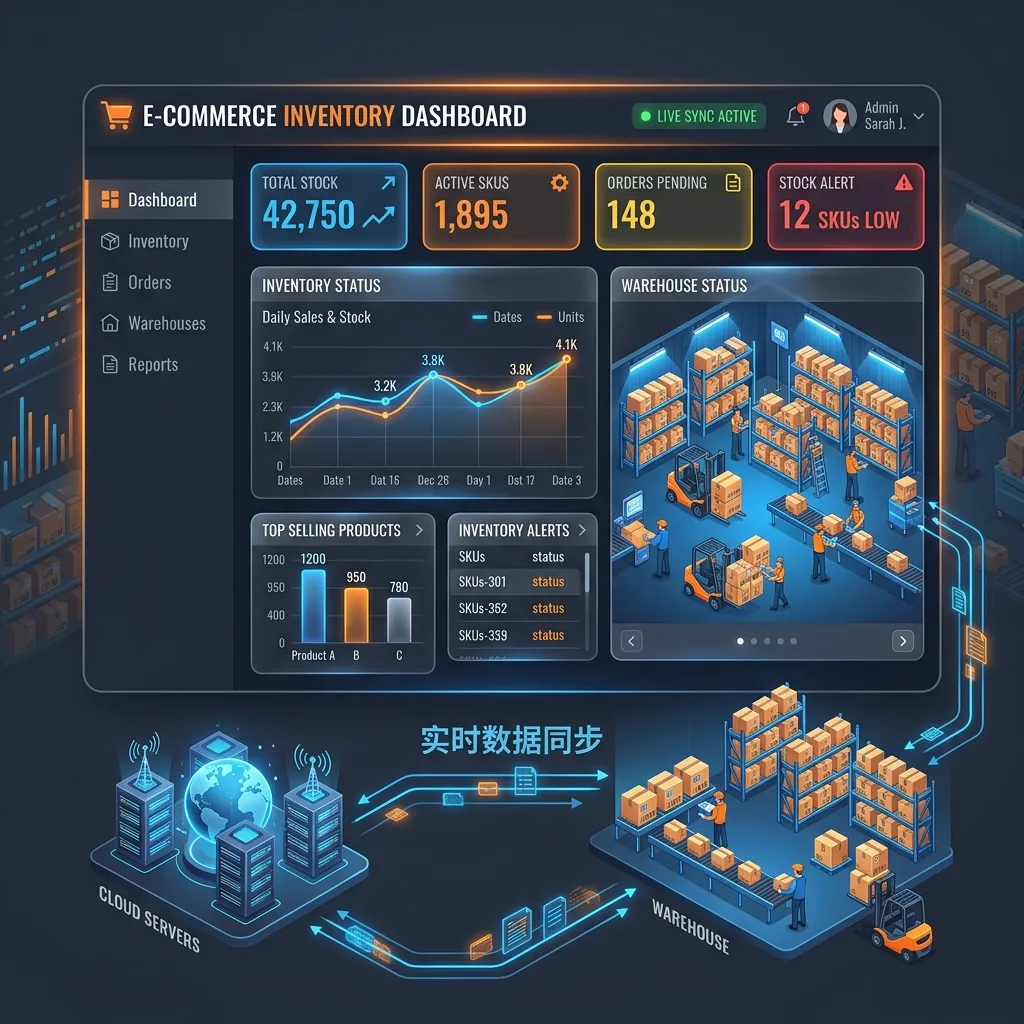
The solution is shifting the cognitive load to an automated system. By implementing a smart, automated backend like an Intelligent Inventory Dashboard, you change the game:
- Dynamic Filtering: The system automatically flags products hovering near their danger zones.
- Visual Triage: Items hitting the critical threshold are dropped into a Priority Red List, dominating your dashboard so immediate action can be taken.
- Instant Reordering: Instead of manually cross-referencing past invoices and current counts, you export a precise, actionable supplier reorder list in seconds.
- Per-Warehouse Alerts: For multi-location stores, alerts route to the right purchasing team based on which warehouse is low, not a blanket company-wide notification.
- Escalation Tiers: Near-stockout (at 1.5x ROP) sends a gentle heads-up; actual-stockout (at ROP) sends urgent alerts to multiple channels (email, WhatsApp, SMS).
The Full Alert Flow
When a stockout alert fires, three things should happen automatically:
- Dashboard flip: The SKU's row on the inventory dashboard turns red, and the SKU is auto-added to a "Priority Reorder" tab. A human can see the problem at a glance.
- Multi-channel notification: Email to the purchasing team (with SKU, current stock, suggested reorder quantity, and supplier contact), WhatsApp to the ops manager if the product is in the top 20 revenue list, and SMS if the alert fires after hours for a flash-sale-velocity SKU.
- Storefront adjustment: The Magento product is flagged for "backorder" status or hidden from catalog depending on your store policy, preventing the frustrating "added to cart, out of stock at checkout" UX failure.
Automating all three is the difference between preventing stockouts and just detecting them after the damage is done.
Handling the Unpredictable Spike
You can't prevent every stockout. A viral TikTok, a surprise press mention, or a competitor going out of stock can push demand 10x in hours — faster than any supplier can replenish. Three tactics dramatically reduce the damage:
- Higher safety stock on top-20 revenue SKUs. These are the SKUs where spike risk is highest and where running out costs the most. Give them 2x the safety stock you'd use for everything else.
- Pre-negotiated expedited shipping terms. Most suppliers will deliver in 3-5 days for a fee when the normal lead time is 14. Negotiate the terms once, keep them on file, invoke them when needed. This compresses the response time on demand spikes from "probably too late" to "manageable."
- Near-Stockout alerts at 1.5x ROP. This gives you a 30-50% buffer over actual stockout to notice a spike developing. Combined with expedited shipping, you can often avoid the stockout entirely even during a surprise spike.
The Math Example
Let's walk through a concrete case: you sell 10 units per day of SKU-123, your supplier's average lead time is 14 days, worst-case on record is 19 days, and your daily demand varies by about 3 units (standard deviation).
- Safety stock = (19 - 14) × 10 + (1 × 3) = 53 units
- ROP = 14 × 10 + 53 = 193 units
- Near-stockout alert at 1.5 × 193 = 290 units
When available stock drops to 290, you get a heads-up. When it drops to 193, you get a reorder alarm. By the time the supplier delivers 14-19 days later, you still have safety stock left to cover demand — no stockout.
Do this math for every SKU, let the script update the thresholds weekly based on rolling sales data, and you've removed 80%+ of stockout risk without any additional inventory cost.
Securing Fulfillment, Scaling Growth
The true catalyst for e-commerce growth isn't simply dumping budget into acquiring new customers; it's flawlessly and predictably fulfilling the demand you already have. A single stockout event on a top-20 SKU can wipe out a week's worth of ad spend gains — and destroy customer trust that takes months to rebuild.
The moment you abandon manual stock counting and transition to a self-alerting, digital inventory hub, you insulate your business against lost revenue and complete the operational transformation vital for scaling.
Common Pitfalls
- Not updating ROP thresholds with sales velocity changes. Static thresholds set three months ago don't reflect current reality. Recalculate weekly from rolling 30-day sales.
- Alerting only the ops manager. Single point of failure. Route alerts to a team channel (email DL, Slack, WhatsApp group) so someone sees it even if the primary contact is out.
- Not handling allocated vs. available stock. Physical stock includes units already reserved against orders. ROP must trigger on available stock, not physical — otherwise you're surprised when orders start failing at checkout.
- Backorder status applied too aggressively. If "backorder" shows on-site for too many SKUs, customers lose confidence. Prefer "hide from catalog until replenished" for non-critical SKUs.
- No post-mortem when a stockout happens anyway. Every stockout is data. Log why it happened (bad velocity forecast, supplier delay, demand spike) and use the pattern to adjust thresholds for similar SKUs.
Getting Started
Preventing stockouts isn't glamorous, but it's one of the highest-leverage operational moves an e-commerce store can make. The math is simple, the automation is lightweight, and the ROI is measured in recovered sales every single week.
Our Intelligent Inventory Dashboard packages the full pattern — ROP computation, multi-warehouse support, multi-channel alerts, and Magento backorder integration — into a deployable Google Sheets system.
Further Reading
- Google Sheets inventory management guide — the pillar guide covering the full inventory architecture.
- Stop losing money on stockouts: real-time inventory dashboard — the dashboard-building walkthrough.
- Building an inventory web app on top of Google Sheets — upgrading from a Sheet to a custom web app.
- Dynamic e-commerce forecasting with external APIs — predicting demand spikes before they happen.
- Magento 2 order sync with Google Sheets — the data pipeline feeding inventory velocity calculations.
Frequently Asked Questions
How do I calculate a safe minimum stock level (ROP) without guessing?
Use ROP = (Average Daily Sales × Lead Time in Days) + Safety Stock. Safety stock should cover the gap between your average lead time and your worst-case lead time on record, plus one standard deviation of daily demand. Example: you sell 10 units/day, supplier takes 14 days typically and 19 days in the worst case, demand varies by ~3 units/day. Safety stock = (19-14)×10 + 3 = 53. ROP = 14×10 + 53 = 193. The moment available stock drops to 193, fire the reorder alert.
How often should the stockout alert system check inventory levels?
For most stores, every 15-30 minutes is plenty. Running sub-minute checks wastes Apps Script quota without changing outcomes because suppliers can't react faster than once-daily anyway. The exception is flash sales and viral launches where velocity spikes 10x — for those, drop to every 2-5 minutes temporarily and set up alerting via both email and SMS so someone notices even if the dashboard isn't being watched.
What should actually happen when a stockout alert fires?
Three things in sequence: (1) the dashboard row flips red and the SKU is added to a 'Priority Reorder' list, (2) an email or WhatsApp notification goes to the purchasing team with SKU, current stock, suggested reorder quantity, and supplier contact, (3) the product page on Magento is automatically flagged for 'backorder' or 'hide from catalog' depending on your store policy. Automating all three is the difference between preventing stockouts and just detecting them after the damage is done.
How do I handle stockouts caused by sudden demand spikes I couldn't predict?
You can't prevent all of them — but you can reduce impact. Three tactics: (1) set a higher safety stock threshold on your top 20 revenue SKUs so they absorb spikes first, (2) pre-negotiate expedited shipping terms with suppliers so you can fast-replenish in 3-5 days when the normal lead time is 14, (3) build a 'Near Stockout' alert at 1.5x ROP so you see the problem coming before you hit it. Demand spikes become manageable, not catastrophic.
Does this work for Magento stores with multi-warehouse inventory?
Yes. The key is computing ROP per warehouse per SKU, because shipping times and daily velocity vary by location. A SKU might be fine at the LA warehouse and near-stockout at the NYC one. Magento's native Multi-Source Inventory (MSI) exposes per-source stock via the REST API; the Sheet-based alert system pulls stock per (source, sku) tuple and fires warehouse-specific alerts to the right purchasing team.