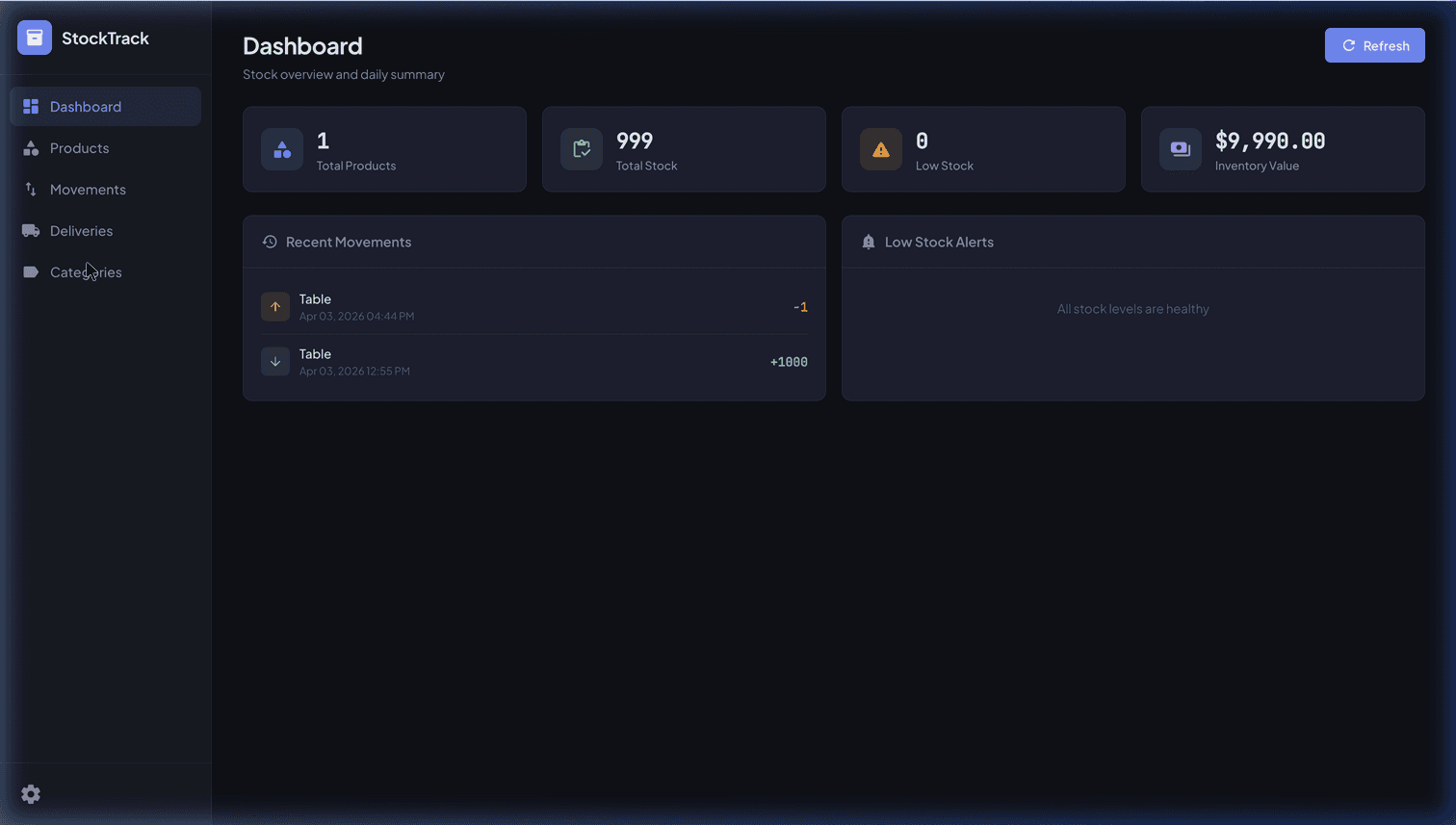
Build a Real-Time Inventory Web App with Google Sheets & Apps Script
Hey everyone!
In our previous posts, we explored custom Apps Script frontends and how to securely isolate client data. Today, we’re going to look at the single most common use case that drives businesses away from raw Google Sheets and toward custom apps: Inventory Management.
If your business relies on physical products, tracking inventory in a raw spreadsheet works fine when you have 50 SKUs and one warehouse manager—as covered in our Google Sheets inventory management guide. But as soon as you have multiple employees picking, packing, ordering, and receiving stock simultaneously, the spreadsheet descends into chaos.
Cell collisions happen. Someone accidentally sorts the "Quantity" column without selecting the "SKU" column, mismatching your entire database. Formulas break.
The solution isn't necessarily paying thousands of dollars a month for enterprise ERP software. You can leverage the Google Sheets backend you already have, and build a hardened, error-proof Inventory Web App frontend using Apps Script.
Why a Web App is Better for Inventory
- Barcode Scanning: A web app can integrate directly with USB barcode scanners or mobile phone cameras via HTML5. A raw spreadsheet cannot do this reliably without third-party add-ons.
- Transaction Logs: When someone changes a quantity in a web app, you can program the backend to automatically log who changed it, when, and by how much in a separate hidden log sheet.
- Data Validation: A web interface prevents users from typing "twenty" instead of "20", or trying to deduct 50 items from a SKU that only has 10 in stock.
- Mobile Responsiveness: Have you ever tried navigating a 100-column spreadsheet on a smartphone in a warehouse aisle? A custom Web App can be designed with a massive, mobile-friendly interface.
Designing the Architecture
To build this, we’ll use the doGet() structure we outlined in our first post, but we’ll introduce an asynchronous update flow.
The architecture looks like this:
- The Database: A "Master Inventory" Google Sheet and a "Transaction Log" Google Sheet.
- The Backend (
Code.gs): Functions to fetch SKUs, and a function to process inventory adjustments securely. - The Frontend (
Index.html): A dashboard with a search bar, current levels, and big buttons for "+ Receive" and "- Pick".
The Database Structure
| SKU | Item Name | In Stock | Location |
|---|---|---|---|
| PT-100 | Lithium Battery Pack | 45 | Aisle 4 |
| PT-101 | Copper Wiring 10m | 120 | Aisle 2 |
Building the Transaction Backend
Instead of letting a user just type a new number into the spreadsheet, we force them through an Apps Script function. This function handles the math and writes a permanent audit log.
// Code.gs

// The function triggered by the frontend when a worker scans/enters a change
function adjustInventory(sku, adjustmentAmount, workerName) {
  const ss = SpreadsheetApp.getActiveSpreadsheet();
  const inventorySheet = ss.getSheetByName("Master Inventory");
  const logSheet = ss.getSheetByName("Transaction Log");

  // 1. Lock the script to prevent race conditions from multiple warehouse workers
  const lock = LockService.getScriptLock();
  lock.waitLock(10000); // wait up to 10 seconds for the lock

  try {
    const data = inventorySheet.getDataRange().getValues();
    let rowIndex = -1;
    let currentStock = 0;

    // Find the SKU
    for (let i = 1; i < data.length; i++) {
      if (data[i][0] === sku) {
        rowIndex = i + 1; // +1 because array is 0-indexed, Sheets is 1-indexed
        currentStock = parseInt(data[i][2]);
        break;
      }
    }

    if (rowIndex === -1) throw new Error("SKU not found!");

    const newStock = currentStock + parseInt(adjustmentAmount);
    if (newStock < 0) throw new Error("Not enough stock to fulfill this order!");

    // 2. Perform the update
    inventorySheet.getRange(rowIndex, 3).setValue(newStock);

    // 3. Write securely to the audit log
    logSheet.appendRow([new Date(), workerName, sku, currentStock, adjustmentAmount, newStock]);

    return { success: true, newStock: newStock };

  } catch (e) {
    return { success: false, error: e.message };
  } finally {
    // 4. Release the lock so others can update!
    lock.releaseLock();
  }
}
The Magic of LockService
Notice the LockService.getScriptLock()? This is the secret sauce for enterprise Apps Script builds.
If Warehouse Worker A and Warehouse Worker B both hit the "Pick 1 Item" button on the same SKU at the exact same millisecond, a standard script might read the current stock as 10 for both of them, subtract 1, and save 9. Two items left the warehouse, but the system only recorded one!
LockService acts as a traffic light, forcing Worker B's script to pause for a fraction of a second until Worker A's transaction finishes.
Building the Interface
Now you can build an Index.html that uses massive touch targets for easy usage on tablets or scanners in the warehouse aisle.
When a user clicks a button, it calls your secure backend:
function sendStockUpdate(sku, amount) {
  // e.g. amount is -1 for picking, +5 for receiving
  google.script.run
    .withSuccessHandler(function(res) {
      if(res.success) {
        alert("Success! New stock level: " + res.newStock);
      } else {
        alert("Failed: " + res.error);
      }
    })
    .adjustInventory(sku, amount, "Worker_A");
}
Scaling Up
By keeping your UI separate from your database, you can scale gracefully. Your warehouse team gets a fast, foolproof tool, your management team gets a pristine audit log in Google Sheets, and nobody accidentally deletes a Row ever again.
If you are a mid-market e-commerce company struggling to sync real-time Magento inventory with a chaotic backend warehouse process, developing a robust web tool like this can bridge the gap in days, not months. Contact MageSheet to learn more about our B2B Web App services!