Google Sheets Inventory Management: Build a Pro Stock System for Free
Inventory tracking is one of the most persistent bottlenecks for growing e-commerce businesses and modern retailers. As your operation scales, relying on generic notebooks or basic Excel templates quickly becomes a liability. While the natural next step is to look for dedicated SaaS (Software as a Service) inventory platforms, these tools are often bloated with unnecessary features and demand hefty monthly subscriptions that eat into your margins.
But what if there was an alternative that offered the zero-infrastructure cost of Google Workspace, yet delivered the professional power of a dedicated SaaS solution?
The answer lies in unlocking the true potential of Google Sheets through Google Apps Script.
Why a Standard Google Sheet Just Isn't Enough
Google Sheets is undeniably a fantastic tool. However, when it comes to collaborative stock management—where multiple staff members log data simultaneously, and you need reliable historical tracking and critical low-stock alerts—it quickly shows its limitations:
- High Error Risk: Unlike a dedicated app, it's incredibly easy for a team member to accidentally overwrite a cell, delete a row, or break a complex formula.
- No Reliable Audit Trail: If Product A's inventory drops by 50 units overnight, a basic spreadsheet won't tell you who did it or why. You only see the final, static number.
- Zero Automation: A standard sheet won't actively notify you when a critical item falls below your safety threshold.
The Solution: Google Sheets Supercharged with Apps Script
Using Google Apps Script—a powerful JavaScript-based platform running on Google's cloud—you can effectively transform your raw spreadsheet data into a fully functional, secure web application.
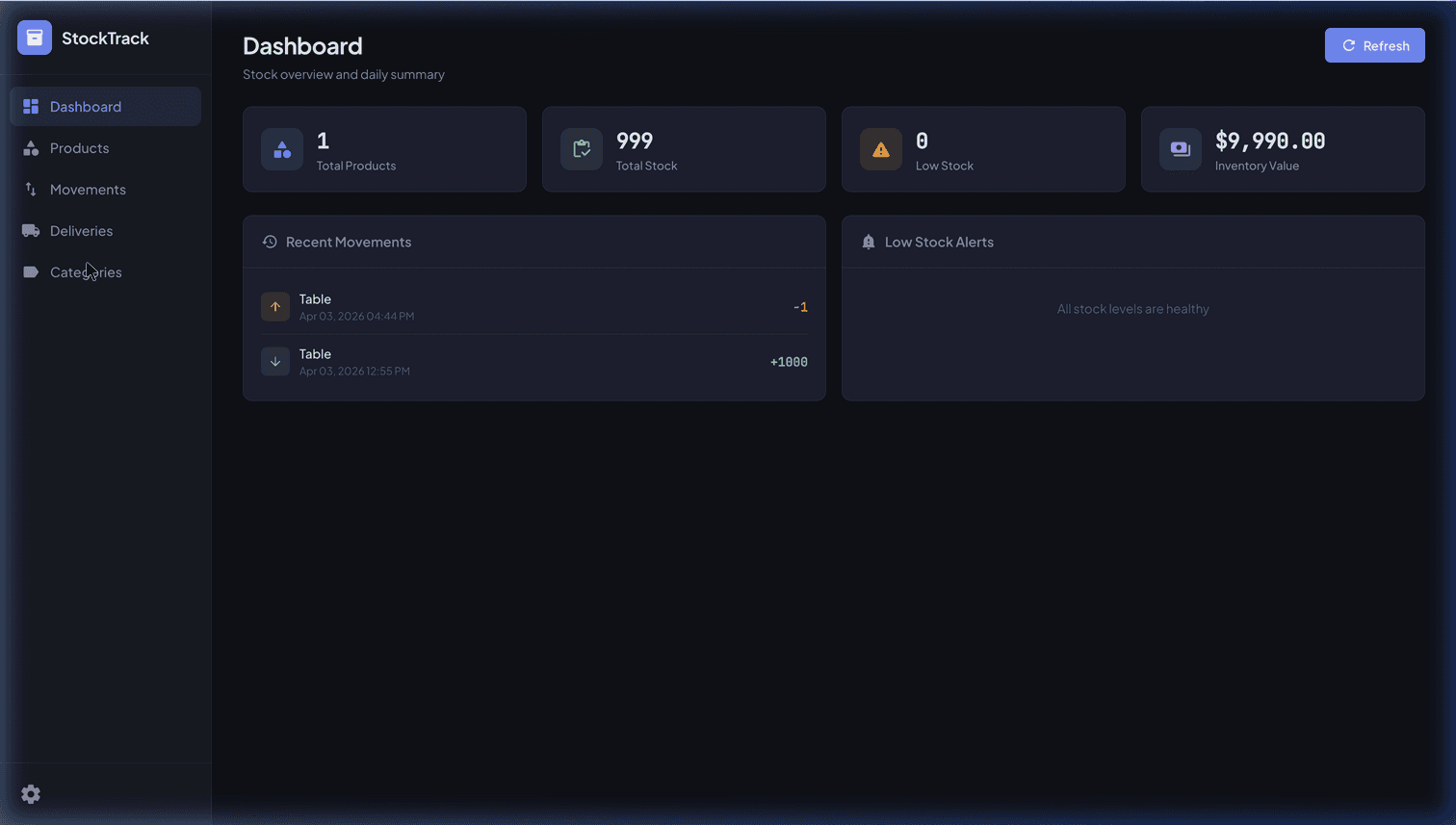
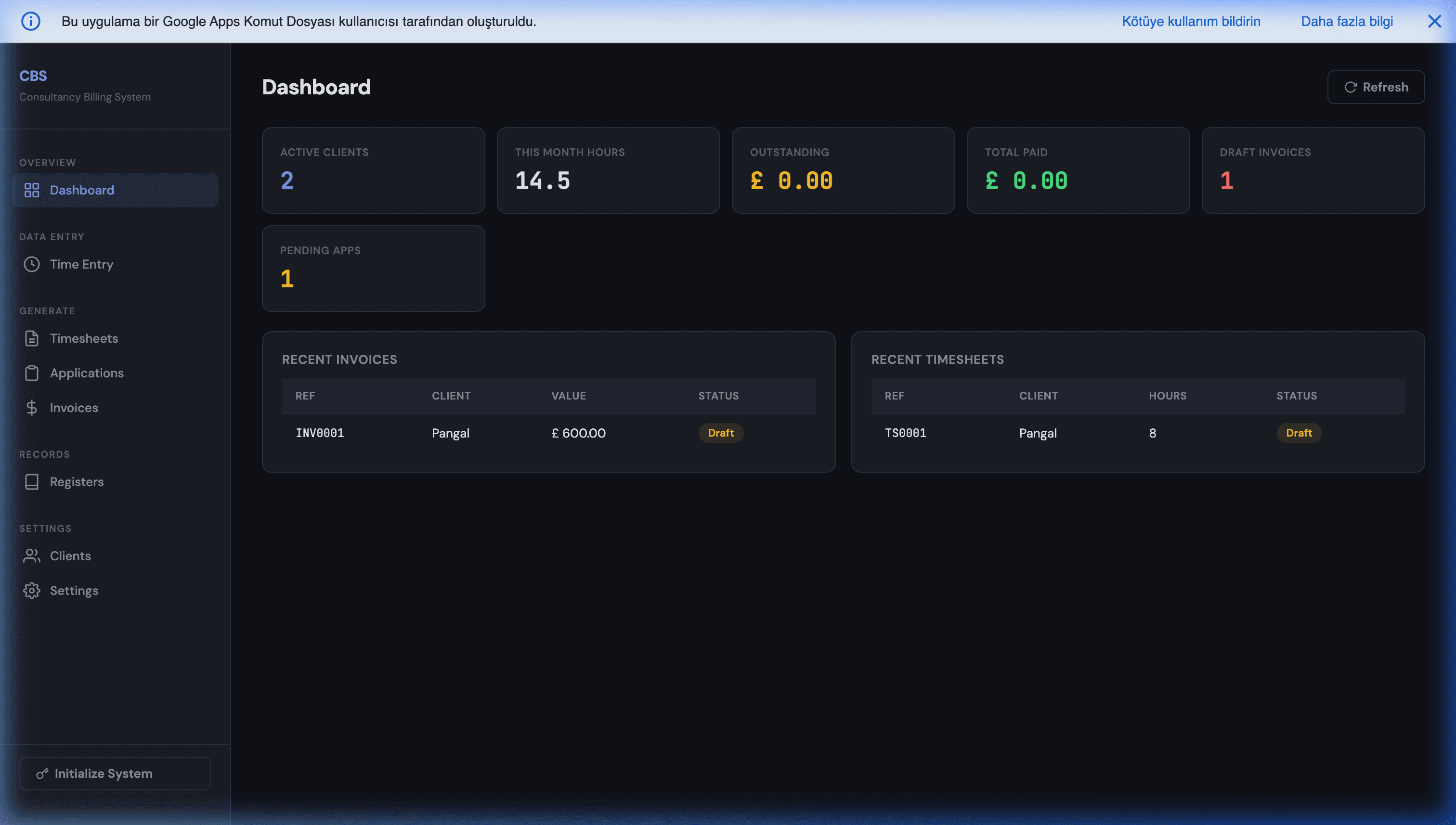
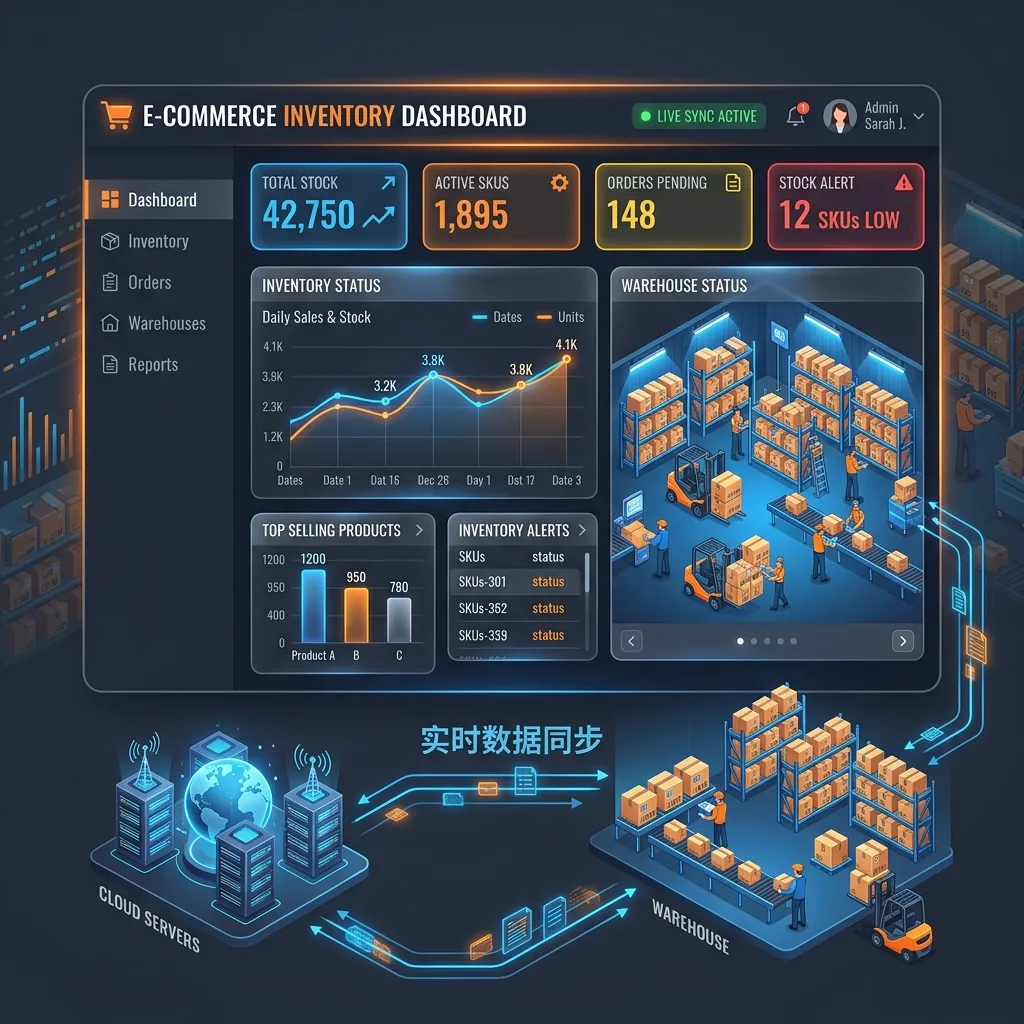
Imagine a workflow where your spreadsheet acts purely as a secure "database" in the background. Meanwhile, you and your warehouse team interact with a modern, dark-mode dashboard, performing stock entries with a few simple clicks rather than scrolling through endless rows.
- Immutable Transaction Ledger: Say goodbye to accidental deletions. Every stock movement (inwards and outwards) is logged as a permanent event, providing a crystal-clear audit trail.
- Automated Low-Stock Alerts: The script constantly monitors your inventory against custom "Minimum Stock" levels, flagging items instantly with visual warnings the moment they run low.
- Unbeatable Cost Advantage: Because it runs entirely within your existing Google Drive ecosystem, you pay exactly zero dollars in server hosting, per-user licensing, or recurring monthly SaaS fees.
True Data Sovereignty
With traditional SaaS inventory software, your critical commercial data is held hostage on third-party servers. Conversely, Apps Script-based tools like MageSheet's Stock & Inventory Tracking System are deployed natively into your own corporate Google Workspace.
By leveraging an open-source architecture, your business data—and the code that powers it—remains 100% under your control. With the right automated setup, the humble Google Sheet can easily go head-to-head with expensive, enterprise-grade software.
The Schema That Scales
Most inventory systems on Sheets fail not because Apps Script is weak, but because the schema fights the underlying physics. The single most common mistake is one row per SKU with a "Quantity" column that gets overwritten on every movement. The moment you need to answer "how did we end up at 47?" or "what was the stock on March 15th?" you have nothing.
The schema that scales is event sourcing: separate tabs for the catalog and the events that change quantities, and derive current stock from the events.
Tab: Products
sku    | name              | category | unit | min_stock | active
SKU001 | Espresso beans    | Coffee   | kg   | 5         | TRUE
SKU002 | Oat milk 1L       | Dairy    | each | 24        | TRUE

Tab: Movements (append-only, the source of truth)
timestamp           | sku    | location | type    | qty | reason         | user
2026-04-30 09:12:00 | SKU001 | WH-01    | receive | 50  | PO-1024        | u-101
2026-04-30 14:33:11 | SKU001 | WH-01    | pick    | -3  | sale ORD-9912  | u-203
2026-04-30 16:01:55 | SKU001 | WH-01    | adjust  | -1  | damage         | u-101

Tab: Locations
code  | name              | type
WH-01 | Main Warehouse    | warehouse
SH-NY | Storefront NY     | retail

Tab: Lookups (suppliers, units, reasons — anything finite)
Current stock at any location for any SKU is SUMIF over the Movements tab. Historical stock at any moment is the same SUMIF filtered by timestamp. There is no overwriting, no race condition between writers, no "who changed cell C12" mystery — the answer is always in the ledger.
This pattern is the same one banks have used for centuries: the balance is not stored, it is computed from the transaction log. Pure-function ledger math is also the easiest thing in Apps Script to test, which we cover in our Apps Script unit testing guide.
Multi-Warehouse Inventory
A small business with one location can ignore the location dimension. Once you have a second warehouse, a retail storefront, or a third-party fulfillment partner, the schema must handle it from day one — retrofitting later is painful.
The fix is a location column in the Movements tab and a Locations tab that catalogs every place stock can sit. A single SKU now has stock at multiple locations, computed as SUMIF(movements, sku=X AND location=Y).
The non-obvious part is transfers. Moving 10 units of SKU001 from WH-01 to SH-NY is two paired movements:
2026-04-30 11:00 | SKU001 | WH-01 | transfer_out | -10 | TR-2391
2026-04-30 11:00 | SKU001 | SH-NY | transfer_in  | +10 | TR-2391
The shared TR-2391 ID is what lets you reconcile in-transit inventory. Between the transfer_out and the transfer_in (which might be days apart for trucked freight), the units are not at either location — they are in transit. Querying movements with transfer_out but no matching transfer_in gives you exactly the floating stock.
The same paired-movement pattern handles reservations (paired with a future-dated cancellation) and drop-ship orders (where the units never physically pass through your warehouse).
Lot, Batch, and Expiry Tracking
For food, pharmaceuticals, cosmetics, and any regulated category, knowing the quantity is not enough — you need to know which units are in stock and when they expire. A single contaminated batch can require recalling specific lot numbers, not the entire SKU.
The schema upgrade is two extra columns on the Movements tab:
... | sku    | location | qty | lot      | expiry     | type
... | SKU042 | WH-01    | 100 | LOT-2891 | 2027-02-15 | receive
... | SKU042 | WH-01    | -3  | LOT-2891 | 2027-02-15 | pick
Picks pull from a specific lot (recorded at scan time). Stock by lot is SUMIF(sku, lot); stock approaching expiry is a filter on the expiry column.
The picking algorithm shifts from FIFO ("oldest received first") to FEFO ("first expiring, first out") — the script picks the lot with the earliest expiry that still has stock. This single change typically cuts expiry write-offs by 30-50% in food-and-beverage operations.
A daily Apps Script trigger sweeps for any lot expiring in the next 14 days and emails the warehouse team. Combined with the alerting pattern from our stockout prevention guide, you get a full risk dashboard with no extra infrastructure.
Cost Accounting (FIFO vs Weighted Average)
Inventory is also a financial number. Tax authorities, accountants, and your own profit margin reports need to know the cost of stock, not just the count. Two methods dominate, and Sheets handles both well.
FIFO (First In, First Out) assumes you sell the oldest units first. Each pick movement consumes the cost of the oldest remaining receive movement:
Receives:    +100 @ $4.00 (Jan), +50 @ $4.50 (Feb)
Pick:        -120
Cost of pick: 100*$4.00 + 20*$4.50 = $490.00
Remaining:   30 @ $4.50 = $135.00 carrying value
In a Sheet this is a small Apps Script function that walks the receives ledger oldest-first, draining the pick quantity while accumulating cost.
Weighted Average computes a single average cost per SKU across all receives, then applies that to every pick. Simpler to implement, less accurate when prices fluctuate:
Receives: +100 @ $4.00, +50 @ $4.50
Average:  ($400 + $225) / 150 = $4.17 per unit
Pick:     -120 → $4.17 * 120 = $500.40
Most regulated jurisdictions allow either, but you must pick one and stick with it across a fiscal year. Switching mid-year is an audit red flag.
The good news: because the underlying schema is event-sourced, you can recompute either method on demand from the same movement ledger. You are not committing to one in your data model — only in your reporting layer. Re-running the cost calculation as a daily summary across hundreds of thousands of movements is a typical job for the long-running patterns in our Apps Script 6-minute limit guide.
Further Reading
If you are designing an inventory stack on Google Workspace, these companion guides go deeper on specific layers:
- Preventing Stockout Crises with Automated Alerts — the alerting and reorder-point logic layer.
- Building an Inventory Web App on Top of Google Sheets — how to put a warehouse-friendly UI on top of the Sheet.
- Dynamic E-Commerce Forecasting with External APIs — pulling weather and holiday signals into demand planning.
- AI-Driven Product Enrichment for Magento Catalogs — cleaning and standardizing the SKU data feeding your inventory system.
- Real-Time E-Commerce Inventory Dashboard — the reporting surface that sits on top of all of the above.
Frequently Asked Questions
Can Google Sheets really handle inventory for a serious e-commerce business?
Yes, but with clear scale boundaries. A Google Sheet handles up to about 10 million cells and a few hundred concurrent read/write operations per minute before performance degrades. For most businesses that means 50,000 SKUs across 2-3 warehouses is comfortable. Past that point — or if you need sub-second barcode scans and tens of users picking simultaneously — you want to keep the sheet as the management layer and move transactional writes into a dedicated database.
How do you prevent two warehouse workers from overwriting each other's stock updates?
Use LockService in Apps Script. When a worker submits a pick or receive, the script acquires a script-wide lock, reads the current quantity, applies the delta, writes back, and releases. This turns parallel writes into a safe queue. Without it, two workers hitting 'Pick 1' on the same SKU at the same millisecond can both read 10, both write 9, and you quietly lose an item. The lock adds milliseconds, not seconds.
Do I need to connect barcode scanners to a custom app, or can Sheets do it natively?
Sheets treats a USB barcode scanner as a keyboard — it types the code into the active cell. That works for simple lookups but is fragile at scale because any misclick lands data in the wrong cell. The robust pattern is a thin Apps Script web app with a single focused input field; the scanner types into that field, the app calls your adjustInventory function, and the UI confirms. This also gives you mobile camera scanning via html5-qrcode for phones.
How do I keep the Sheet safe when employees need write access?
Don't share the raw Sheet at all. Deploy an Apps Script web app with 'Execute as: Me' and 'Who has access: Anyone in domain'. Your employees authenticate into the UI, but every read and write goes through a backend function that validates inputs, enforces permissions, and appends to an immutable audit log. The underlying Sheet stays shared only with you, which eliminates the 'someone deleted row 53' class of disaster.
When should I migrate off Google Sheets to a dedicated inventory system?
Three signals: (1) you have more than 100,000 SKU-location combinations, (2) you need sub-second response for warehouse scanners across five or more users at once, or (3) your reporting queries routinely time out in Sheets. Before that, a well-architected Apps Script layer is faster to iterate on, cheaper, and more flexible than Cin7, Fishbowl, or NetSuite. Most of our clients stay on Sheets until they hit a specific constraint, not as a default graduation step.