Synchronizing Google Sheets with Magento at Scale
The relationship between e-commerce operations teams and standard CSV imports is a turbulent one. For years, the standard workflow for updating Magento catalogs has involved exporting data, editing rows in Excel, saving a precisely formatted CSV, and praying the Magento backend doesn't throw a validation error upon import.
This workflow is brittle, disconnected, and entirely devoid of real-time collaboration.
This post covers why the CSV approach is dying, what the modern Magento ↔ Google Sheets integration pattern looks like in production, and the specific scaling and reliability tradeoffs that matter.
Why the Traditional CSV Import is Dying
The classic CSV data flow has four fatal flaws:
- No Validation Pipeline: You don't know an attribute is missing until the entire 50MB file fails to upload. The error message points at row 12,847 out of 15,000 and you restart from scratch.
- Collaboration Blackout: E-mailing Excel files back and forth between merchandising, SEO, and pricing teams inevitably leads to version conflicts. Someone edits the wrong copy, someone else overwrites the fix, and the canonical version is lost.
- Opaque Error Handling: Magento's default import logs are notoriously difficult for non-technical users to decipher. "SQL error near line 4721" is not an actionable instruction for a merchandising lead.
- All-or-Nothing Transactions: One bad row kills the whole import. The CSV tool rolls back and you're back to square one with no diagnostic to fix the problem efficiently.
For stores managing thousands of SKUs with multiple team members, the CSV workflow is not a scaling strategy — it's a scaling bottleneck.
The Modern Approach: API-Driven Spreadsheet Sync
The paradigm is shifting toward using cloud-native spreadsheets, specifically Google Sheets, as a dynamic, API-driven staging ground. By leveraging Google Apps Script, the spreadsheet itself becomes a functional frontend application connecting directly to Magento's REST or GraphQL APIs—the same foundation covered in our Magento to Google Sheets integration guide.
In this architecture, when an operations manager updates a price or changes an inventory count in a cell, the underlying script can instantly push that singular change to Magento. A custom menu item in the Sheet ("Sync Selection to Magento", "Retry Failed Rows", "Validate Before Sync") exposes the integration to non-technical users without ever leaving the spreadsheet.
The key architectural properties that make this scale where CSV imports break:
- Per-row transactions. Each row is a separate API call. One failure doesn't kill the batch.
- Per-row status. Success, error, or skipped is written back to the same row. The Sheet becomes a living log.
- Incremental sync. Only changed rows push to Magento, not the entire catalog every time.
- Validation before push. Apps Script can verify attribute sets, enum values, and required fields before making the API call.
- Collaborative editing. Multiple team members edit simultaneously with full history and comment threads.
The Apps Script Core
The minimum viable sync is surprisingly small — roughly 100-200 lines of Apps Script. The architecture in pseudo-code:
function syncSelectedRows() {
  const sheet = SpreadsheetApp.getActiveSheet();
  const rows = sheet.getActiveRange().getValues();
  const token = PropertiesService.getScriptProperties().getProperty('MAGENTO_TOKEN');

  rows.forEach((row, idx) => {
    try {
      const payload = buildMagentoPayload(row);
      const response = UrlFetchApp.fetch(MAGENTO_URL + '/rest/V1/products', {
        method: 'POST',
        headers: { 'Authorization': 'Bearer ' + token },
        payload: JSON.stringify({ product: payload }),
        muteHttpExceptions: true
      });
      markRowStatus(idx, response.getResponseCode(), response.getContentText());
    } catch (e) {
      markRowStatus(idx, 500, e.toString());
    }
  });
}
The devil is in the details — error categorization, retry logic, rate-limit handling, batch windowing, and authentication hygiene — but the core pattern is straightforward and debuggable.
Scaling Beyond Apps Script
Apps Script handles most Magento stores. When you outgrow it — typically at 50,000+ SKUs with frequent full-catalog refreshes — the graduation path keeps the Sheet as the UI and moves the integration backend to Cloud Run or Vercel Functions. The sync logic is effectively identical; you're just running it in a longer-lived environment without the 6-minute execution limit.
The critical property is that the Sheet never changes. Your merchandising team continues to use the same interface; the plumbing underneath migrates invisibly. This is why starting with Sheets + Apps Script is the right first step even for stores that will eventually outgrow it — the UI investment persists across infrastructure changes.
Enter the Magento AI Product Manager
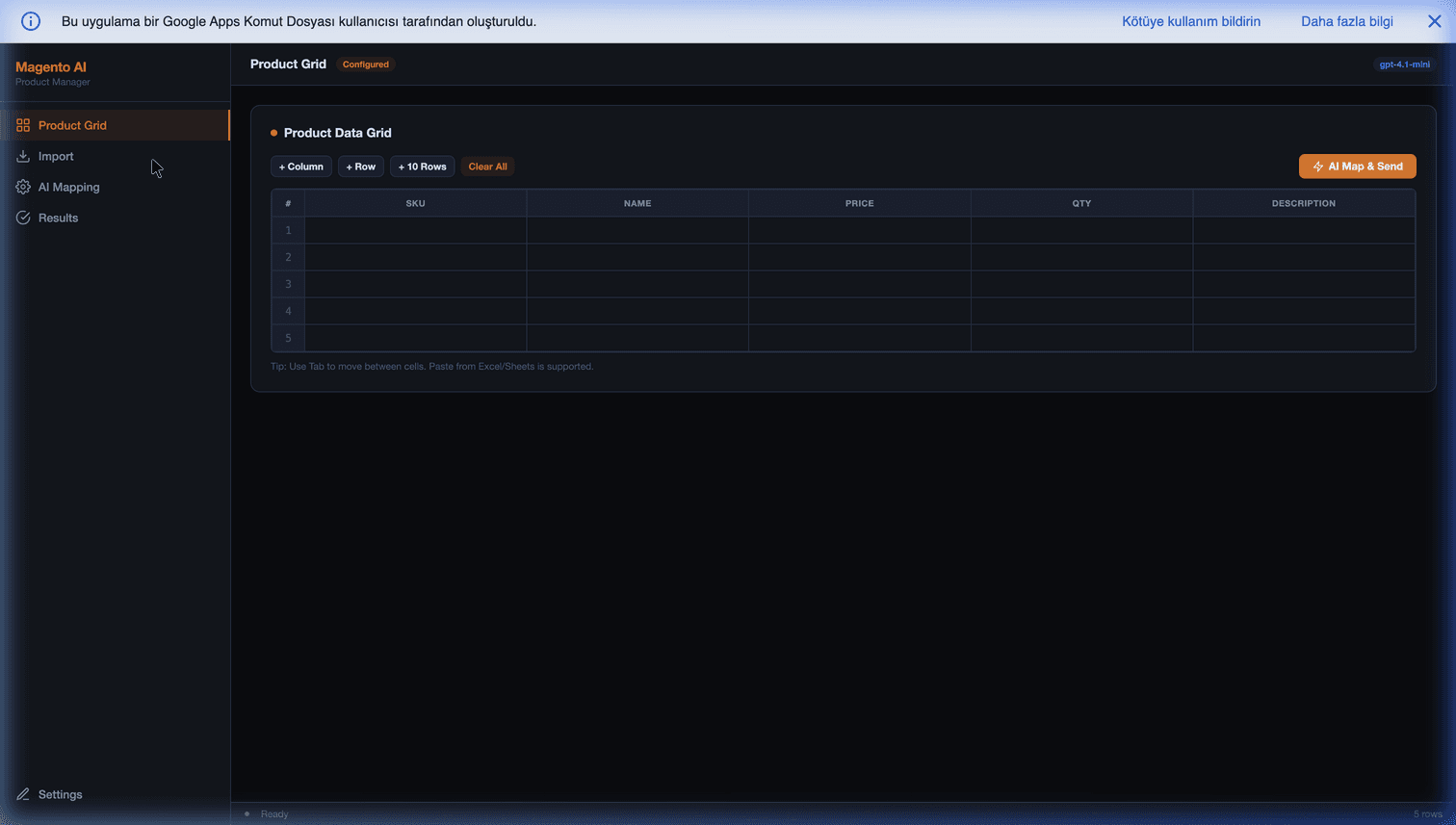
To witness this architecture in its most evolved state, consider tools like the Magento AI Product Manager. It acts as a universal data hub right inside your Google Workspace:
- Universal Import: Drag and drop data from any supplier format — CSV, XLSX, JSON, even pasted tables.
- Interactive Grid: Use the power of Google Sheets for collaborative, real-time editing among your team, with comment threads, version history, and fine-grained permissions.
- AI-Assisted Enrichment: Before syncing, an AI pass fills in missing attributes, generates descriptions, and validates data. See our post on AI-driven product enrichment for Magento catalogs for the enrichment details.
- Instant API Sync: Instead of downloading a CSV, simply click "Send to Magento." The script processes the row, negotiates with the Magento API, and returns a real-time "Success" or "Error" status directly into your spreadsheet column.
- Retry and Audit: Failed rows stay visible and retryable. A separate audit tab tracks every sync for compliance purposes.
Common Pitfalls
- Trying to sync the entire catalog every night. Do incremental syncs (only changed rows) by default; full-catalog refreshes only when absolutely needed.
- No staging environment. Test against Magento staging before pointing Sheets at production. A bad sync to production is hard to undo at scale.
- Hard-coded credentials. Use
PropertiesService, not inline strings. Rotate tokens quarterly. - No conflict detection. If both Sheets and Magento admin can write to the same field, you need timestamp-based conflict detection — build it early, not after the first silent overwrite.
- Polling when you should be event-driven. For near-real-time use cases, use Magento webhooks (
sales_order_save_after) to push events to Apps Script rather than Apps Script polling Magento.
Getting Started
By bridging the gap between collaborative spreadsheets and e-commerce APIs, modern businesses are bypassing the fragility of CSV imports entirely—achieving faster catalog updates, dramatically reducing operational friction, and giving merchandising teams a tool they actually want to use.
The Magento AI Product Manager packages the full pattern — Sheet UI, Apps Script integration, AI enrichment, per-row error handling, retry logic — so you don't have to build it from scratch.
Further Reading
- Magento 2 order sync with Google Sheets — the pillar guide for the full sync architecture.
- Analyzing Magento revenue and orders in Google Sheets — the read direction (pulling data out).
- Solving Magento order line item exports — handling the multi-item order case.
- AI-driven product enrichment for Magento catalogs — the enrichment step before sync.
- Triggering Magento API from Sheets — executing bulk Magento actions from a spreadsheet button.
Frequently Asked Questions
What is the actual row-scale limit for a Sheets-to-Magento sync?
Google Apps Script has a 6-minute execution limit per invocation and a daily URL-fetch quota of around 20,000 requests on standard accounts (100,000 on Google Workspace Business). In practice, this means you can sync 2,000-5,000 rows per run before hitting the execution limit. For larger catalogs, split into batched triggers (e.g., 2,000 rows per 10 minutes) or graduate to Cloud Run. Most Magento stores with 10-50k SKU catalogs stay comfortably within Apps Script limits.
How do I handle partial failures when syncing 5,000 rows and row 2,347 fails validation?
Design the sync row-by-row, not as a bulk transaction. Each row call to Magento either succeeds (mark the row green, log the Magento product ID) or fails (mark red, write the error message back to the same row). Continue processing remaining rows regardless. The spreadsheet becomes the error log — non-technical users can fix flagged rows in-place and re-run just those rows with a 'Retry Failed' menu item. This is dramatically better than CSV imports that fail the entire batch on a single bad row.
Will changes in the Sheet overwrite changes made directly in Magento admin?
Yes, unless you explicitly build conflict detection. The safe pattern: store a `last_synced_at` timestamp on each row, compare against Magento's `updated_at` on each sync, and flag conflicts instead of blindly overwriting. Most teams skip this for read-heavy workflows (Sheets is source of truth, Magento is display) where conflict can't happen by design. Build conflict detection the moment you have two systems writing to the same attribute.
How do I authenticate the Apps Script to Magento without hard-coding credentials?
Use Magento's Integration Tokens (System → Integrations in admin), grant the minimum required resources (catalog write, inventory write — not everything), and store the token in Apps Script's `PropertiesService`, not in the script body. For scripts shared across a team, use `ScriptProperties` so each editor can see the integration reference but not the raw token. Rotate tokens quarterly or when team members leave.
Does this pattern work with Magento 2 Adobe Commerce Cloud?
Yes, with the same REST/GraphQL endpoints and the same Integration Token pattern. The only differences are network-level: Adobe Commerce Cloud sometimes sits behind Fastly or a WAF that rate-limits aggressively on `sales_order.list` or `products` endpoints. Test your sync against a staging environment before running it against production, and space out requests if you hit 429 responses.