Analyzing Magento Revenue and Orders in Google Sheets
While Magento maintains robust e-commerce capabilities, its native dashboard lacks the dynamic flexibility that modern Operations and Finance teams demand. To calculate custom KPIs, forecast inventory, or run cohort analyses, businesses invariably resort to exporting order lists into spreadsheet software — which is exactly the manual cycle the full Magento ↔ Google Sheets integration playbook replaces with a live API pipeline.
But relying on manual, static CSV exports means your executive data is immediately out of date the second you download it. This post covers how to replace that manual export cycle with a live, automated Magento-to-Sheets revenue pipeline — plus the specific metrics and patterns that actually deliver decision-making value.
The Problem with Static KPI Tracking
When you rely on manual data extraction from Magento:
- Stale Metrics: Marketing wants to see yesterday's Average Order Value (AOV) right now, but operations hasn't run the daily export yet. By the time the data arrives, it's already 24 hours old.
- Fragmented Visibility: Top-selling product data is disconnected from custom financial modeling sheets used by the CFO. Each team maintains its own copy; the copies drift.
- Inflexible Filters: You cannot quickly pivot the data to see "Orders from California exceeding $200" without heavy Excel manipulation, formula reconstruction, or a bespoke pivot table every time.
- No Cross-System Joins: The Magento export has no idea about your ad spend, your support ticket volume, or your warehouse capacity. Cross-system analysis requires manually reconciling spreadsheets.
- Risk of Human Error: Manually downloaded CSVs get dragged between folders, edited, emailed, re-versioned, and lost. Finance spends half of every month-end reconciling which version is authoritative.
Building a Dynamic Command Center
The future of agile e-commerce management is API-driven synchronization into modern collaborative workspaces. By integrating Google Sheets directly to Magento via its REST API, your spreadsheet ceases to be a static document—it becomes a Dynamic Command Center. (For the foundational sync architecture, see our pillar on Magento 2 order sync with Google Sheets.)
Through Google Apps Script, you can configure scheduled triggers (via ScriptApp.newTrigger()) to silently fetch the latest orders natively at 5, 10, or 15 minute intervals. This raw data feeds directly into real-time visual dashboards calculating your critical vitals: Total Daily Revenue, AOV, Top Selling SKUs, refund rate, and any custom metric your finance team needs.
The architecture has four layers:
- Fetch layer — Apps Script calls Magento's
sales_order.listendpoint withupdated_atfilters, pulls orders incrementally, and handles retries on API failures. - Staging layer — A "Raw Orders" tab appended to on each sync, preserving the full JSON payload as flat rows.
- Transform layer — Formulas, QUERY functions, or separate Apps Script routines normalize line items, compute derived fields (AOV, margin, category rollups), and flag anomalies.
- Presentation layer — Clean tabs with dashboards, charts, and pivot tables that executives actually look at.
Keeping these layers separate is what makes the system maintainable. When a new metric is needed, you add it to the transform layer without touching the fetch. When the Magento API changes, you update the fetch without touching the dashboards.
The Power of Field Customization
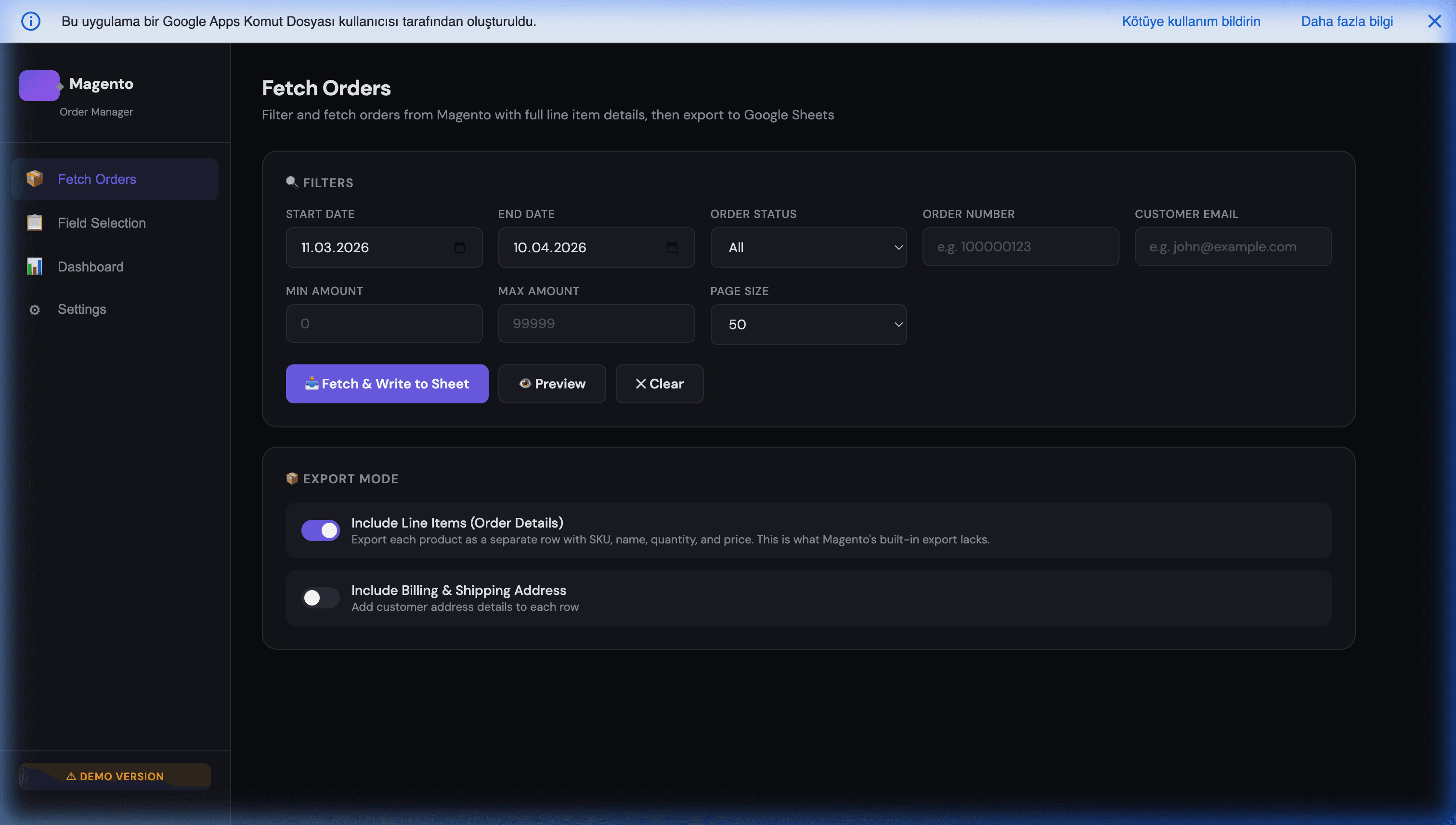
A prime example of this workflow is the Magento Order Manager. Rather than pulling a standardized, bloated export containing 150 unnecessary columns, the architecture allows for precise Field Selection.
Does your finance team only need Order IDs, Tax Amounts, and Base Grand Totals? Uncheck everything else. Does logistics only need shipping methods and addresses? Create a separate view tailored for them. Does the CFO need only completed + shipped orders in a specific currency? Add the filter once and forget it.
This is where the Sheets-first approach out-paces Magento's native reports — you can have three simultaneous views of the same order data, tailored per team, without cloning the underlying integration. Finance sees their columns; Operations sees theirs; Marketing sees theirs. All fed from the same live API pull.
Which Metrics Actually Matter
Resist the urge to put 40 widgets on the dashboard. In production Magento dashboards we've instrumented, the six metrics below carry 80%+ of the operational decision-making weight:
- Daily Revenue — today vs. yesterday, today vs. same-day-last-week, today vs. same-day-last-year. Spot anomalies fast.
- 7-day rolling AOV — smooths out daily noise, catches pricing or promotion issues within a week.
- 30-day rolling AOV — detects slower-moving shifts (category mix changes, new product launches).
- Top 20 SKUs by revenue — where the money is actually coming from; drives merchandising decisions.
- Refund-to-order ratio — early warning for quality issues, shipping problems, or fraud.
- Cohort revenue by acquisition week — which marketing cohorts actually monetize over time.
Add anything beyond these six only when someone is actively asking for it. Remove widgets that haven't been referenced in 30 days. A dashboard nobody reads is worse than no dashboard — it creates false confidence that reporting is "handled."
Cross-System Analysis Wins
The biggest advantage of the Sheets-first approach is not the Magento data itself — it's the ability to join Magento data with everything else:
- Revenue vs. ad spend — pull Meta Ads and Google Ads daily spend into a sibling tab, compute ROAS per channel per day.
- Revenue vs. support ticket volume — quality issues often show up in tickets before they show up in refunds.
- Revenue vs. warehouse capacity — detect inventory bottlenecks before they become stockouts.
- Revenue vs. site traffic (GA4) — isolate whether conversion rate or traffic is driving changes.
None of these joins are possible in Magento's native dashboard. All of them are trivial in a Sheet-based setup.
Common Pitfalls
- Over-polling. Sub-minute polling burns Apps Script quota with no business benefit. Stick to 5-15 minute cadence unless you have a specific real-time need.
- One-order-per-row when you need line items. AOV and top-seller analysis requires line-item granularity. See Solving Magento order line item exports.
- No date-range guardrails on formulas. Formulas that reference
A:Awithout bounded ranges get slow as the Sheet grows. Always use explicit row bounds or dynamic arrays. - No backup for the Sheet. Use Apps Script or Google Drive's native versioning to snapshot weekly. A corrupted Sheet with 500k rows of historical orders is a terrible day.
Getting Started
By consolidating real-time Magento order intelligence straight into Google Sheets, teams achieve immediate, democratized access to data, replacing fragmented reports with a single, collaborative source of truth.
The Magento Order Manager handles the hard part — secure authentication, paginated pulls, incremental sync, and field selection — so your team can focus on the metrics that matter rather than the plumbing.
Further Reading
- Magento 2 order sync with Google Sheets — the pillar guide covering the full sync architecture.
- Solving Magento order line item exports — why one-row-per-line-item is essential for accurate analysis.
- Syncing Google Sheets with Magento at scale — the reverse direction (writing data back to Magento).
- Business intelligence dashboards in Google Sheets — the broader BI patterns for e-commerce teams.
- Building a Magento B2B CRM with Google Contacts — extending the same integration pattern to customer data.
Frequently Asked Questions
How often should a Magento-to-Sheets revenue sync run to feel real-time?
For most stores, a 5-15 minute pull cadence is indistinguishable from real-time for operational decisions and keeps you well under Apps Script's daily URL-fetch quota. If you need true real-time (seconds-level freshness for flash sales or high-velocity launches), switch from polling to webhook-driven updates: Magento pushes an event on each order save, and Apps Script appends a row on receipt. Don't run sub-minute polling — it burns quota with no business benefit for 99% of use cases.
Will pulling live order data into Google Sheets bog down Magento?
Only if you write the integration badly. Use `sales_order.list` with proper date filters, paginate in chunks of 100-200 orders, and run the sync outside peak checkout hours for the initial backfill. Incremental daily pulls (only orders created or modified since the last sync) put negligible load on Magento. The integration load is trivial compared to what a single bot crawler or product import does — this is not a realistic performance concern on any well-tuned 2.4.x store.
How do I handle the scale problem when orders exceed a few hundred thousand rows?
Google Sheets comfortably handles up to roughly 500k-1M rows of order data, but gets slow above that. For larger stores, shard by year or quarter into separate Sheets and use IMPORTRANGE or BigQuery as the aggregation layer. Most Magento mid-market stores never hit this ceiling; the more common failure mode is storing one order per row when you really need one line-item per row for accurate AOV and top-seller analysis. See [Solving Magento order line item exports](/blog/solving-magento-order-line-item-exports) for the flattening pattern.
Which metrics actually matter on a Magento revenue dashboard?
The short list: Daily Revenue, 7-day rolling AOV, 30-day rolling AOV, top 20 SKUs by revenue, refund-to-order ratio, and cohort revenue by acquisition week. Stores commonly over-engineer dashboards with 40+ widgets that nobody reads. Start with the six above, add custom metrics only when someone on the team is actively asking for them, and remove widgets that haven't been referenced in 30 days. Dashboard discipline drives decision velocity more than dashboard completeness does.
Is Google Sheets actually better than Magento's built-in reporting for this?
Not better — different. Magento's native reports are fine for baseline checks and for non-technical users who never need custom dimensions. Google Sheets wins when you need custom formulas (custom AOV buckets, per-category commissions, finance-team-specific KPIs), cross-references with non-Magento data (ad spend from Meta or Google Ads, support-ticket volume, warehouse capacity), and collaborative editing. The right pattern is both: use Magento reporting for quick checks, Sheets for anything custom or cross-system.