Turning WhatsApp into a Mobile ERP for Field Logistics
The biggest point of failure in field logistics isn't the trucks or the routing software—it's data entry.
Operations managers constantly struggle to get real-time status updates from drivers. Traditional solutions involve forcing drivers to download heavy, battery-draining "Enterprise Field Service" apps. The result is always the same: drivers forget login credentials, the app crashes in low-signal areas, and operations teams remain in the dark about cargo locations.
There is a modern, frictionless alternative: Use the app your drivers are already using every day. (For an overview of the full WhatsApp automation toolkit for small businesses, see our pillar guide.)
This post covers the architecture, the parsing layer that handles real-world driver messages, and the common pitfalls when turning WhatsApp into a mobile ERP input terminal.
The Power of WhatsApp as an Input Terminal
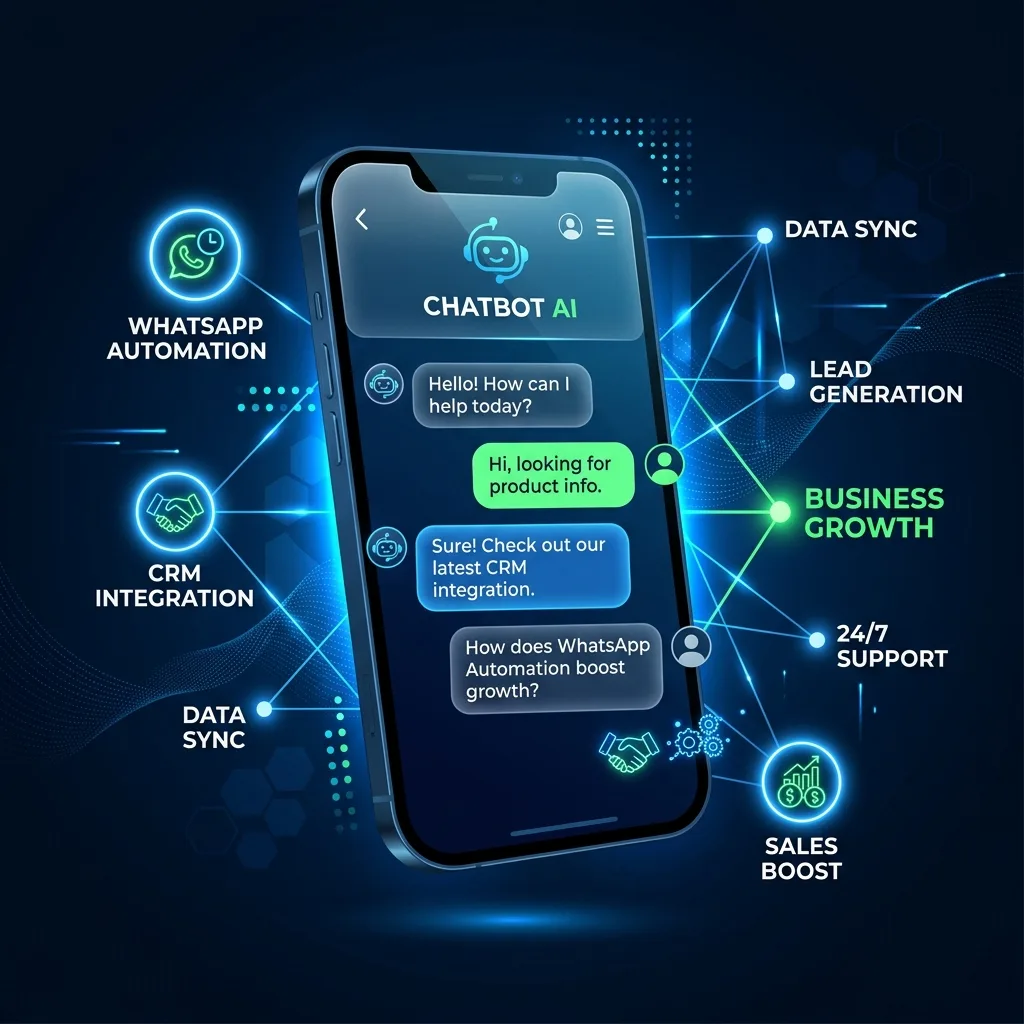
Every field worker, regardless of technical literacy, knows how to send a WhatsApp message. By integrating your Google Workspace with a WhatsApp Business API (like the Green API or Twilio WhatsApp), you can turn WhatsApp into a direct input terminal for your company's database.
Instead of navigating a clunky UI, a driver simply opens a chat with your company bot and texts: "Status ABC-1234 Delivered".
The background script intercepts this standard WhatsApp message, parses the cargo ID and the status keyword, and instantly updates the "Status" column inside a master Google Sheet. The dispatcher watching the dashboard sees the cell turn green in real time.
The impact on operational velocity is disproportionate. Field data that used to arrive via phone calls at the end of each shift (delayed, lossy, manually transcribed) now streams in continuously with millisecond latency. A dispatcher managing 30 concurrent deliveries sees status changes the moment they happen, not the end of the day.
Handling Real-World Driver Messages
Real drivers don't type clean commands. They type "done" or "delivered!!" or "left it at the back door" or full sentences in their local language. A brittle regex parser breaks the moment it encounters anything unexpected.
The resilient pattern is a two-stage parse:
- Regex first pass — handles the clean format (
status <cargo_id> <state>) instantly and cheaply. Roughly 70% of driver messages match this once drivers learn the preferred format. - LLM fallback — for the other 30%, pass the message plus a list of known cargo IDs and valid statuses to an LLM with a structured-extraction prompt. The LLM returns a normalized JSON object:
{cargo_id, status, confidence, note}.
This hybrid keeps cost down (most messages don't hit the LLM) while making the system robust to natural driver behavior. Confidence below a threshold surfaces the row to the dispatcher for manual confirmation — a small percentage of messages, but the ones that would have been silently wrong with pure regex.
Why Google Sheets Completes the Puzzle
WhatsApp handles the data collection beautifully, but Google Sheets provides the Operational Command Center.
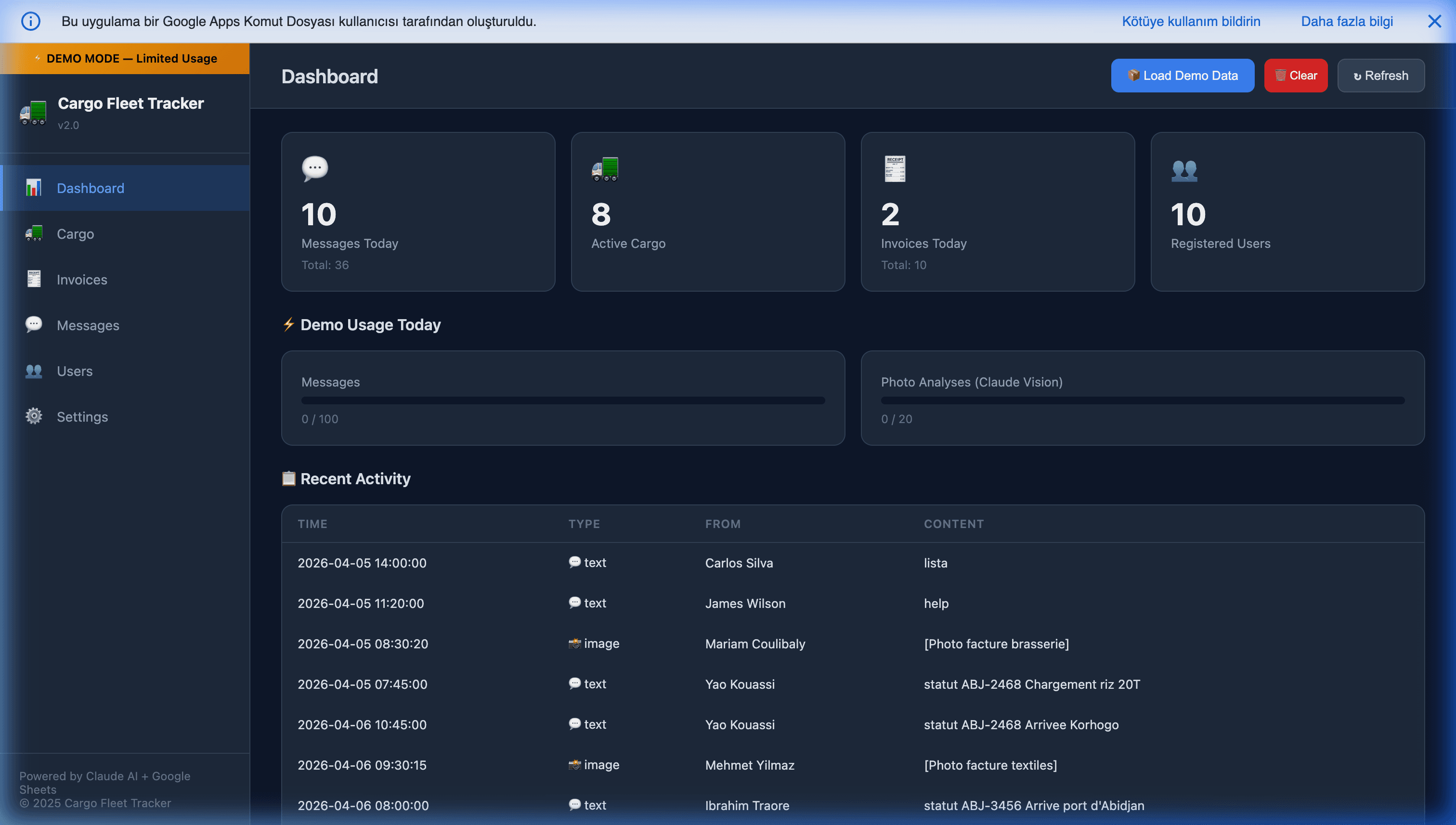
Using products like the Cargo Fleet & WhatsApp Tracker, companies can effortlessly manage user roles, track active cargo fleets, and log historical communication. Because it lives in Sheets, your logistics manager can easily:
- Build dependent formulas (time-to-delivery, estimated arrival, SLA breach flags).
- Create pivot tables of "Delayed Shipments" and "Cargo by Region" for weekly reporting.
- Automate email summaries to clients when their cargo status changes, via Apps Script triggers.
- Cross-reference with Google Calendar (driver shifts), Google Maps (route optimization), and Google Drive (proof-of-delivery photos).
- Set up conditional formatting that makes the dashboard glanceable — red cells demand attention, green cells confirm flow.
All without ever leaving the Google Workspace the operations team already uses every day.
Bidirectional Flow: Dispatcher-to-Driver
The same integration works in reverse. Apps Script can send WhatsApp messages to drivers for:
- Route changes — a new pickup inserted into the day, with address and contact info.
- Customer updates — "Customer called, please ring bell twice" attached to the delivery.
- Shift reminders — automated start-of-shift checklists.
- Proof-of-delivery requests — prompt the driver to photograph the delivery; the photo comes back and auto-attaches to the cargo row.
- Exception handling — dispatcher flags a delivery as "urgent", driver gets the ping with context.
Bidirectional flow is where WhatsApp truly replaces the "Enterprise Field Service" app, not just replaces the input side of it.
Architecture at a Glance
- WhatsApp API provider (Green API, Twilio, Meta Cloud API) — receives driver messages, exposes a webhook endpoint.
- Webhook → Apps Script
doPost— the Apps Script Web App receives every inbound message in real time. - Parse stage — regex first pass, LLM fallback, confidence scoring.
- Sheet update — the parsed status writes to the cargo row, with timestamp and raw-message log.
- Optional outbound — Apps Script triggers (on edit, on schedule) push messages back to drivers via the same API.
The entire thing runs on free Google Workspace infrastructure plus pennies per message in API costs. No servers to maintain, no app store submissions, no driver training material.
Common Pitfalls
- Using unofficial WhatsApp libraries.
whatsapp-web.jsand similar unofficial libs will get your business number banned in days at any meaningful volume. Always use the Official API. - No opt-in flow for drivers. WhatsApp Business API requires an opt-in signal before you can message drivers. Usually this is automatic (the driver messaged you first), but for dispatcher-initiated flows you need a documented opt-in.
- No multilingual support. If your field team spans languages, the LLM fallback layer is essential — don't try to hand-roll regex for every language variant.
- No audit log of raw messages. Always keep the raw message text alongside the parsed result. When something goes wrong, you need to see what the driver actually sent.
- No offline resilience. Drivers lose signal. Messages queue on WhatsApp's servers and deliver when the phone reconnects — but your webhook receives them at reconnection time, which may be out-of-order. Handle out-of-order status updates gracefully (timestamp-based reconciliation).
Getting Started
If your field operations are suffering from poor data entry, stop trying to change human behavior. Bring your enterprise software to where the human already is: their WhatsApp chat list.
The Cargo Fleet & WhatsApp Tracker packages the full architecture — WhatsApp API integration, parsing layer, Google Sheets dashboard, bidirectional messaging — into a deployable system.
Further Reading
- WhatsApp automation for small businesses in 2026 — the pillar guide.
- Automating WhatsApp sales using Google Sheets — the sales-funnel side of the same architecture.
- Building an autonomous WhatsApp AI CRM — the CRM-grade extension.
- Extracting invoices via WhatsApp and AI vision models — adding OCR/receipt parsing to the same pipeline.
- Apps Script webhooks with doGet and doPost — the webhook-receiver pattern this relies on.
Frequently Asked Questions
Why use WhatsApp instead of a purpose-built field logistics app?
Adoption rate. Purpose-built logistics apps require drivers to download something, remember a login, tolerate crashes in low-signal areas, and compete with their other work apps for screen time. WhatsApp is already on their phone, already open all day, and requires zero training. In deployments we've seen, WhatsApp-based logistics flows reach 90%+ driver adoption in under a week; custom logistics apps typically plateau at 50-70% adoption and require ongoing training. The technology is a trade-off against adoption friction — and for distributed field teams, adoption wins.
What happens when drivers don't follow the expected message format?
The script handles it gracefully with AI fallback. If a driver types 'Status ABC-1234 Delivered' the regex parser catches it instantly. If they type 'done with abc1234 just now' or 'dropped off the load', the script passes the message to an LLM (GPT-4o-mini or Gemini Flash) with a structured extraction prompt. The LLM returns the normalized cargo ID and status in >95% of cases. For the remaining 5%, the dispatcher sees a flagged row and either confirms the parse or asks the driver to resend.
Is this secure enough for commercial cargo tracking?
For most SMB and mid-market logistics use cases, yes — if you use the Official WhatsApp Business API via Twilio, Green API, or Meta Cloud API (not unofficial libraries), lock down the Apps Script Web App to only accept webhooks from known WhatsApp provider IPs, and store cargo data in a Google Workspace Business/Enterprise Sheet with proper access controls. For sensitive cargo (pharmaceuticals, high-value electronics, regulated goods) you'll want additional encryption-at-rest and audit logging, which is straightforward to layer on with Cloud KMS.
Can drivers receive notifications from the system, not just send updates?
Yes. The same WhatsApp integration works bidirectionally. Apps Script can send WhatsApp messages to drivers via the API: route changes, customer contact info, updated delivery instructions, shift start reminders. The pattern is especially powerful for proof-of-delivery — dispatcher sends a message with the customer's phone number, driver taps to call, driver then sends a photo of the signed proof-of-delivery back to the bot, which attaches it to the cargo row automatically.
What about multi-language field teams?
WhatsApp messages come in any language; the LLM-based parsing layer handles multilingual inputs natively. Portuguese drivers in Brazil, Turkish drivers in Istanbul, Spanish drivers in Mexico — all write in their own language, all get normalized to structured cargo status updates in English (or whatever your Sheet uses internally). This is a significant advantage over custom apps that require localized UI builds per language.