Sync QuickBooks or Xero to Google Sheets with Apps Script
You can sync QuickBooks Online or Xero to Google Sheets with roughly 150 lines of Apps Script. The script runs on a schedule inside your own Google account, pulls only the records that changed since its last run, and keeps an invoices tab, a payments tab and a monthly P&L up to date with no connector subscription. For a typical small business ledger the API side costs nothing: Intuit's free Builder tier includes 500,000 metered CorePlus (mostly read) calls a month, and Xero's free Starter tier covers up to five connected organisations.
There is one case where you should not build this at all, so we will start with it.
First, check whether you already have it
If you are on QuickBooks Online Advanced, or you work through QuickBooks Online Accountant, use Spreadsheet Sync. Intuit's own feature supports Google Sheets as well as Office 365 Excel, it is included in those subscriptions, and it is maintained by the company that owns the API. Paying someone to rebuild it would be a waste of money.
The situation changes for everyone else:
| Your situation | Native option | Where it stops |
|---|---|---|
| QuickBooks Online Advanced / Accountant | Spreadsheet Sync (Excel and Google Sheets) | Only on those plans; the reporting logic is Intuit's, not yours |
| QuickBooks Simple Start, Essentials, Plus | Manual report export | No schedule, no history, someone has to remember |
| Xero (any plan) | Report export to Excel/Google Sheets | Same: a snapshot, not a sync |
| Several companies or entities | Spreadsheet Sync on QuickBooks Advanced only | Nothing native on lower QuickBooks plans, on Xero, or across a mix of the two |
The middle rows are where the paid connector market lives: tools that pipe accounting data into spreadsheets for a monthly fee, usually priced by the number of data sources, refresh frequency or connected companies. They are good products. The question is whether a job this small should be on a subscription forever. A scheduled read of three or four endpoints is about as stable as automation gets. Once it is built, it keeps running.
The last row matters most for accountants and bookkeepers. An "all my clients' receivables on one tab" view, across clients on different plans or different ledgers, is something neither product gives you natively. It is also where a script you own pays for itself fastest.
How the sync works
The design is the same for both platforms:
- Connect once with OAuth 2.0. A person with access to the books clicks "Connect" one time. The script then holds a refresh token and keeps itself authorised.
- Backfill once. Pull historical invoices and payments in pages and write them to the sheet.
- Sync incrementally on a trigger. Every 15-60 minutes, ask the API only for what changed since the last successful run, then upsert by record ID so rows update in place rather than duplicating.
- Snapshot reports separately. P&L and balance sheet come from report endpoints, written to their own tabs. They are summaries, not records, so you overwrite them instead of upserting.
That last split is the most common design mistake we see in hand-rolled versions: treating a P&L like a table of rows that can be merged. It isn't one. It is a nested report, and it needs its own flattener (below).
Step 1: Connect QuickBooks with the OAuth2 library
Create an app in the Intuit Developer portal and add this redirect URI:
https://script.google.com/macros/d/YOUR_SCRIPT_ID/usercallback
Then add Google's open-source apps-script-oauth2 library to the project. Store the client ID and secret in Script Properties, never in the sheet.
function getQboService() {
  const props = PropertiesService.getScriptProperties();
  const id = props.getProperty('QBO_CLIENT_ID');
  const secret = props.getProperty('QBO_CLIENT_SECRET');

  return OAuth2.createService('quickbooks')
    .setAuthorizationBaseUrl('https://appcenter.intuit.com/connect/oauth2')
    .setTokenUrl('https://oauth.platform.intuit.com/oauth2/v1/tokens/bearer')
    .setClientId(id)
    .setClientSecret(secret)
    .setScope('com.intuit.quickbooks.accounting')
    .setCallbackFunction('authCallback')
    .setPropertyStore(PropertiesService.getUserProperties())
    .setLock(LockService.getUserLock())   // see "rotating tokens" below
    .setTokenHeaders({
      Authorization: 'Basic ' + Utilities.base64Encode(id + ':' + secret),
      Accept: 'application/json'
    });
}

function connectQuickBooks() {
  Logger.log('Open this URL once: ' + getQboService().getAuthorizationUrl());
}

function authCallback(request) {
  const ok = getQboService().handleCallback(request);
  if (!ok) return HtmlService.createHtmlOutput('Access denied.');
  // QuickBooks sends the company ID ("realmId") on the callback. Keep it.
  PropertiesService.getUserProperties()
    .setProperty('QBO_REALM_ID', request.parameter.realmId);
  return HtmlService.createHtmlOutput('QuickBooks connected. You can close this tab.');
}
About setLock: QuickBooks access tokens last 60 minutes, and the refresh token rotates. Each refresh can return a new refresh token and invalidate the old one. If two executions refresh at the same moment, for example a trigger and a manual run, one of them can save a token that is already dead, and the connection breaks for no obvious reason. The lock makes refreshes take turns. It is one line, and it prevents the most common "it worked for a week and then stopped" bug.
Step 2: A fetch wrapper that respects the limits
Every call goes through one function. It pins the API minor version (Intuit retired minor versions 1-74 in August 2025, so pin 75 or later), refreshes on a 401, waits out a 429 and backs off on 5xx responses:
const QBO_BASE = 'https://quickbooks.api.intuit.com/v3/company/';
const QBO_MINOR_VERSION = 75;

function qboGet(path, params) {
  const service = getQboService();
  if (!service.hasAccess()) {
    throw new Error('QuickBooks is not connected. Run connectQuickBooks().');
  }
  const realm = PropertiesService.getUserProperties().getProperty('QBO_REALM_ID');
  const query = Object.entries(Object.assign({ minorversion: QBO_MINOR_VERSION }, params))
    .map(([k, v]) => k + '=' + encodeURIComponent(v)).join('&');
  const url = QBO_BASE + realm + path + '?' + query;

  for (let attempt = 0; attempt < 5; attempt++) {
    const res = UrlFetchApp.fetch(url, {
      headers: { Authorization: 'Bearer ' + service.getAccessToken(),
                 Accept: 'application/json' },
      muteHttpExceptions: true
    });
    const code = res.getResponseCode();
    if (code === 200) return JSON.parse(res.getContentText());
    if (code === 401 && attempt === 0) { service.refresh(); continue; }
    if (code === 429) { Utilities.sleep(60000); continue; }   // Intuit: wait 60s on 429
    if (code >= 500) {
      Utilities.sleep(1000 * Math.pow(2, attempt) + Math.floor(Math.random() * 500));
      continue;
    }
    throw new Error('QuickBooks ' + code + ': ' + res.getContentText().slice(0, 500));
  }
  throw new Error('QuickBooks: gave up after 5 attempts on ' + path);
}
Intuit documents a limit of 500 requests per minute per company and app, with at most 10 running at once, and asks you to wait 60 seconds after a 429. A sync that makes a few calls every 15 minutes will never get close. The retry logic exists for the day Intuit has a bad afternoon. For the general version of this retry pattern and the Apps Script fetch quotas behind it, see our guide to UrlFetchApp quotas and retries.
Step 3: Incremental sync with Change Data Capture
Pulling every invoice on every run gets slower as the ledger grows. QuickBooks' Change Data Capture (CDC) endpoint returns only the records changed since a timestamp, including deletions, with a look-back window of up to 30 days:
function syncInvoices() {
  const props = PropertiesService.getUserProperties();
  const since = props.getProperty('QBO_INVOICES_SINCE')
             || new Date(Date.now() - 29 * 864e5).toISOString();
  const runStartedAt = new Date().toISOString();   // take this BEFORE the call

  const data = qboGet('/cdc', { entities: 'Invoice', changedSince: since });
  const pages = (data.CDCResponse[0].QueryResponse || []);
  const invoices = pages.flatMap(p => p.Invoice || []);

  if (invoices.length >= 1000) {
    // CDC caps each entity at 1,000 changes per response. Falling back to a
    // paged query is safer than silently dropping the rest.
    throw new Error('CDC returned 1,000+ invoices; run the paged backfill instead.');
  }

  upsertById('Invoices', invoices.map(inv => {
    const updated = inv.MetaData ? inv.MetaData.LastUpdatedTime : '';
    // Deleted records come back with little more than an Id. null = "keep the
    // existing cell", so the row keeps its number and amount and is only flagged.
    if (inv.status === 'Deleted') {
      return [inv.Id, null, null, null, null, null, null, 'DELETED', updated];
    }
    return [
      inv.Id,
      inv.DocNumber || '',
      inv.TxnDate || '',
      inv.CustomerRef ? inv.CustomerRef.name : '',
      inv.TotalAmt || 0,
      inv.Balance || 0,
      inv.DueDate || '',
      'ACTIVE',
      updated
    ];
  }));

  props.setProperty('QBO_INVOICES_SINCE', runStartedAt);
}
Three details make this reliable:
- The cursor is the time the run started, saved only after a successful write. If the run fails halfway, the next one re-reads the same window. Upserting by ID makes re-reading harmless, so failures never create gaps.
- Deleted invoices are marked, not removed. An invoice that disappears from your sheet with no trace is exactly the kind of thing an accountant will ask about. A status column answers the question.
- The cursor must stay inside the 30-day window. If the sync is switched off for more than a month, CDC can no longer cover the gap. Run the backfill again instead of guessing.
The upsert assumes row 1 is a header row and column A holds the record ID. It reads the sheet once, edits in memory and writes once. Writing row by row would hit the six-minute execution limit long before the API does:
function upsertById(sheetName, rows) {
  if (!rows.length) return;
  const sh = SpreadsheetApp.getActive().getSheetByName(sheetName);
  const width = rows[0].length;
  const lastRow = sh.getLastRow();
  const existing = lastRow > 1 ? sh.getRange(2, 1, lastRow - 1, width).getValues() : [];
  const indexById = new Map(existing.map((r, i) => [String(r[0]), i]));

  rows.forEach(row => {
    const i = indexById.get(String(row[0]));
    if (i === undefined) {
      indexById.set(String(row[0]), existing.length);
      existing.push(row.map(v => v === null ? '' : v));
    } else {
      existing[i] = row.map((v, c) => v === null ? existing[i][c] : v);
    }
  });
  sh.getRange(2, 1, existing.length, width).setValues(existing);
}
The same function handles Payments, Bills and Customers: change the entity name and the column mapping. The first run uses a one-off backfill (SELECT * FROM Invoice STARTPOSITION n MAXRESULTS 1000, paged) rather than CDC. If the history is large, that backfill should save its position and continue on a follow-up trigger, which is the standard pattern for long Apps Script jobs.
A note on scope. We build syncs like this as fixed-scope projects: connection, backfill, incremental sync, report tabs and failure alerts. The script lives in your Google account afterwards. If you have one specific report you rebuild by hand every month, send us a WhatsApp message describing it and we will tell you whether it is a script, a native feature you already have, or a connector worth paying for. That review is free.
Step 4: A monthly P&L that is not a mess of nested JSON
Report endpoints return a tree: sections, sub-sections, data rows and summary rows. Here is a small recursive flattener that turns ProfitAndLoss into a readable tab, one column per month:
function refreshMonthlyPnL() {
  const year = new Date().getFullYear();
  const report = qboGet('/reports/ProfitAndLoss', {
    start_date: year + '-01-01',
    end_date: Utilities.formatDate(new Date(), 'UTC', 'yyyy-MM-dd'),
    summarize_column_by: 'Month',
    accounting_method: 'Accrual'
  });

  const header = ['Account'].concat(report.Columns.Column.slice(1).map(c => c.ColTitle));
  const rows = flattenReport(report.Rows, 0, []);
  const out = [header].concat(rows).map(r => pad(r, header.length));

  const sh = SpreadsheetApp.getActive().getSheetByName('P&L');
  sh.clearContents();
  sh.getRange(1, 1, out.length, header.length).setValues(out);
}

function flattenReport(rows, depth, out) {
  const indent = '    '.repeat(depth);
  const toNum = v => (v === '' || isNaN(v)) ? v : Number(v);
  ((rows && rows.Row) || []).forEach(r => {
    if (r.Header)  out.push([indent + r.Header.ColData[0].value]);
    if (r.ColData) out.push([indent + r.ColData[0].value]
                      .concat(r.ColData.slice(1).map(c => toNum(c.value))));
    if (r.Rows)    flattenReport(r.Rows, depth + 1, out);
    if (r.Summary) out.push([indent + r.Summary.ColData[0].value]
                      .concat(r.Summary.ColData.slice(1).map(c => toNum(c.value))));
  });
  return out;
}

function pad(row, n) { while (row.length < n) row.push(''); return row; }
The numbers are written as numbers, not text, so charts, pivot tables and a Looker Studio or Apps Script dashboard can use the tab directly. Because the P&L is a snapshot, we overwrite it on each run. If you want month-over-month history of the report itself, for example to see how last month's figures changed after the accountant's adjustments, append a dated copy to an archive tab once a month.
The Xero version: same shape, tighter limits
Everything above carries over to Xero. The differences that matter in practice:
| QuickBooks Online | Xero | |
|---|---|---|
| Access token lifetime | 60 minutes | 30 minutes |
| Refresh token | Rotates; Intuit caps its maximum lifetime and warns before expiry | Rotates; lapses if unused for too long |
| Company identifier | realmId on the OAuth callback | xero-tenant-id header, from GET https://api.xero.com/connections |
| Incremental sync | CDC endpoint (30-day look-back) | If-Modified-Since header on list endpoints |
| Rate limits | 500/min and 10 concurrent per company | 60/min and 5 concurrent per organisation |
| Volume cap | Builder tier: 500,000 metered CorePlus calls/month | 1,000/day per org on free Starter; 5,000 on paid tiers |
| Free developer tier | Builder: no fee, CorePlus calls blocked above the monthly credit | Starter: no fee, up to 5 connections |
Two of these deserve a sentence each.
Xero's 60 calls per minute is the real constraint. A Xero backfill of a few years of invoices needs paging with a short pause between pages, and a multi-client sync has to process organisations one after another, not all at once. Our fetch wrapper's backoff handles the occasional 429. A good design simply never triggers it.
Xero's free Starter tier caps an app at five connected organisations under the pricing model Xero introduced on 2 March 2026. One business, or a bookkeeper with a handful of clients, fits comfortably. A practice syncing 30 clients needs the Core tier ($35 AUD/month, tax exclusive, at the time of writing) or several apps. That is still one flat fee rather than a per-client connector fee, but it is a real cost, so plan for it before you promise a client "free". Two more Xero changes from the same date: apps created since then only get the new granular OAuth scopes, so request offline_access plus the narrowest read-only accounting scopes on Xero's current list rather than copying an old tutorial; and the Journals endpoint now requires Xero's Advanced tier plus an approval process, so build reports from invoices, payments and report endpoints instead.
Honest limits
- Developer platform terms change. Both Intuit and Xero changed API pricing in the last eighteen months. Our figures were checked in October 2026; check Intuit's App Partner Program page and Xero's developer pricing page before you budget.
- Production keys take paperwork. Intuit asks you to complete a questionnaire about your app before issuing production credentials, even for an app that only connects to your own company. Build that into the timeline.
- The code above is a pattern, not a drop-in. It shows the structure we use, simplified for reading. Test it against Intuit's sandbox company before pointing it at real books, and add the backfill, Payments mapping and alerting your version needs.
- Reconnection is not optional. Every OAuth connection eventually needs a human to click "Connect" again. Wire the sync into proper error handling and alerts so a failed refresh emails someone the same day. A finance sheet that quietly stopped updating three weeks ago is worse than having no sheet.
- This is reporting, not accounting. The sheet is a view of your ledger, not a second ledger. Corrections happen in QuickBooks or Xero, then flow to the sheet. Never the other way around without an approval step.
- High-volume ledgers need a different tool. If you post tens of thousands of transactions a month, or need sub-minute freshness, a data warehouse pipeline is the right architecture, not a spreadsheet.
When to pay for a connector instead
Buy, don't build, if you are already on QuickBooks Advanced (Spreadsheet Sync is included), if you need ten different data sources in one tool, or if nobody on your side will own the script and you would rather pay a vendor to keep it running. Our build vs buy framework gives the break-even arithmetic.
Build when the report logic is specific to your business: a client-by-client receivables view across several entities, cash collected per salesperson feeding a commission sheet, or a P&L laid out the way your board reads it. A connector moves data, but the layout you actually need is still work you would do on top of it. With your own script, that logic lives in your Google account and stays there.
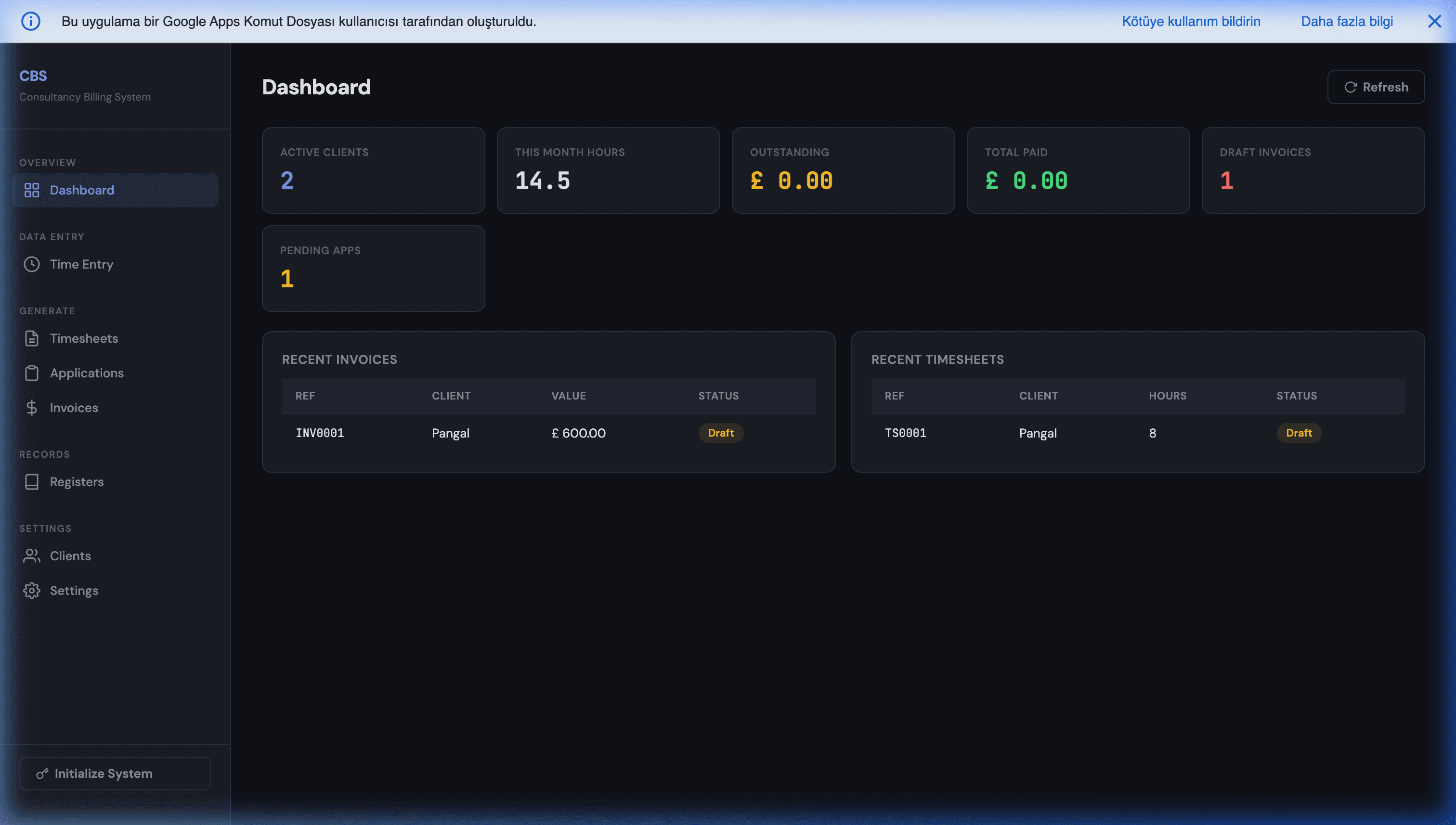
This is one case of a larger pattern. Our guide to replacing expensive SaaS with Google Workspace maps it across CRM, billing and inventory, and the complete guide to building production apps with Google Apps Script covers the engineering foundations. If you want to see what a finished finance tool built this way looks like, our consultancy billing system is a working example of invoicing and reporting running entirely in Google Sheets.
Want this built for your books?
If someone on your team spends the first days of every month exporting reports from QuickBooks or Xero and pasting them into a spreadsheet, that work can be automated, and the result runs in your own account.
Two low-pressure ways to start:
- Book a free 30-minute discovery call. Bring the report you rebuild by hand. We will tell you whether it needs a script, a native feature you already pay for, or an off-the-shelf connector.
- Message us on WhatsApp with your ledger, roughly how many invoices you issue a month, and the report you need.
If you are an accountant or bookkeeper thinking about this for several clients, say so. The multi-client version is a different design, and we would rather plan it properly from the start. Fixed scope, your Google account, your code afterwards. If you would rather do your own homework first, here is what Apps Script development actually costs.
Frequently Asked Questions
Can I sync QuickBooks Online to Google Sheets for free?
The running costs, usually yes. On QuickBooks Online Advanced, or if you work through QuickBooks Online Accountant, Intuit's own Spreadsheet Sync supports Google Sheets and is included in that subscription. Use it before you build anything. On Simple Start, Essentials or Plus you need either a paid connector or your own script. An Apps Script sync runs inside the Google account you already pay for, and Intuit's free Builder tier for the QuickBooks API includes 500,000 metered CorePlus calls a month (the category most data reads fall into). A small business pulling invoices, payments and a monthly P&L uses a tiny fraction of that. What you do pay for is the one-time build, plus someone keeping an eye on it when Intuit retires an API version.
Is a script connected to my accounting system safe?
It can be, if you design it that way. Give it read-only scopes where the platform offers them: Xero does, while QuickBooks' accounting scope is read-write, so the script's own code is what keeps it read-only. Keep the OAuth client secret in Script Properties, not in a cell. Let only the person who owns the connection edit the script, because anyone who can edit it can act with its token. The honest weak point is the spreadsheet, not the API: once figures land in a Sheet, anyone you share the Sheet with can see them. Put the synced data in its own file with tight sharing, and build reports on top with IMPORTRANGE or a separate dashboard file.
How often can Apps Script refresh QuickBooks or Xero data?
A time-driven trigger can run as often as every minute, but for accounting data every 15 to 60 minutes is plenty. Books change in batches, not in real time. QuickBooks' Change Data Capture endpoint returns only what changed since your last run, so frequent syncs stay cheap. Xero does the same with the If-Modified-Since header. The limits that actually matter are Xero's 60 calls per minute and daily cap per organisation (1,000 a day on the free Starter tier, 5,000 on paid tiers), Apps Script's six-minute execution ceiling, and the daily UrlFetch quota. An incremental sync on a normal small business ledger stays far inside all of them.
Should the script also write data back into QuickBooks or Xero?
Only with a review step in between. Reading from your ledger is low-risk: the worst case is a wrong number in a sheet. Writing creates real accounting entries that your accountant will have to reconcile. If you want to post bills or journal entries from a sheet, use a staging tab, a human approval column, and a script that posts only approved rows and writes the created record ID back next to each one, so nothing is posted twice. On QuickBooks, creating records counts as Core API usage, which is not capped, but that does not make it safe to automate without a person checking it.
What happens when the QuickBooks or Xero connection expires?
Both platforms use OAuth 2.0 with short-lived access tokens: 60 minutes on QuickBooks, 30 minutes on Xero. The script refreshes these automatically with a refresh token, and both platforms rotate that refresh token, so the newest one has to be saved after every refresh. The standard Apps Script OAuth2 library does that for you. A connection breaks when the refresh token itself expires or is revoked: Xero's lapses if it goes unused for too long, and Intuit now caps refresh tokens at a maximum lifetime and warns customers before a connection expires. Treat 'please reconnect' as a scheduled maintenance event. Have the script email you the day refresh fails instead of letting the sheet go quietly stale.