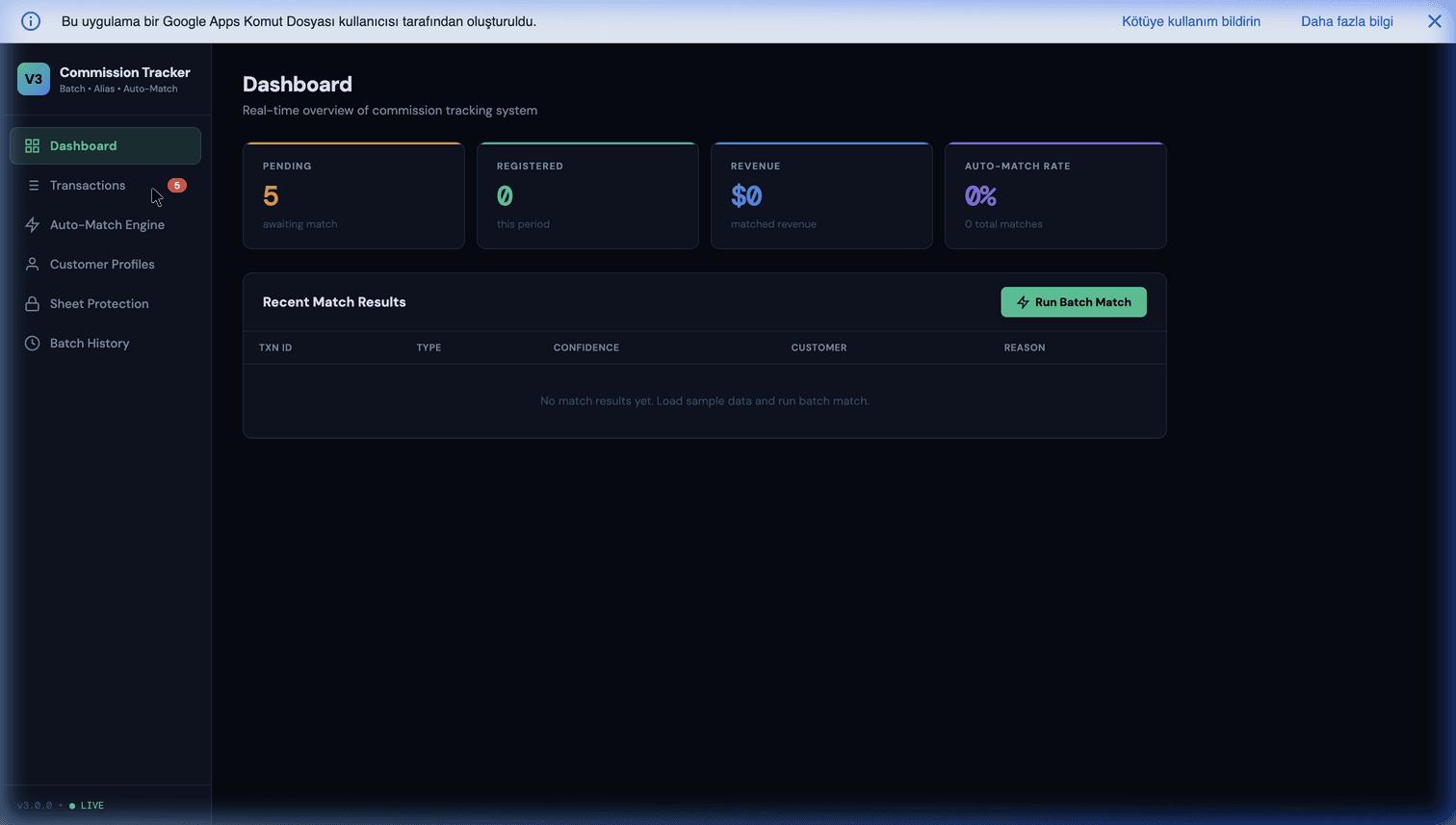
Commission Tracker in Google Sheets: The Complete Guide
You can build a fully automated commission tracker in Google Sheets that handles tiered rates, splits, clawbacks, and multi-rep payouts — without paying $15–35/user/month for QuotaPath or Spiff. Apps Script pulls deals from Stripe, Gumroad, or WhatsApp commerce, calculates each rep's commission against your rules, and produces an audit-ready statement, all inside a sheet you already own. Here's the complete system, from formula to full automation.
This is the hub guide for everything we've published on commission tracking. If you want the deeper builds, this post links out to them: the step-by-step Apps Script implementation in automating sales commissions in Google Workspace, and the architecture-and-scaling view in the hidden cost of manual commission tracking in B2B. Start here; branch out as you need depth.
What is a commission tracker?
A commission tracker is a system that records sales transactions, attributes each one to the right sales rep or affiliate, applies your commission rules (flat rate, tiered, accelerator, split), nets out refunds and clawbacks, and produces a payout statement each rep can verify. The output is a per-rep, audit-ready ledger that answers one question with no arguing: how much do we owe this person, and why.
That's it. A commission tracker is not a CRM, not a payroll system, and not an accounting ledger — though it feeds payroll and reconciles against accounting. Whether it costs $0 in Google Sheets or $1,000/month in dedicated software, every working tracker runs the same five-stage pipeline: ingest transactions, attribute them to a rep, calculate the commission, ledger the result as positive or negative entries, and surface each rep's number to them in a view they trust. The differences between tools are entirely about how much of that pipeline is automated and who owns the data.
Google Sheets vs commission tracking software
The honest comparison: commission tracking software (QuotaPath, Spiff, CaptivateIQ) and a Google Sheets tracker do the same arithmetic. What you're really choosing between is renting the pipeline or owning it.
| Google Sheets + Apps Script | Commission SaaS (QuotaPath, Spiff, CaptivateIQ) | |
|---|---|---|
| Cost | ~$0 on existing Workspace | $15–$35+ per user / month; enterprise tools start ~$200–$1,000/mo |
| Where your revenue data lives | Your own Drive | The vendor's cloud |
| Custom tier / split / accelerator logic | Anything you can code | Limited to the tool's model |
| CRM sync (Salesforce, HubSpot) | DIY via API | Native, deep |
| ASC 606 revenue recognition | Build it | Often built in |
| Setup | Build once, or deploy a template | Configure within their constraints + onboarding |
| Best for | 1–50 reps, agencies, affiliate networks | 100+ reps, RevOps teams, complex enterprise plans |
When SaaS genuinely wins: you have hundreds of reps, you need native two-way CRM sync, your finance team requires audited ASC 606 revenue recognition out of the box, and you have a RevOps person to administer the platform. At that scale the per-seat fee buys real labor savings. We'll always tell you when that's your situation — credibility matters more than a sale.
When Sheets wins: you have a handful to a few dozen reps, your plans are tiered or split but not exotic, you don't want a recurring per-seat bill, and you'd rather keep sensitive payout data inside the Google account you already control. In the teams we've instrumented, this covers the large majority of SMBs, agencies, and affiliate programs — and it's the gap between "renting commission software forever" and "owning a tool you built once." That's the broader argument we make in replace per-seat SaaS with your own Google Workspace tools.
The 3 levels: manual → formula-driven → fully automated
Most teams climb these in order. You can stop at any level that's good enough — there's no prize for over-engineering a 4-rep affiliate program.
Level 1 — Manual spreadsheet. You paste CSV exports from each processor into a master sheet and type commission numbers by hand or with one-off formulas. Fine for a single rep and a dozen deals a month. It breaks the moment you have multiple processors, refunds, or a rep who checks your math — which is to say, almost immediately at scale. This is the "spreadsheet archaeology" most teams are trying to escape.
Level 2 — Formula-driven. Transactions still arrive by manual import, but the calculation is automated: a rules tab holds your tiers and rates, and VLOOKUP/SUMPRODUCT formulas compute each commission. Refunds get reversal rows. This removes most calculation errors and is genuinely good enough for a small, stable team. The remaining pain is ingestion — someone still imports the data and reconciles aliases by hand.
Level 3 — Fully automated. Apps Script closes the loop. Stripe and Gumroad webhooks POST transactions to a sheet-backed endpoint in real time; a matching engine attributes each one; the calculation runs on edit or on a trigger; refunds reverse automatically; every result lands in an append-only audit log; and each rep sees their own number update live. Finance's month-end goes from a 40-hour calculation marathon to a ~4-hour review pass. This is the system the rest of this guide builds toward.
The architecture below is written so you can implement Level 2 today and add Level 3 automation later without restructuring your data. That's the whole point of separating rules, transactions, and the ledger.
Building the formula layer (tiered rates, splits, accelerators)
The single most important rule: commission rules are data, not formulas. Teams that hard-code "10%" into cell formulas rewrite those formulas every time tiers change — and silently break historical payouts. Instead, give rules their own tab keyed by effective date, and look them up.
Here's the minimum viable structure — four tabs:
| Tab | Purpose | Key columns |
|---|---|---|
Transactions | Every charge & refund | txn_id, date, customer_email, amount, type (sale/refund), reverses_id |
Credits | Who gets credited, and how much of each deal | txn_id, rep_id, credit_pct |
Rules | Tier thresholds & rates by date | rule_id, rep_id, effective_from, effective_to, tier_1_cap, tier_1_pct, tier_2_cap, tier_2_pct, tier_3_pct |
Ledger | The computed source of truth | entry_id, txn_id, rep_id, commission, rule_id, computed_at |
Tiered (marginal) commission. A tiered commission pays a different rate on each band of revenue — for example 10% on the first $10K, 15% on the next $40K, 20% above $50K. The mistake is multiplying the whole amount by the top rate the rep reached. The correct marginal calculation, given a rep's cumulative revenue, is a band-by-band sum. With tier caps and rates in named ranges, a single-cell version is three clamped products added together:
= MAX(0, MIN(cum, tier1_cap))               * tier1_pct
+ MAX(0, MIN(cum, tier2_cap) - tier1_cap)   * tier2_pct
+ MAX(0, cum - tier2_cap)                    * tier3_pct
where cum is the rep's cumulative qualifying revenue, tier1_cap and tier2_cap are the band ceilings (e.g. 10000 and 50000), and the third band is open-ended. Each MAX(0, MIN(...)) clamps a band so a rep at $30K cumulative gets the full tier-1 band ($10K × 10%), part of tier-2 ($20K × 15%), and nothing in tier-3 — $4,000. (In production you'd compute the incremental commission for a single transaction by running this on cumulative-before and cumulative-after and subtracting — that's cleaner to do in Apps Script, below.)
Accelerator. An accelerator multiplies the base rate once a rep crosses quota (e.g. rate doubles above 100% of quota). Implement it as a multiplier column on the rules tab, not as a new formula — effective_pct = base_pct * IF(cum >= quota, accelerator, 1).
Splits. When a BDR opens a deal and an AE closes it, the deal has two credit rows in Credits summing to 100% (BDR 30%, AE 70%). Each rep's commission is calculated on their credited share, amount * credit_pct, then run through that rep's tier rule. Splits are where manual systems drift and reps lose trust — making them explicit rows that must sum to 1.0 is what keeps the math honest.
A quick correctness check you can drop in a scratch cell: every deal's credit rows should sum to exactly 1.0. =ARRAYFORMULA(...) a per-txn_id SUMIF and flag anything ≠ 1.
Automating it with Apps Script
Apps Script is Google's built-in JavaScript runtime that runs inside your Google account — no server to host, no extra bill. It's what turns the formula layer into a self-feeding system. Two jobs: receive transactions from your processors, and calculate commissions deterministically.
For ingestion, publish a Web App (doPost) and register its URL as a webhook in Stripe and Gumroad. Every charge and refund POSTs to it and appends to Transactions. A real Stripe event nests the charge under event.data.object, names the action in event.type (e.g. charge.refunded), and reports amounts in cents — so the first job is to normalize that shape into your own row:
function doPost(e) {
  const event = JSON.parse(e.postData.contents);

  // Normalize Stripe's real shape into a flat row. A live Stripe event
  // nests the resource under event.data.object, puts the action in
  // event.type, and reports amounts in cents. Gumroad differs again —
  // give each processor its own mapping here.
  const charge = event.data.object;            // the Charge object
  const isRefund = event.type === 'charge.refunded';

  SpreadsheetApp
    .openById(PropertiesService.getScriptProperties().getProperty('SHEET_ID'))
    .getSheetByName('Transactions')
    .appendRow([
      charge.id,                                // txn_id
      new Date(charge.created * 1000),          // date (Stripe sends epoch seconds)
      charge.billing_details?.email || '',      // customer_email
      charge.amount / 100,                      // cents -> currency units
      isRefund ? 'refund' : 'sale',             // type
      isRefund ? charge.id : ''                 // reverses_id: a refund points at its charge
    ]);

  return ContentService.createTextOutput(
    JSON.stringify({ ok: true })
  ).setMimeType(ContentService.MimeType.JSON);
}
Two production notes that matter: store the spreadsheet ID and any API secrets in PropertiesService, never in a cell — and verify the webhook signature (Stripe sends a Stripe-Signature header) before trusting the payload, so nobody can POST fake commissions to your endpoint. The mechanics of building and securing that endpoint are covered in pull deal data via webhooks.
For calculation, the marginal-tier logic is far clearer in code than in a nested formula:
/**
 * Commission for one transaction given the rep's cumulative
 * revenue *before* this sale, using marginal (band-by-band) rates.
 */
function commissionFor(amount, cumBefore, rule) {
  const bands = [
    { cap: rule.tier1Cap, pct: rule.tier1Pct },
    { cap: rule.tier2Cap, pct: rule.tier2Pct },
    { cap: Infinity,      pct: rule.tier3Pct }
  ];
  let remaining = amount, cursor = cumBefore, commission = 0;
  for (const band of bands) {
    if (remaining <= 0) break;
    const room = Math.max(0, band.cap - cursor);   // space left in this band
    const taxable = Math.min(remaining, room);
    commission += taxable * band.pct;
    remaining -= taxable;
    cursor += taxable;
  }
  return Math.round(commission * 100) / 100;
}
Run this from an onEdit-style flow or, more robustly, a time-driven trigger that processes new Transactions rows, attributes them via Credits, looks up the active Rules row for that rep and date, computes the commission, and appends to Ledger. Honest caveat: Apps Script has a 6-minute execution limit per run and daily quota ceilings. For high transaction volumes, process in batches and use a trigger that resumes where it left off — don't try to recompute the entire history in one pass. The full, resumable build is in build the automated system step by step.
Handling the hard cases: clawbacks, multi-tier, affiliate, WhatsApp
The basics are easy. These four are where commission systems actually earn their keep.
Clawbacks. A clawback recovers commission already paid when the underlying sale is refunded or the customer churns inside a defined window. Define that window in your rules — typically 30–90 days for refunds, 6–12 months for annual-contract churn. When a refund webhook arrives, the script matches it to the original sale via reverses_id, checks the window, and writes a negative ledger entry dated to the refund. Never delete the original — positives and negatives net at payout, and the trail stays intact. (A draw against commission — an advance paid to a new rep that future commissions repay — is the same mechanic in reverse: a negative opening balance the rep earns back.)
Multi-tier / overrides. A sales manager often earns an override on their whole team's production. Model this as additional Credits rows: the closing rep gets their direct credit, and the manager gets an override-credit row against the same txn_id with a separate rule. No special-casing — it's just another credited party with its own rate.
Affiliate commissions. Affiliate programs are commission tracking with a different attribution key — a referral code or link instead of a rep's identity. Map codes to affiliates in a lookup tab, and the same pipeline pays them. If your affiliate channel runs through Gumroad, the same webhook flow feeds both your reps' and affiliates' ledgers.
WhatsApp commerce. In Latin America, the Middle East, Southeast Asia, and much of Europe, a growing share of high-touch deals close entirely in chat — the buyer's email is never captured, and the Stripe receipt shows the buyer's name but not which rep handled the conversation. This breaks email-based attribution. The fix is to make the phone number a first-class attribution key: when a deal closes in your WhatsApp orders pipeline, tag the conversation with the responsible rep via a phone-to-rep lookup, and have the matching engine check phone alongside email when payment lands. The rep gets credited even when the email and receipt don't line up.
Audit-readiness & dispute-proofing
The feature that separates "a spreadsheet with formulas" from "infrastructure your reps trust" is the audit trail — an append-only, immutable log where every commission calculation records its inputs, the rule version applied, and a timestamp. Done right, any number on any statement is reproducible months later.
Two practices make a Sheets tracker audit-ready:
- Append-only ledger. Calculations add rows; they never edit or delete. A correction is a new reversing row, not an in-place change. This is what makes Sheets more auditable than many SaaS tools, where vendor-controlled permissions can let an admin silently overwrite history.
- Statement generation. A trigger produces a per-rep monthly statement — total, line-by-line breakdown, and any flagged disputes — as a tab or PDF the rep can review. When a rep disputes a number, you don't argue from memory; you point at the ledger row, its
rule_id, and itscomputed_attimestamp.
The access model matters as much as the log. Lock write access on the master to 2–3 finance admins; give reps a read-only, tokenized view of their own ledger (a filtered view or an IMPORTRANGE-backed sheet); enforce 2FA on every account with master access; keep all API secrets in PropertiesService. The result is a system that survives an audit and a disgruntled rep equally well.
Free template + when to get a custom build
If you're at Level 1 or 2, the fastest start is to copy the four-tab structure above into a blank Sheet, paste in your rules, and let the formulas run. That alone — every transaction in one place, rules as data, reversal rows for refunds — eliminates most of the disputes teams have.
When automation pays for itself — multiple processors, real volume, WhatsApp deals, or reps who need live numbers — you have two paths. Deploy a ready-made engine: our Sales Commission Tracker V3 installs into a Sheet you own, ingests webhooks, handles aliases, tiers, clawbacks, and audit logging, and exports payroll-ready CSVs for a one-time price with no monthly fee. Or get it built to your exact rules — a fixed-scope project where we wire the engine to your specific processors and tier structure and hand over 100% of the source code in your own Google Workspace. The deeper "is Sheets the right tool for us at all" decision is laid out in the hidden cost of manual commission tracking in B2B.
Frequently Asked Questions
Can you track sales commissions in Google Sheets?
Yes — and for teams under roughly 15 reps it's usually the better choice. A plain sheet with a tier table and a VLOOKUP handles flat, tiered, and accelerator commissions. Add Apps Script and it pulls deals from Stripe, Gumroad, or WhatsApp automatically, applies your rules, reverses refunds, and writes an immutable audit log. The ceiling isn't the spreadsheet; it's how you architect it. Store rules as data (not hard-coded formulas), keep an append-only log, and lock write access to finance — and Sheets behaves like commission infrastructure, not a fragile spreadsheet.
What's the best free commission tracker?
The cheapest genuinely capable option is a Google Sheets commission tracker you build (or deploy) inside a Workspace account you already pay for — $0 in extra software, no per-seat fee, and your financial data never leaves your Drive. Free SaaS tiers (QuotaPath, Spiff) exist but cap reps, hide accelerators behind paid plans, or store your revenue data on their servers. If you want zero ongoing cost and full control, Sheets + Apps Script wins. If you need turnkey CRM sync and have budget, a paid SaaS can be worth it.
Google Sheets vs QuotaPath or Spiff — which should I use?
Use Google Sheets + Apps Script when you have a handful to a few dozen reps, want zero monthly fees, need custom tier or split logic, and want to keep financial data in your own Drive. Use QuotaPath, Spiff, or CaptivateIQ when you have hundreds of reps, need deep native CRM sync (Salesforce/HubSpot), require ASC 606 revenue recognition out of the box, or have a dedicated RevOps team to administer it. The pipeline — ingest, attribute, calculate, ledger, surface — is identical in both; you're choosing whether to own it or rent it.
How do you handle clawbacks and disputes in a spreadsheet?
Never delete the original commission row. A clawback is a new negative-amount entry in the same rep's ledger, linked to the original via a reverses_id column and dated to the refund/churn event. At payout, positives and negatives net out. Define the clawback window (typically 30–90 days for refunds, 6–12 months for annual-contract churn) in your rules tab so the script knows whether a late refund is still clawable. For disputes, the append-only audit log is your defense: every calculation stores its inputs, the rule version applied, and a timestamp, so any number is reproducible.
Can it pull from Stripe, Gumroad, or WhatsApp automatically?
Yes. Apps Script publishes a web app URL that acts as a webhook endpoint; Stripe and Gumroad POST every charge and refund to it in real time, and the script appends each event to your ledger. For WhatsApp commerce — where deals close in chat and payment arrives by transfer or a one-off Stripe link — you make the phone number a first-class attribution key so the rep who handled the conversation gets credited even when the buyer's email doesn't match. No batched CSV imports, no end-of-month archaeology.
How do you calculate tiered or split commissions?
Tiered: store thresholds and rates in a rules tab and compute the commission band by band (10% on the first $10K, 15% on the next $40K, 20% above), not with a single flat multiplier — the marginal-rate logic is a few clamped `MIN`/`MAX` band products in one cell, or a few lines of Apps Script. Splits: give each deal one or more credit rows summing to 100% (e.g. BDR 30%, AE 70%), and calculate each rep's commission on their credited share. Keeping both as data rather than formulas means you change a rate without rewriting — and breaking — historical math.