Connecting Claude API to Apps Script: Tool Use, Prompt Caching, and Cost Tradeoffs
Most Apps Script AI integrations default to OpenAI by reflex. The early WhatsApp CRMs, the document classifiers, the autonomous CRM patterns — almost all of them open with https://api.openai.com. In 2025 that was a reasonable default. In 2026 it is a default worth questioning.
Anthropic's Claude has matched or exceeded GPT on instruction following and tool use across most production benchmarks, prompt caching has become a cost lever big enough to reshape how you architect a high-volume Apps Script workflow, and 1-million-token context windows on Sonnet open up patterns that simply did not exist a year ago. None of this requires moving away from OpenAI; it does mean Claude deserves a real seat in your decision matrix.
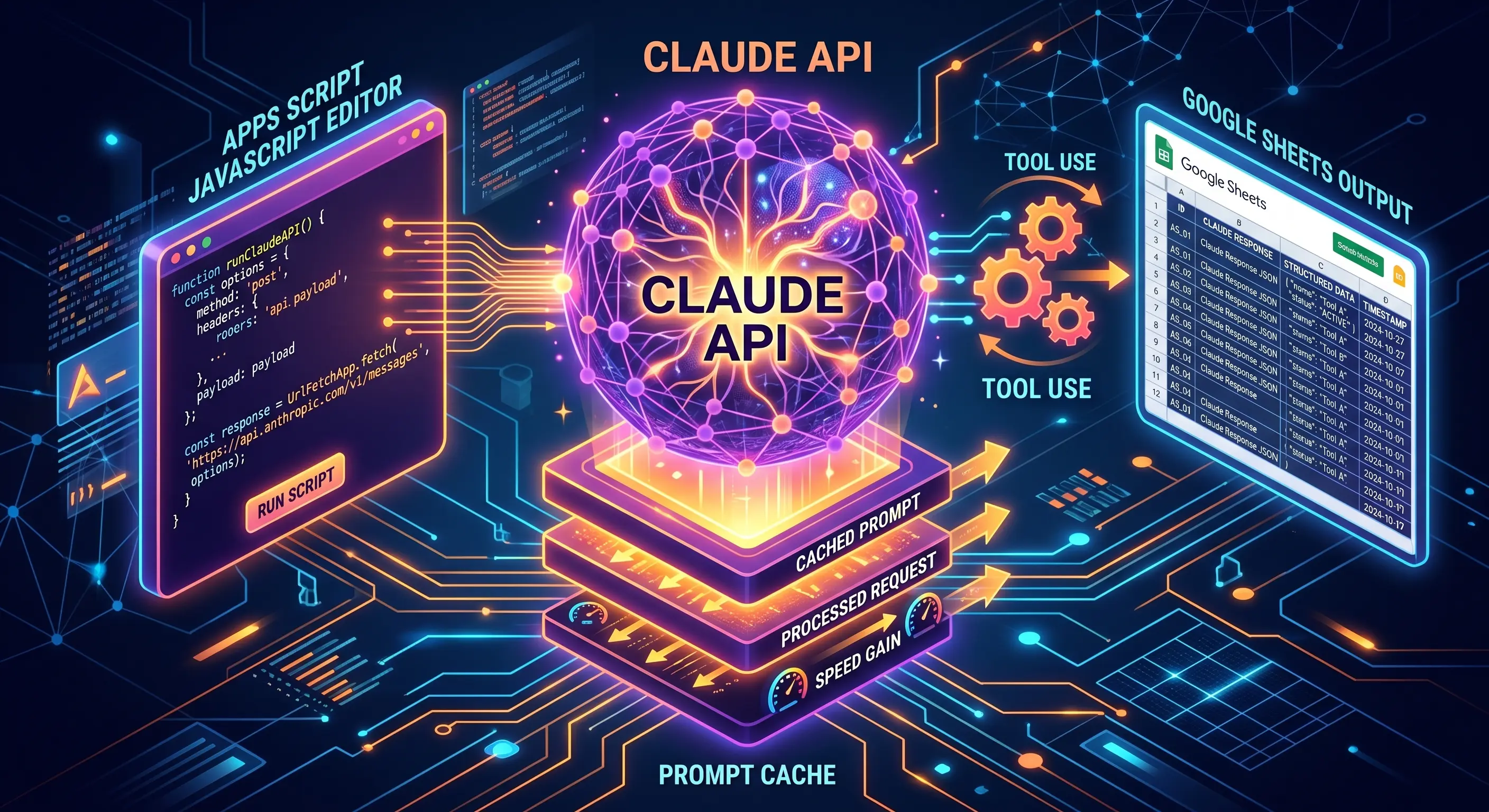
This guide covers the integration end to end: request format, tool use, prompt caching, model selection, and the router pattern most production Apps Script projects converge on.
Request Format: Where Claude Differs from OpenAI
The basic call shape is similar to OpenAI's chat completions, but the differences matter:
function callClaude(systemPrompt, userMessages, tools) {
  const response = UrlFetchApp.fetch('https://api.anthropic.com/v1/messages', {
    method: 'post',
    contentType: 'application/json',
    headers: {
      'x-api-key': PropertiesService.getScriptProperties().getProperty('ANTHROPIC_API_KEY'),
      'anthropic-version': '2023-06-01'
    },
    payload: JSON.stringify({
      model: 'claude-sonnet-4-6',
      max_tokens: 4096,
      system: systemPrompt,        // separate field, not a message
      messages: userMessages,
      tools: tools                 // optional
    }),
    muteHttpExceptions: true
  });

  return JSON.parse(response.getContentText());
}
Three differences from OpenAI's API to internalize:
- System prompt is a top-level field, not a message with
role: "system". Forgetting this and shoving the system prompt intomessagesis the most common first-call mistake. max_tokensis required. OpenAI defaults to model max; Anthropic insists you specify. Set it to your real expected output, not the model max — over-largemax_tokensdoes not cost extra, but smaller values give you a fast-fail signal when generation goes off the rails.- Headers use
x-api-keyandanthropic-version, notAuthorization: Bearer. Trivial but trips up cut-and-paste from OpenAI examples.
The response shape also differs: content is an array of typed blocks (text, tool_use) rather than a single message string. This is intentional — it makes tool use cleaner — but it means your existing OpenAI parser does not work as-is.
Tool Use: Cleaner Than OpenAI's Function Calling
OpenAI calls them "functions" (or "tools" in newer revisions). Anthropic calls them "tools" and the schema is slightly cleaner:
const tools = [
  {
    name: 'get_inventory',
    description: 'Look up current stock for a SKU at a specific warehouse location.',
    input_schema: {
      type: 'object',
      properties: {
        sku:      { type: 'string', description: 'Product SKU like SKU-042' },
        location: { type: 'string', description: 'Warehouse code like WH-01' }
      },
      required: ['sku', 'location']
    }
  }
];
The pattern that produces the best results: invest heavily in the description field. Claude reads tool descriptions before deciding when to call. A precise description ("Use only when the customer is asking about availability of a specific product. Do not call for general 'do you have X' questions.") materially reduces over-eager tool calls.
When Claude responds with stop_reason: 'tool_use', the response content array contains a tool_use block:
{
  "type": "tool_use",
  "id": "toolu_01ABC",
  "name": "get_inventory",
  "input": { "sku": "SKU-042", "location": "WH-01" }
}
Your handler executes the tool, appends a tool_result message to the conversation, and calls Claude again. The id is what links request and result — preserve it.
The exact same architectural pattern we documented for OpenAI in our WhatsApp AI CRM guide works here, with the schema swapped. The six-layer architecture, the read/write/escalation tool categories, the conversation memory pattern — all transfer.
Prompt Caching: The 80% Cost Win
This is the feature that genuinely changes Apps Script economics.
Most Apps Script AI workflows have a structure like:
- A 2,000-token system prompt explaining the business, the tone, the rules
- A 5,000-token tool library with detailed descriptions
- A 50-token user message
That 7,050-token prefix is identical on every call. With OpenAI's standard pricing you pay full input rate for it every time. Claude's prompt caching lets you mark that prefix as cacheable:
const payload = {
  model: 'claude-sonnet-4-6',
  max_tokens: 4096,
  system: [
    {
      type: 'text',
      text: longSystemPrompt,
      cache_control: { type: 'ephemeral' }  // 5-minute cache
    }
  ],
  tools: [
    // ... your tool definitions
  ],
  messages: userMessages
};
Cache hits are billed at 10% of the normal input rate. Cache writes cost 25% more. The break-even is two hits — anything with a steady stream of requests beats uncached.
Two cache durations exist:
- Ephemeral (5 minutes) — refreshes on every cache hit. Perfect for bursty Apps Script triggers (e.g. webhook traffic spikes from a busy WhatsApp number).
- Extended (1 hour) — costs slightly more to write, but holds across longer-running workloads. Best for nightly batch jobs or all-day triggers.
For a WhatsApp CRM handling 3,000 messages a day with a 7,000-token cached prefix, the rough math:
- Without caching: ~21M input tokens × $3/M = $63/month
- With ephemeral caching: ~$8/month (most prefixes hit cache)
That is the kind of structural change that shifts which architectures are economically viable. Re-read our model routing discussion with this in mind — caching is the missing third variable.
Streaming: Skip It in Apps Script
Anthropic supports server-sent event streaming. Apps Script does not. UrlFetchApp.fetch returns the full response or nothing — it cannot consume an SSE stream incrementally.
In practice, this is fine. Apps Script's 30-second doPost ceiling and 6-minute trigger limit make streaming irrelevant for the user-facing layer; you cannot keep a connection open longer than the platform allows anyway. Set stream: false (the default) and parse the complete response.
If you need streaming for a UI, the right architecture is a separate streaming-capable backend (Cloud Run, Vercel Edge) that proxies to Anthropic, with Apps Script staying out of the request path. The Sheet remains the system of record; the streaming layer is a transient performance optimization.
Model Selection in 2026
Claude family in May 2026:
| Model | Best for | Rough cost (input/output, $/MTok) |
|---|---|---|
| Haiku 4.5 | Triage, classification, simple extraction, high-volume tasks | $0.80 / $4 |
| Sonnet 4.6 | Default production workhorse, customer-facing replies, tool use | $3 / $15 |
| Opus 4.7 | Hardest reasoning, audit-quality analysis, multi-step planning | $15 / $75 |
OpenAI's roughly equivalent tiers (May 2026):
| OpenAI | Approx Claude equivalent |
|---|---|
| GPT-4o-mini | Haiku 4.5 |
| GPT-4o | Sonnet 4.6 |
| o3 / GPT-5 | Opus 4.7 |
The honest selection rule: start with Sonnet 4.6 (Claude) or GPT-4o (OpenAI) and only diverge when you have a measured quality or cost reason. Most production Apps Script projects we ship run 80% on Haiku for cheap-path traffic and 20% on Sonnet for everything else, with Opus reserved for the rare hard case.
The Router Pattern
When a project genuinely needs both providers — for redundancy, for cost optimization, or for capability differences — wrap them behind a single internal function:
function callLLM(intent, messages, options = {}) {
  const route = pickRoute(intent, options);

  switch (route) {
    case 'claude-haiku':   return callClaude('claude-haiku-4-5', messages, options);
    case 'claude-sonnet':  return callClaude('claude-sonnet-4-6', messages, options);
    case 'gpt-mini':       return callOpenAI('gpt-4o-mini', messages, options);
    case 'gpt-4o':         return callOpenAI('gpt-4o', messages, options);
  }
}

function pickRoute(intent, options) {
  if (options.forceProvider === 'openai') {
    return intent === 'simple' ? 'gpt-mini' : 'gpt-4o';
  }
  if (intent === 'classification' || intent === 'extraction') return 'claude-haiku';
  if (intent === 'tool_use' || intent === 'reply') return 'claude-sonnet';
  return 'claude-sonnet';
}
The caller passes an intent string, not a model name. The router decides. When you want to switch providers — for an outage, a price change, or a quality experiment — you change one function, not every caller.
The same retry, rate-limit, and idempotency patterns from our UrlFetchApp guide wrap both providers. AI calls are external API calls; they fail like any other external API. The exponential-backoff helper, the per-source rate limiter, the dead-letter queue — all of these matter just as much when the upstream is Anthropic as when it is Stripe or Twilio.
When the Router Is Overkill
Two-provider routing makes sense when you have measurable savings, a redundancy requirement, or a capability gap. It does not make sense when:
- Your total AI spend is under $50/month — the operational complexity outweighs the savings
- You have a single high-quality use case that already works well on one provider
- You do not have telemetry to tell which provider is winning
Start single-provider. Add the router only when you can name a specific reason: "we need to fall back during outages," "we want to test prompt caching ROI," "Sonnet is markedly better at our specific tool-call pattern." Premature optimization in LLM routing is real.
If your Apps Script project is OpenAI-only today and you have not yet evaluated Claude — or you have a high-volume workload where prompt caching alone could pay for the migration — MageSheet's consulting practice runs head-to-head benchmarks on your actual data, ships a router pattern that lets you A/B providers in production, and tunes the model selection to the right cost-quality balance for your workload.
Frequently Asked Questions
Is Claude API more expensive than OpenAI for typical Apps Script workloads?
Sticker-price-per-token is roughly comparable in 2026: Claude Haiku 4.5 lands close to GPT-4o-mini, Claude Sonnet 4.6 sits near GPT-4o. The real cost driver is whether you use prompt caching effectively. A WhatsApp CRM where the system prompt and tool library are stable across millions of messages can drop input cost by 80–90% with Claude's 1-hour cache. Without caching, the two APIs are within 10–20% of each other on most workloads. Pick by quality and capability fit, not by token price alone.
Does prompt caching actually work for Apps Script use cases?
Yes, and it is the single biggest cost-and-latency win. Apps Script projects typically have a fixed system prompt, a stable tool definition list, and varying user messages on each call. The system prompt and tool list are exactly the kind of large, repeating prefix that caching is designed for. Mark them with cache_control breakpoints, and Anthropic charges 10% of the normal input rate for cache hits. The 5-minute ephemeral cache covers bursty traffic; the 1-hour cache covers all-day workloads. Cache writes cost 25% more than uncached, so caching is only a win when you reuse the cached prefix at least twice.
Can I use both Claude and OpenAI in the same Apps Script project?
Yes — and this is increasingly the production pattern. The cleanest setup is a thin LLM router that picks the model per request based on intent, latency tolerance, and cost budget. We use Haiku 4.5 for triage and intent classification (cheap, fast), Sonnet 4.6 for most generation (balanced), and reach for Opus 4.7 only on the hardest reasoning cases. The same pattern works with GPT-4o-mini and GPT-4o on the OpenAI side. Two providers reduce single-vendor risk and let you fail over if one has an outage.
How do I handle Claude's longer context window inside Apps Script's quotas?
Sonnet 4.6 supports a 1 million token context with a paid context-window flag — far more than any single Apps Script doPost can usefully process within the 30-second HTTP timeout or 6-minute trigger ceiling. The practical envelope for Apps Script is 50,000 to 200,000 tokens of input — enough for substantial document analysis or long conversation history but well below the API's hard cap. For workflows that genuinely need 500K+ tokens, batch the request through a separate trigger using the long-running pattern from our 6-minute limit guide and write results back to a Sheet asynchronously.
Which Claude model should I pick for production Apps Script work?
Haiku 4.5 for high-volume, low-stakes tasks: intent classification, summarization of short messages, simple data extraction. Sonnet 4.6 for the bulk of production work: customer-facing replies, tool use with multiple steps, structured output generation. Opus 4.7 only for genuinely hard reasoning: complex multi-step planning, edge-case customer situations, audit-quality analysis. Always start with Sonnet, drop to Haiku where quality holds, and escalate to Opus only when you can measure the quality difference. Most Apps Script projects we ship run 80% on Haiku, 20% on Sonnet.